You can write a WHERE clause that looks perfectly correct, runs without a single syntax error, returns zero rows, and be completely wrong. In fact, you may have done this dozens of times without realizing it. Every time you write WHERE column = NULL, SQL quietly hands you an empty result set and moves on. No warning. No error. No explanation.
The reason is counterintuitive: in SQL, NULL is not a value at all. It is the absence of a value. You cannot compare a value to an absence the way you compare two ordinary numbers. That single concept — NULL as “unknown” rather than “zero” or “empty” — explains every NULL-related bug you have ever encountered, and it is the foundation for every fix in this post.
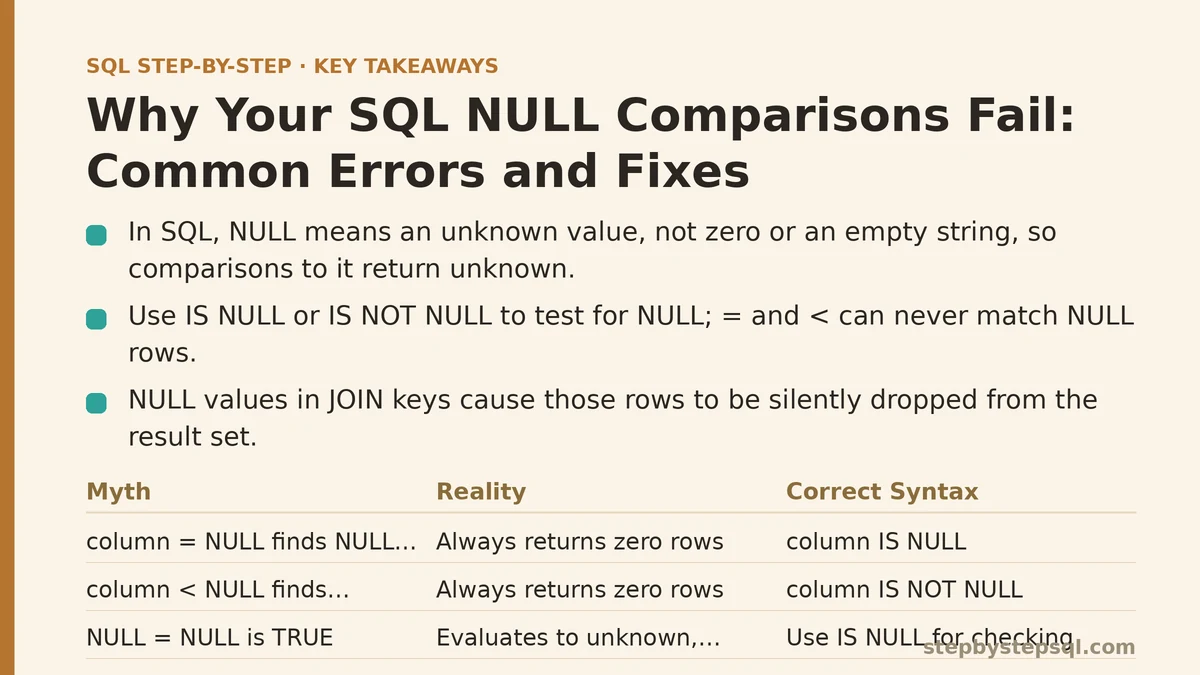
The Myth: NULL Behaves Like 0 or an Empty String
Beginners inherit a mental model from programming languages where null, 0, and "" are all falsy and roughly interchangeable. That model leaks into SQL and produces a predictable set of failures.
Let me state the reality plainly: in SQL, NULL is neither 0 nor an empty string. It is a marker representing an unknown or missing value. If you ask “is this unknown value equal to 5?”, the only honest answer is “unknown” — not true, not false, but a third logical state. That third state is why your comparisons fail.
Testing confirms this quickly. Run this query against any table:
SELECT 1 WHERE NULL = NULL;
The result is empty. You might expect one row with a 1, since NULL does equal NULL in everyday speech. It does not. In SQL, NULL = NULL evaluates to NULL (unknown), and a WHERE clause only keeps rows where the condition evaluates to TRUE. Unknown is treated the same as false when it comes to filtering.
The same test holds for NULL <> NULL, NULL > 5, NULL < 5, and NULL = 0. Every one of them evaluates to unknown. None of them ever match a row.
Common Error #1: Using = Instead of IS NULL
The most frequent mistake, by a wide margin, is writing WHERE column = NULL. The fix is a two-word change, but the conceptual leap matters more than the syntax fix.
| Myth | Reality | Correct Syntax |
|---|---|---|
WHERE column = NULL finds NULL rows | Returns zero rows, always | WHERE column IS NULL |
WHERE column <> NULL finds non-NULL rows | Returns zero rows, always | WHERE column IS NOT NULL |
NULL = NULL is TRUE | Evaluates to unknown, excluded | Use IS NULL for checking |
The syntax fix is permanent and easy to remember: to check for NULL, you must use IS NULL or IS NOT NULL. The = and <> operators are incapable of evaluating NULL comparisons under any circumstances.
Common Error #2: The JOIN Predicate That Silently Drops Matches
NULL breaks JOINs in a way that is harder to spot, because the query runs and returns rows — just fewer than it should.
Imagine two tables: customers and loyalty_accounts. Each loyalty account has a customer_id column, but some accounts were created before the customer-account linkage was enforced. Those older rows contain NULL in customer_id.
Now you write a standard INNER JOIN:
SELECT c.customer_name, l.account_id
FROM customers c
INNER JOIN loyalty_accounts l
  ON c.customer_id = l.customer_id;
Every loyalty account with a NULL customer_id disappears from the result. The JOIN condition evaluates c.customer_id = l.customer_id for each pair, and whenever either side is NULL, the comparison evaluates to unknown, and the pair is dropped. The query looks correct. The header counts are right. But your loyalty account total is silently short.
The fix depends on the business question. If you must include loyalty accounts with missing customer IDs, you need a different strategy — either a LEFT JOIN to preserve the loyalty side, or a COALESCE to substitute a sentinel value before joining:
SELECT c.customer_name, l.account_id
FROM loyalty_accounts l
LEFT JOIN customers c
  ON c.customer_id = l.customer_id;
Now every loyalty account appears. Accounts with NULL customer_id show up with NULL customer_name instead of vanishing entirely.
The wider lesson: before writing any JOIN, scan both key columns for NULL handling. If there is any chance a key is NULL, decide whether those rows should survive into the result. That decision belongs in your query design, not in a silent default behavior.
Common Error #3: Aggregate Functions Quietly Skipping NULLs
Aggregates have their own NULL rules, and they catch people who think they have internalized the concept already.
Consider a sales table with this data:
| salesperson | amount |
|---|---|
| Mira | 100 |
| Jonas | 50 |
| Priya | NULL |
Now run these three queries:
SELECT COUNT(*) AS total_rows FROM sales;
SELECT COUNT(amount) AS count_amount FROM sales;
SELECT AVG(amount) AS avg_amount FROM sales;
The results are 3, 2, and 75. The COUNT of rows is 3. The COUNT of non-NULL amount values is 2. The AVG is calculated as (100 + 50) / 2, not (100 + 50 + NULL) / 3. The NULL row silently vanishes from every aggregate calculation.
For COUNT and AVG, that skipping behavior is what you want in most cases. But it creates two failure modes worth naming:
First, COUNT(*) and COUNT(column) return different numbers whenever that column has NULLs. If you assume they match, your report will be missing the discrepancy. A fast check for your data pipeline: run both counts and compare. A mismatch is a red flag that NULLs exist where you might not expect them.
Second, AVG can mislead. If Priya’s NULL represents a sale that happened but was not recorded, then the true average over all three sales is 50, while SQL reports 75. The NULL is not zero — it is a missing number, and there is no way for AVG to know what it should be. Your responsibility is to know what NULL means in your data before trusting any aggregate result.
Common Error #4: The CASE WHEN Ordering Trap
CASE expressions evaluate conditions in the order you write them. A NULL condition that you place too early can short-circuit the logic you intended.
SELECT
  CASE
    WHEN amount > 100 THEN 'Large'
    WHEN amount < 50 THEN 'Small'
    ELSE 'Medium'
  END AS size_group
FROM sales;
This looks reasonable. But watch what happens with a NULL amount. The first condition amount > 100 evaluates to unknown, the second amount < 50 also evaluates to unknown, so control falls through to ELSE and assigns ‘Medium’. A sale with no amount is labeled Medium. That is a classification bug.
The fix is to handle NULL explicitly first, before any comparison:
SELECT
  CASE
    WHEN amount IS NULL THEN 'Missing'
    WHEN amount > 100 THEN 'Large'
    WHEN amount < 50 THEN 'Small'
    ELSE 'Medium'
  END AS size_group
FROM sales;
Now a NULL amount becomes ‘Missing’. This ordering pattern — NULL check first, then the rest of your conditions — prevents a whole class of misclassification bugs that ship silently into downstream reports.
Common Error #5: WHERE Filters That Erase LEFT JOIN Rows
This is the LINQ / pandas / data-analysis escape hatch that slips through when you are juggling multiple concepts at once.
You write a LEFT JOIN to preserve every row from the left table. Then you add a WHERE clause that filters on a column from the right table. The WHERE clause evaluates after the JOIN completes, and any row where the right column is NULL fails the comparison — unless your condition explicitly handles NULL.
SELECT c.customer_name, o.order_date
FROM customers c
LEFT JOIN orders o
  ON c.customer_id = o.customer_id
WHERE o.order_date >= '2026-01-01';
Customers with zero orders have a NULL order_date. The comparison NULL >= '2026-01-01' evaluates to unknown, so the WHERE clause drops them. Your LEFT JOIN just became an INNER JOIN in disguise.
The fix: move the filter into the ON clause when you want the right-table filter to apply only to the right side of the join:
SELECT c.customer_name, o.order_date
FROM customers c
LEFT JOIN orders o
  ON c.customer_id = o.customer_id
 AND o.order_date >= '2026-01-01';
Now customers with no orders appear with a NULL order_date, and customers with orders only receive the ones after the cutoff. This pattern preserves the semantic promise of LEFT JOIN: keep the left table complete, no matter what.
The Fix That Solves Most NULL Problems: COALESCE
If you need to convert a NULL into a usable fallback value, COALESCE is your tool. It takes any number of arguments and returns the first one that is not NULL.
SELECT
  customer_name,
  COALESCE(phone, email, 'No contact info') AS contact
FROM customers;
This returns the phone when it exists, otherwise the email, otherwise the literal string. COALESCE works inside expressions, aggregate contexts, and JOIN predicates, making it the single most versatile NULL-handling function in SQL.
A common pattern for reporting: COALESCE a NULL column to 0 before aggregating, when the NULL means “no activity recorded” in your business context.
SELECT
  salesperson,
  SUM(COALESCE(amount, 0)) AS total_sales
FROM sales
GROUP BY salesperson;
Priya’s NULL amount now contributes 0 to the total instead of disappearing. That change is only valid if NULL means “no sale recorded” rather than “sale happened but amount unknown.” Always confirm the semantic meaning of NULL in your schema before applying COALESCE.
When NOT to Replace NULL
This section exists because the opposite error is also real: replacing every NULL you find, without asking what it means.
If NULL represents an unknown value — a temperature sensor that failed to report, a customer’s unreported income — then substituting 0 invents data that does not exist. A zero income and an unknown income are not the same thing. One triggers a different loan decision. The other triggers rejection for missing information.
The trade-off is explicit: COALESCE and the IS NULL pattern convert missing into something you can compute with, but they silently erase the distinction between “missing” and “zero.” If that distinction matters for your business logic, keep NULLs in your data pipeline as long as possible. Do the replacement only at the reporting or presentation layer, where you control the label.
A practical decision rule: if you would describe the NULL as “not applicable” or “unknown,” preserve it. If you would describe it as “no value recorded for this numeric field and zero is a fair assumption,” COALESCE to 0. Write that reasoning down in your documentation, because the person reading your query in six months will not know which case you chose.
A Complete Checklist for NULL-Safe Queries
Apply these checks before you consider a query finished:
- Search every WHERE and JOIN predicate for
= NULLor<> NULL. Replace them with IS NULL / IS NOT NULL. - For every JOIN, ask: can either key column contain NULL? If yes, decide explicitly whether unmatched rows should survive.
- If your query uses aggregates, compare COUNT(*) against COUNT(key_column) once to detect unexpected NULLs.
- In every CASE WHEN, place an IS NULL check before any comparison operators.
- When you use LEFT JOIN, keep right-table filters in the ON clause, not the WHERE clause.
- Choose COALESCE deliberately, and document what NULL means in your schema before applying it.
What NULL bug have you hit, and which of these patterns did it match? Describe your query and the result you expected, and you will get back the exact fix — including which approach to avoid for your specific data.
Related guides: SQL NULL Values: How to Handle Them Properly Once and For All, Beginners Guide to SQL Window Functions: ROW_NUMBER and RANK Explained, and Step-by-Step Guide to Writing Multi-Table SQL Joins for Beginners.