A SQL date filter returns the wrong result when the boundary logic, the data type, or the comparison method does not match the actual values stored in the column. The most common root causes are inclusive vs. exclusive boundaries, implicit string-to-date conversion, time components hidden inside a DATE-like column, timezone shifts, and NULL handling in NOT BETWEEN and NOT IN. Each one produces a different failure mode, and each has a specific fix.
This guide walks through the mistakes one step at a time, in the order they tend to appear in real queries. Each step shows the broken pattern, explains why it breaks, and gives the corrected version you can paste into a query and verify against your own data.
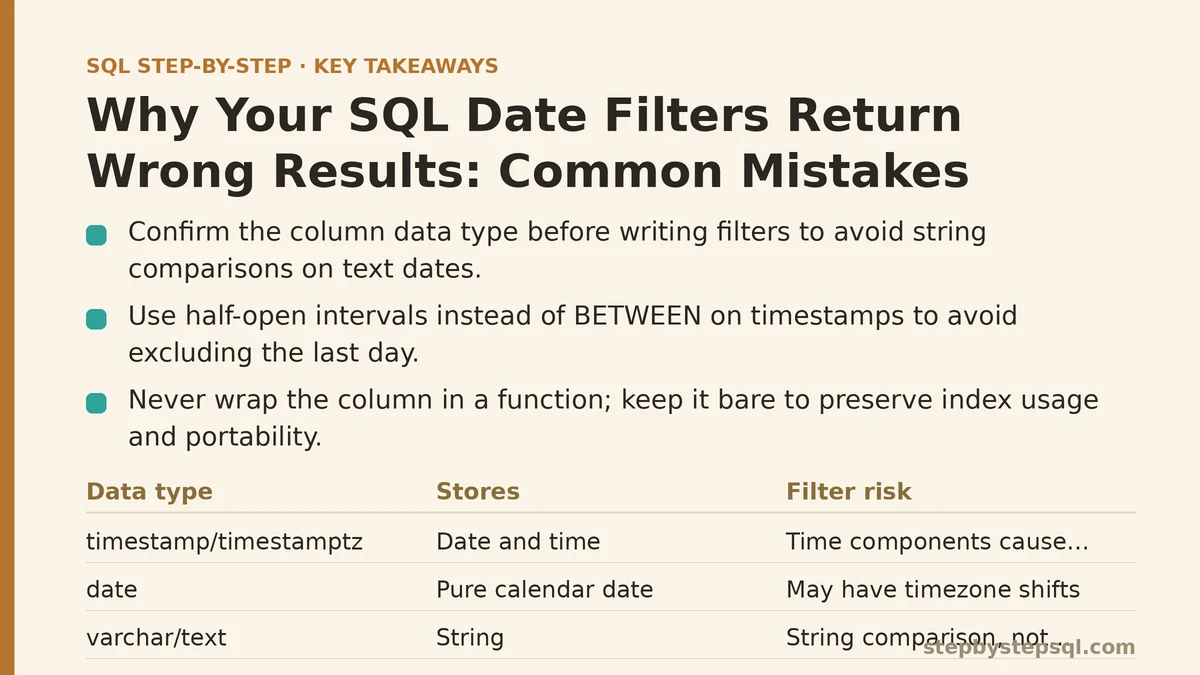
Step 1: Confirm the Data Type Before Writing the Filter
The single most reliable way to avoid date filter bugs is to know exactly what type the column stores. Run a schema lookup first.
-- PostgreSQL
SELECT column_name, data_type
FROM information_schema.columns
WHERE table_name = 'orders'
  AND column_name IN ('created_at', 'order_date', 'shipped_on');
Three outcomes are worth distinguishing:
timestamportimestamptz— the value includes a time component (and possibly a timezone offset).date— the value is a pure calendar date with no time.varcharortext— the value is a string, and any comparison you write is a string comparison, not a chronological one.
That third case causes more wrong results than any other single issue. A column typed as text will happily store '2026-3-5', '03/05/2026', and '2026-03-05' side by side, and a BETWEEN filter will sort them as strings, not as dates. If you inherit a schema like this, the correct fix is to convert on read using an explicit cast and to normalize on write going forward.
-- Explicit, deterministic conversion (PostgreSQL syntax)
SELECT *
FROM legacy_events
WHERE TO_DATE(event_day, 'YYYY-MM-DD') BETWEEN DATE '2026-01-01' AND DATE '2026-03-31';
Never rely on implicit casting in a WHERE clause. It is non-portable, it can be slow (the database may be unable to use an index on the column), and it fails silently when the string format is inconsistent.
Step 2: Decide Whether Your Boundaries Are Inclusive or Exclusive
BETWEEN is inclusive on both ends. This surprises almost everyone at least once:
-- Returns rows where ts is >= '2026-01-01' AND ts <= '2026-03-31 00:00:00'
SELECT COUNT(*)
FROM orders
WHERE ts BETWEEN '2026-01-01' AND '2026-03-31';
If ts is a timestamp, the second boundary is 2026-03-31 00:00:00 exactly — midnight at the start of March 31. Every order placed during March 31 (say, at 09:42) is excluded. The query looks correct, returns a plausible number, and is off by a day.
The fix is to use the half-open interval pattern, which is unambiguous and works identically for date and timestamp columns:
-- Correct: half-open interval [start, end)
SELECT COUNT(*)
FROM orders
WHERE ts >= DATE '2026-01-01'
  AND ts <  DATE '2026-04-01';
The end boundary is the first instant of the next period. No order placed on March 31 can slip through the gap, and no order placed on April 1 can be wrongly included. Adopt this pattern everywhere and stop writing BETWEEN on timestamp columns.
Step 3: Never Wrap the Column in a Function
This is the mistake that turns a fast query into a slow one and can change the result set if the function has rounding behavior:
-- Avoid: function applied to the column
SELECT *
FROM orders
WHERE DATE(created_at) = '2026-03-15';
Two problems. First, DATE(created_at) strips the time component, so the comparison still works — but the database cannot use a plain B-tree index on created_at, because the index key is the raw timestamp, not the derived date. Full table scans result on large tables. Second, functions like DATE() or CAST(... AS DATE) behave differently across engines (some truncate, some round), so the same query can return different rows on PostgreSQL vs. MySQL vs. SQL Server.
The correct rewrite keeps the column bare on the left side:
-- Correct: column untouched, index usable
SELECT *
FROM orders
WHERE created_at >= TIMESTAMP '2026-03-15 00:00:00'
  AND created_at <  TIMESTAMP '2026-03-16 00:00:00';
If you need date-only logic across many queries, a better long-term fix is a generated (computed) column that stores the date separate from the time, with its own index. That way you filter on a real date column without any function wrappers at all.
Step 4: Handle Timezones Explicitly, or Accept the Drift
A timestamptz column stores an absolute instant. The moment you filter it, you are implicitly answering the question “in which timezone?”.
-- Ambiguous: which midnight is this?
SELECT COUNT(*)
FROM events
WHERE occurred_at >= '2026-06-01'
  AND occurred_at <  '2026-07-01';
If the session timezone is UTC but your business operates in America/New_York, a June 30 event at 21:00 local time is 01:00 UTC on July 1 — and it falls outside this filter. The count is short by a few hours’ worth of rows every month boundary.
Two ways to fix this, and you need to pick deliberately:
-- Option A: set the session timezone, then use local wall-clock boundaries
SET TIME ZONE 'America/New_York';
SELECT COUNT(*)
FROM events
WHERE occurred_at >= TIMESTAMPTZ '2026-06-01 00:00:00-04'
  AND occurred_at <  TIMESTAMPTZ '2026-07-01 00:00:00-04';

-- Option B: convert to local time in the filter (breaks index use on occurred_at)
SELECT COUNT(*)
FROM events
WHERE (occurred_at AT TIME ZONE 'America/New_York')::date
      BETWEEN DATE '2026-06-01' AND DATE '2026-06-30';
Option A is faster because the column stays bare and the boundaries carry the offset. Option B is easier to read but forces a scan. For recurring reports, prefer Option A and store the timezone as a configuration value rather than hard-coding it in every query.
Watch out for daylight saving transitions. On the day a DST change occurs, the hour 02:00-03:00 either does not exist (spring forward) or occurs twice (fall back), and any range filter that assumes a fixed 24-hour day will miss or double-count rows. Derive month boundaries with a calendar function instead of adding INTERVAL '1 month' to a local timestamp.
Step 5: Watch for NULLs in Negated Filters
This is a subtle one that produces wrong results in the opposite direction — extra rows appearing where you expected none, or rows disappearing when you expected them.
-- Danger: rows where ended_at IS NULL are silently excluded
SELECT *
FROM subscriptions
WHERE ended_at NOT BETWEEN '2026-01-01' AND '2026-03-31';
Any row with ended_at IS NULL evaluates the expression to NULL, not TRUE, and WHERE NULL filters the row out. If you intended “all subscriptions that did not end in Q1, including ones that never ended”, this query is wrong: it drops every still-active subscription.
The correct form makes the NULL case explicit:
-- Correct: include the still-active rows deliberately
SELECT *
FROM subscriptions
WHERE ended_at IS NULL
   OR ended_at >= '2026-04-01'
   OR ended_at <  '2026-01-01';
The same trap applies to NOT IN with date lists. x NOT IN (d1, d2, NULL) is always NULL or FALSE, never TRUE, so a single NULL in the list empties the result. Prefer NOT EXISTS when the list comes from a subquery that might contain NULLs.
Step 6: Use the Right Function for “Truncate to Week/Month/Year”
The cross-engine syntax for truncating a date varies, and picking the wrong function returns subtly wrong buckets.
| Engine | Truncate month | Truncate week |
|---|---|---|
| PostgreSQL | DATE_TRUNC('month', ts) | DATE_TRUNC('week', ts) (Monday start) |
| MySQL | DATE_FORMAT(ts, '%Y-%m-01') | DATE_SUB(DATE(ts), INTERVAL WEEKDAY(ts) DAY) |
| SQL Server | DATETRUNC(month, ts) (2022+) | DATETRUNC(week, ts) (Sunday start) |
| BigQuery | DATE_TRUNC(date, MONTH) | DATE_TRUNC(date, WEEK(MONDAY)) |
Two gotchas here. First, the default week start differs — Postgres uses Monday, SQL Server uses Sunday, BigQuery requires you to specify. A weekly report built on one engine will not agree with the same report built on another. Second, in older SQL Server versions, DATEADD/DATEDIFF tricks were needed, and they round toward the nearest boundary, which can shift rows between buckets at month edges.
If your reporting layer produces numbers that disagree with a downstream tool, the truncation boundary is one of the first places to check.
Step 7: Verify the Result Against a Manual Count
After rewriting the filter, always confirm the number with an independent calculation. The simplest check is to count by day across the period and eyeball the first and last buckets:
SELECT
    CAST(ts AS DATE) AS day,
    COUNT(*) AS row_count
FROM orders
WHERE ts >= DATE '2026-03-01'
  AND ts <  DATE '2026-04-01'
GROUP BY 1
ORDER BY 1;
The output should have exactly 31 rows (March), the first row should be 2026-03-01, the last 2026-03-31, and none should be at the edges zero unless the data really has none. If March 31 shows up with a suspiciously low count, you have likely reintroduced an exclusive boundary or a function wrapper on the column.
A second check that catches timezone drift: run the same count with an explicit session timezone and compare. A discrepancy of a few hours’ worth of rows between UTC and America/New_York is normal; a discrepancy of a full day is not.
When NOT to Use These Patterns
- Small lookup tables. Wrapping a column in a function on a table of a few hundred rows is harmless. The index-usage argument matters on tables large enough to justify an index in the first place.
- Columns already typed as
date. If the column has no time component,BETWEEN start AND endis safe and readable. Reserve the half-open pattern fortimestampcolumns. - Ad-hoc exploration. When you are just eyeballing data,
DATE(ts) = '2026-03-15'is fine for a one-off. The rules above are for queries that will run in production or feed a report. - Systems that mandate
BETWEENsyntax. Some BI tools generateBETWEENautomatically. In that case, keep the end boundary as the last instant of the period, not the first instant of the next one — or accept a one-day gap and document it.
Summary of the Fix Order
| Step | Mistake | Fix |
|---|---|---|
| 1 | Comparing strings as dates | Explicit cast, normalize on write |
| 2 | BETWEEN includes both endpoints | Use >= start AND < end |
| 3 | Function on the column | Compare bare column to boundaries |
| 4 | Ignored timezone | Set session TZ, use offset boundaries |
| 5 | NULLs in NOT BETWEEN / NOT IN | Add IS NULL branch or NOT EXISTS |
| 6 | Wrong truncation function | Match engine, specify week start |
| 7 | No verification | Group by day, check edges |
Working through these in order catches nearly every wrong-date-result case without trial and error. The pattern that pays off most is Step 2 — switching to half-open intervals once, everywhere, removes a whole class of off-by-one-day bugs that are otherwise hard to spot.
Related guides: Common Indexing Mistakes That Silently Slow Down Your SQL Queries, Common SQL JOIN Mistakes That Duplicate or Drop Rows, and Why Your SQL NULL Comparisons Fail: Common Errors and Fixes.