The database that ships inside your phone, your browser, and roughly every desktop application you have ever installed is also the one most SQL courses skip. SQLite is embedded in more devices than any other database engine in existence, yet beginners are routinely told to start with PostgreSQL, MySQL, or SQL Server instead. That advice is not wrong, but it is incomplete — and the gap between the two options matters more than most tutorials admit.
SQLite and PostgreSQL are not really competitors. They are built for different jobs, and understanding that difference is the fastest way to decide which one belongs in front of you during your first six months of learning SQL. This guide walks through the decision in sequence: what each engine is designed for, how to set each one up, where their SQL dialects diverge, what breaks when you move between them, and how to pick based on where you are heading.
Step 1: Understand What Each Engine Was Built to Do
Before comparing features, it helps to know the original design goal of each project, because almost every difference downstream flows from it.
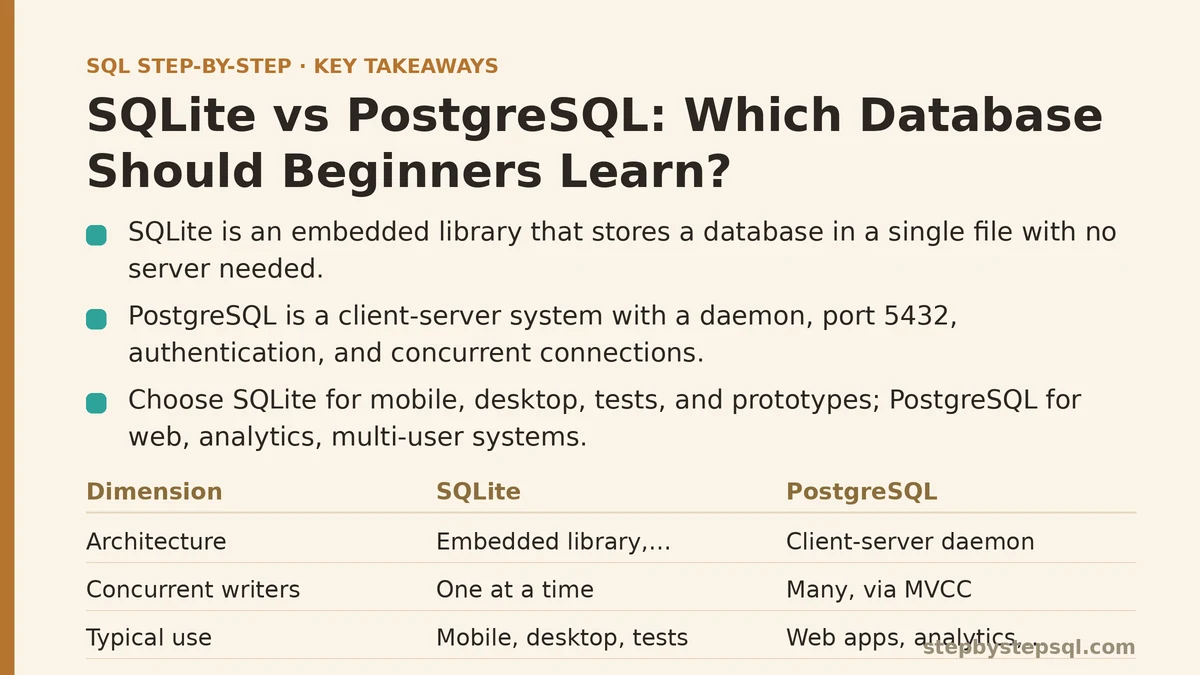
SQLite is a library, not a server. There is no process running in the background, no port to connect to, no user accounts, no network protocol. A SQLite database is a single file on disk (usually ending in .db or .sqlite), and your application reads and writes that file directly through function calls. This is why it can live inside an app with zero configuration and almost no overhead.
PostgreSQL is a client-server database management system. A long-running server process owns the data on disk, listens on a TCP port (default 5432), authenticates clients, manages concurrent connections, and enforces access control. Your application connects over a network socket — even when that socket is on localhost.
That single architectural split explains nearly everything else: SQLite has no users because there is no server to authenticate against; PostgreSQL has roles and grants because multiple clients connect concurrently; SQLite writes are serialized because a file can only take one writer at a time; PostgreSQL supports parallel query execution because the server can marshal multiple workers.
| Dimension | SQLite | PostgreSQL |
|---|---|---|
| Architecture | Embedded library, in-process | Client-server daemon |
| Installation | None — bundled with language runtimes | Package install + service setup |
| Storage | Single file | Directory of files managed by server |
| Concurrent writers | One at a time (WAL mode helps readers) | Many, via MVCC |
| Data types | 5 storage classes, dynamic typing | Rich type system, strict typing |
| Default port | N/A (no network) | 5432 |
| Typical use | Mobile apps, desktop tools, tests, prototypes | Web apps, analytics, multi-user systems |
| Cost of wrong choice | Low — easy to migrate early | High — schema and role setup take effort |
Step 2: Install Each One and Confirm It Works
Concrete setup matters here, because the friction of “just getting a database running” is often what pushes beginners toward one tool or the other.
SQLite: zero install
If you have Python or Node.js installed, you already have SQLite. No installer, no service, no password.
# Python ships with the sqlite3 module — no package needed
python3 -c "import sqlite3; print(sqlite3.sqlite_version)"
-- Open a file-backed database and create a table
sqlite3 shop.db

CREATE TABLE customers (
  id       INTEGER PRIMARY KEY,
  name     TEXT NOT NULL,
  signup   TEXT DEFAULT CURRENT_TIMESTAMP
);

INSERT INTO customers (name) VALUES ('Ada'), ('Grace');
SELECT id, name FROM customers;
Run .tables to list tables, .schema customers to inspect the definition, and .quit to exit. That is the whole onboarding path — under a minute on any machine with a modern language runtime.
PostgreSQL: a real service install
PostgreSQL requires a server, a data directory, and a way to connect to it. On macOS with Homebrew:
brew install postgresql@16
brew services start postgresql@16
createdb shop

psql -d shop -c "SELECT version();"
On Debian or Ubuntu, the equivalent is sudo apt install postgresql followed by sudo -u postgres psql. After install, the server runs as a background service, and you interact with it through psql or a client library.
The extra steps are not incidental. They represent capabilities SQLite deliberately omits: a supervised server, user authentication, and a network endpoint that multiple applications can share.
Step 3: Learn Where the SQL Dialects Diverge
Both engines speak SQL, but the dialects differ in ways that will bite you if you assume they are interchangeable. These are the differences that show up most often for beginners writing everyday queries.
Auto-incrementing primary keys. SQLite uses INTEGER PRIMARY KEY for the implicit rowid behavior; AUTOINCREMENT exists but is stricter and rarely needed. PostgreSQL uses SERIAL (older style) or GENERATED ALWAYS AS IDENTITY (the modern recommendation).
-- SQLite
CREATE TABLE orders (
  id        INTEGER PRIMARY KEY,
  amount    REAL NOT NULL
);
-- PostgreSQL
CREATE TABLE orders (
  id        INTEGER GENERATED ALWAYS AS IDENTITY PRIMARY KEY,
  amount    NUMERIC(12,2) NOT NULL
);
Data types. SQLite stores values in five storage classes (NULL, INTEGER, REAL, TEXT, BLOB) and is dynamically typed — a column declared TEXT will happily accept an integer, and NUMERIC is not enforced as you might expect. PostgreSQL is strictly typed: inserting 'abc' into an integer column raises an error. This is one of the biggest behavioural gaps between the two, and it is a point in PostgreSQL’s favour for learning discipline.
String concatenation. SQLite uses ||, PostgreSQL also uses || but offers concat() and format(). Date functions differ widely: SQLite has date('now'), strftime('%Y-%m', col), and stores dates as ISO text by default; PostgreSQL has a true DATE/TIMESTAMP type plus date_trunc(), now(), and interval arithmetic.
Upserts. Both support ON CONFLICT, but the syntax diverges in the conflict target and the excluded-row reference.
-- PostgreSQL upsert
INSERT INTO stock (sku, qty)
VALUES ('A1', 5)
ON CONFLICT (sku) DO UPDATE
  SET qty = stock.qty + EXCLUDED.qty;
-- SQLite upsert (nearly identical, but types are looser)
INSERT INTO stock (sku, qty)
VALUES ('A1', 5)
ON CONFLICT (sku) DO UPDATE
  SET qty = qty + excluded.qty;
Boolean, JSON, arrays, and schemas. PostgreSQL has native BOOLEAN, JSONB, ARRAY, and named schemas. SQLite stores booleans as 0 and 1, has a limited JSON1 extension, no array type, and only the main and temp namespaces plus attached databases.
Step 4: Walk Through a Migration on Purpose
One of the best ways to internalise the differences is to move a small schema from SQLite to PostgreSQL and fix what breaks. This is a realistic path because most beginners start in SQLite without realising it — every Django default, every Rails dev environment, every “let me just test this quickly” session ends up there.
Start with the SQLite schema:
CREATE TABLE posts (
  id       INTEGER PRIMARY KEY,
  title    TEXT NOT NULL,
  views    INTEGER DEFAULT 0,
  pinned   BOOLEAN DEFAULT 0,
  tags     TEXT
);
Move it to PostgreSQL and adjust for the type system:
CREATE TABLE posts (
  id       INTEGER GENERATED ALWAYS AS IDENTITY PRIMARY KEY,
  title    TEXT NOT NULL,
  views    INTEGER DEFAULT 0,
  pinned   BOOLEAN DEFAULT FALSE,
  tags     TEXT[]
);
Three things happen during this translation that every beginner hits at some point:
BOOLEAN DEFAULT 0is accepted by SQLite but not PostgreSQL — you switch toFALSE.- Any query relying on SQLite’s coercion, such as
WHERE views = '10', stops working. PostgreSQL will not compare an integer column to a string literal without an explicit cast. - Comma-separated
tagsin a text column becomes aTEXT[]array, andLIKE '%sql%'becomesWHERE 'sql' = ANY(tags)or aGINindex over the array. This is where PostgreSQL’s extra type system starts to pay for itself.
Run the same test queries in both engines to confirm the differences:
SELECT title, views FROM posts WHERE pinned ORDER BY views DESC LIMIT 5;
In both engines this returns the same rows, but PostgreSQL will refuse to run it if pinned is a nullable text column rather than a boolean — a small, useful failure that teaches type discipline.
Step 5: Know the Failure Modes of Each
The trade-offs are real and worth naming so you do not pick the wrong tool without realising it.
Where SQLite fails. If two processes try to write simultaneously, one blocks or errors with SQLITE_BUSY. Enabling WAL mode (PRAGMA journal_mode = WAL;) lets readers proceed during a write, but writes remain serialized. SQLite has no built-in role-based access control, no network protocol, and no built-in replication, so it is unsuitable for a web application serving concurrent traffic across multiple servers. It also lacks parallel query execution, so analytical queries over large tables run on a single core.
Where PostgreSQL fails. PostgreSQL is overkill for a throwaway script or a single-user CLI tool. The install, service management, connection pooling, and backup tooling all add operational surface area you do not need for a local analysis. Its strictness also slows down exploratory work — a quick experiment that would run against SQLite will raise type errors until you fix the shape of your data. And on constrained devices like mobile phones, PostgreSQL is simply not an option.
Neither engine is a compromise you will regret for short-lived throwaway work; the regret comes from promoting the wrong one into a shared production role.
Step 6: Decide Based on Where You Are Going
The honest answer to “which should a beginner learn?” depends almost entirely on the kind of work you are aiming for.
- Learn SQLite first if your goal is to learn SQL concepts rather than a specific product — the language, SELECT, JOIN, GROUP BY, window functions, subqueries. The zero-setup nature means you spend your time writing queries instead of configuring servers, and every project feels disposable.
- Learn PostgreSQL first if you already know you are heading toward web backends, data engineering, analytics, or any multi-user application. You will pick up the same SQL concepts but gain the type system, permissions model, and concurrency behaviour that production code depends on.
- Learn both if you have already chosen one. The migration path between them is short once you understand the dialect differences, and moving between the two is a useful exercise in itself.
A practical middle ground that many learners settle on: write your exercises in SQLite to keep setup friction near zero, then periodically re-run the same exercises in PostgreSQL to build type discipline. The SQL concepts transfer. The dialect quirks are the only thing that needs relearning, and even those are a short list.
Step 7: Pick a Starting Point and Move On
The most common mistake in this decision is spending more time comparing databases than querying one. Pick the tool that matches your immediate next step, write ten queries against it, and let the experience inform the next move. If you start with SQLite and find yourself reaching for JOIN across many tables, handling concurrent writes, or dealing with users who need separate access — that is the signal to install PostgreSQL.
For a full learning path from SELECT through window functions, the concepts stay the same regardless of which engine sits underneath them. If you are still deciding how to practice, the guide on SQL window functions explained simply is a reasonable next stop — the engine you choose will run every example in it.
If you are weighing a specific project — a hobby tool, a university assignment, a job that expects one stack over another — describe the constraints and the choice usually narrows to a single option quickly. The important part is that you start writing SQL today, not that you start with the perfect engine.