A common misconception is that window functions are simply a newer, better replacement for GROUP BY — that once you learn OVER and PARTITION BY, you should stop reaching for GROUP BY altogether. That framing is wrong in a way that causes real queries to return the wrong number of rows. Window functions and GROUP BY are not competing versions of the same feature. They answer different questions about your data, and choosing the wrong one typically produces a result that either collapses rows you needed or keeps rows you meant to summarize.
This tutorial walks through a single reporting scenario in depth so the distinction shows up in real output rather than in abstract definitions. By the end you should be able to look at a business question and know within a few seconds which clause the query needs — and, just as importantly, when a query needs both.
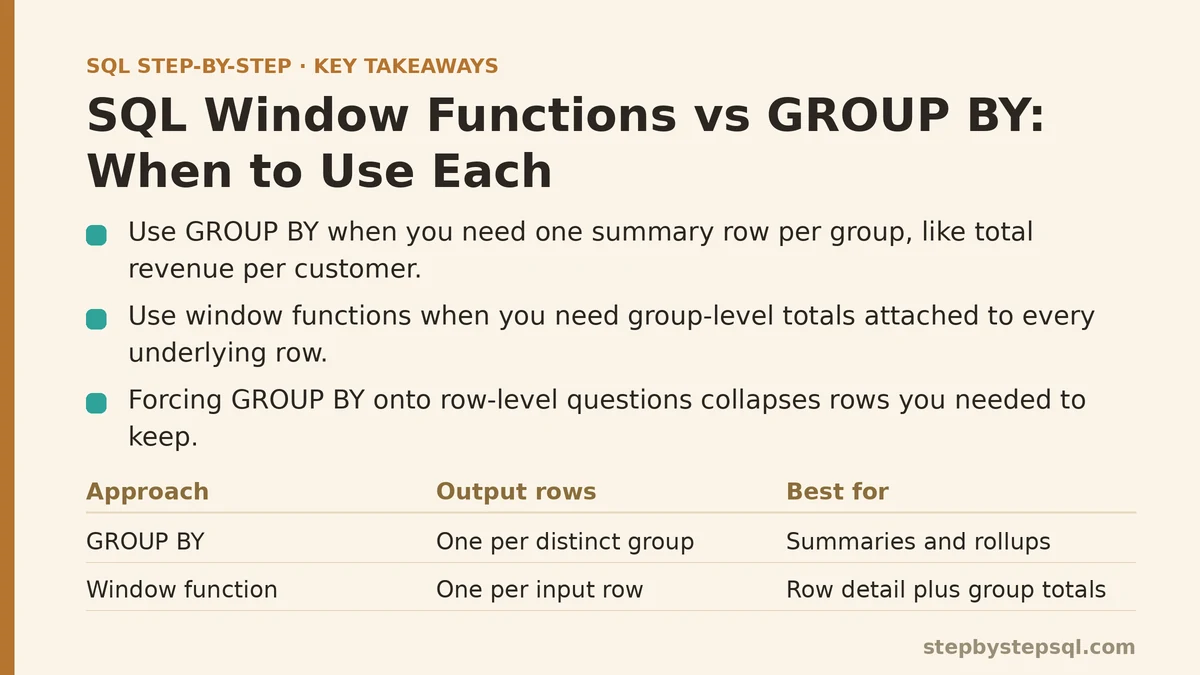
The Question That Exposes the Difference
Picture an orders table with one row per order. Each row carries a customer_id, an order_date, and an order_total. The table has dozens of rows per customer across several years.
Now consider two questions that sound similar but demand different SQL:
- “What is the total revenue per customer?”
- “What is each order, alongside that customer’s total revenue?”
The first question has one answer per customer — five customers means five rows. The second question has one answer per order — five hundred orders means five hundred rows, each one carrying a repeated customer-level total beside it.
GROUP BY solves the first. A window function solves the second. Try to force the second question through GROUP BY and you lose the order-level detail; try to force the first through a window function and you get five hundred rows where you wanted five.
GROUP BY: Collapsing Rows Into One Per Group
The mechanics are simple to state: GROUP BY sorts rows into piles that share the same value in the grouped column, then each aggregate function (SUM, COUNT, AVG, MIN, MAX) produces one value per pile. Non-aggregated columns disappear unless they appear in the GROUP BY list.
For question one:
SELECT
    customer_id,
    SUM(order_total) AS total_revenue,
    COUNT(*)         AS order_count
FROM orders
GROUP BY customer_id;
Run this against a table with 500 orders belonging to 5 customers and you get exactly 5 rows. Every order-level column is gone from the output — there is no order_date, no individual order_total, because those columns don’t survive the collapse.
Two properties of this behavior are worth internalizing:
- The output row count equals the number of distinct groups, not the number of input rows.
- Grouping columns are the only non-aggregated columns allowed in the SELECT list (in standard SQL; some engines loosen this, but relying on that is a portability risk).
GROUP BY is the right tool whenever the row-level detail isn’t needed in the answer — a summary report, a per-category count, a monthly rollup where each month is one line.
Window Functions: Calculating Across a Group While Keeping Every Row
A window function performs a group-level calculation but attaches the result to every underlying row instead of collapsing them. The OVER clause defines the “window” of related rows, and PARTITION BY splits that window into groups — conceptually similar to how GROUP BY splits rows into piles, except the piles remain visible.
For question two:
SELECT
    order_id,
    customer_id,
    order_date,
    order_total,
    SUM(order_total) OVER (PARTITION BY customer_id) AS customer_total
FROM orders;
Run this against the same 500-order table and you get 500 rows back. Each row shows its own order total in one column and the customer’s full total in another. The customer total repeats on every order belonging to that customer — that repetition is the feature, not a bug.
Three points worth noting here:
- The output row count equals the input row count (before any WHERE filter). No rows are collapsed.
- No GROUP BY clause appears anywhere in the query, even though
SUMis used. TheOVER (PARTITION BY ...)handles the grouping. - The aggregation runs after most filtering. A WHERE clause narrows the rows before the window function sees them.
Once you can read the output row count of each approach and predict it before running the query, the choice between them stops being a matter of preference.
Side-by-Side: What Each Returns
The comparison below uses a small table — four orders across two customers — so the row-count difference is visible at a glance.
| Approach | Query shape | Rows returned | Row-level detail kept? | Column added |
|---|---|---|---|---|
| GROUP BY | GROUP BY customer_id with SUM(order_total) | 2 (one per customer) | No | total per group |
| Window function | SUM(order_total) OVER (PARTITION BY customer_id) | 4 (one per order) | Yes | total repeated per row |
| Plain aggregate | SUM(order_total) with no grouping | 1 (grand total) | No | overall total |
Reading down that table is the whole decision in miniature. If your answer needs one line per group, GROUP BY gives it. If your answer needs one line per input row with a group-level value attached, the window function gives it.
Where the Two Get Confused in Practice
The confusion usually appears in one of two directions.
Direction one: trying to keep detail with GROUP BY. A writer wants each order plus the customer total. They reach for GROUP BY because “I’m summing something,” which collapses the orders, and then the query fails or returns the wrong shape. Some engines will reject the query outright because order_date isn’t in the GROUP BY list; others (with ONLY_FULL_GROUP_BY disabled) will silently pick an arbitrary order_date per group, which is a subtle correctness bug that’s easy to miss.
Direction two: using a window function for a pure summary. A writer wants “total revenue per customer, one row per customer.” They write a window function, get 500 rows, and then wrap the query in SELECT DISTINCT or a subquery just to collapse it back down. That works, but it’s a workaround. GROUP BY produces the desired shape directly and lets the database optimize for it.
A quick heuristic that catches most cases: ask what one row of the final output represents. One row per customer, per category, per month? GROUP BY. One row per transaction, per event, per product, with a group-level figure attached? Window function.
When a Query Needs Both
Many real reporting questions need both shapes at once, and this is where the two tools cooperate rather than compete. Consider: “For each order, show its amount, its customer’s total revenue, and what percentage of that customer’s revenue this order represents.”
SELECT
    order_id,
    customer_id,
    order_total,
    SUM(order_total) OVER (PARTITION BY customer_id) AS customer_total,
    ROUND(
        100.0 * order_total
        / SUM(order_total) OVER (PARTITION BY customer_id),
        2
    ) AS pct_of_customer
FROM orders;
Every row survives, and each one carries a percentage that only makes sense because the window function computed the denominator alongside it. There is no GROUP BY here because the answer is graded per order. The percentage column would be impossible to produce in a single pass with GROUP BY alone — you’d need a subquery or a self-join to bring the customer total back to each row.
Now flip the requirement: “Show the total revenue per customer, and also that customer’s largest single order.” That starts to look like a summary where each group also carries a window-based figure. The common solution is to compute the window-level value in a subquery or CTE that keeps row detail, then apply GROUP BY around it — for example, MAX of an order_total over the customer partition, aggregated to one row per customer. The exact wording varies by engine, but the pattern is the same: use the window function to compute something per row, then GROUP BY to collapse to the shape the report needs.
This layering — window first, group second, or the reverse — is where most intermediate queries live once the concepts separate cleanly in your head.
Trade-offs, Failure Modes, and When to Avoid Each
GROUP BY trade-offs
- Loses row-level detail. This is by design, but it means the query can’t answer follow-up questions about individual rows without a second pass.
- Strict column rules in standard SQL. Every non-aggregated SELECT column must appear in the GROUP BY. Some databases relax this; portable SQL doesn’t.
- WHERE runs before grouping. Filtering on an aggregated value requires
HAVING, which runs after grouping. Mixing up WHERE and HAVING is a common source of errors.
Window function trade-offs
- More rows than you may want. The output carries every input row unless you filter. If the caller wanted a summary, this is the wrong shape.
- WHERE is applied before the window function; the window is applied before ORDER BY. To filter on a window result, you need a subquery or CTE wrapping the windowed query, then a WHERE on the outer query.
- Performance can degrade with large partitions. A window function over an unbounded partition has to hold that entire partition’s state. For very large tables, the database may spill to disk. GROUP BY often has a cheaper execution path for pure summarization, though the difference depends heavily on indexes, engine, and data distribution rather than on any universal rule.
- Ordering matters for ranking and offset functions.
ROW_NUMBER,RANK,LAG, andLEADrequire a meaningfulORDER BYinside theOVERclause. Without it, the result is non-deterministic from the server’s point of view.
When NOT to use a window function
- When the deliverable is one row per group and nothing else — GROUP BY is simpler and easier to reason about.
- When the consuming system expects a strict one-row-per-entity contract and extra rows would break downstream logic.
- When the query is already inside a GROUP BY-heavy pipeline and the window adds a second grouping pass without clear benefit.
When NOT to use GROUP BY
- When the question is “each row plus its group’s value” — the collapse loses the data the answer needs.
- When you’d have to write a self-join or subquery to bring the group value back to each row. That’s the exact pattern window functions exist to simplify.
- When you’re ranking, offsetting (
LAG/LEAD), or computing running totals — none of those are expressible in GROUP BY without elaborate workarounds.
A Worked Decision Path
Use this sequence when you’re staring at a new reporting question and aren’t sure which clause it needs:
- Write down what one row of the answer represents. Is it an entity (customer, product, month) or an event/transaction?
- Count rows the answer should have. If the business question implies a specific row count, the SQL that produces that count is the right shape.
- Check for group-level values on row-level output. If the answer needs both an entity-level figure and an event-level figure on the same line, reach for a window function.
- Check for totals, counts, or averages that stand alone. If the answer is a summary line per entity with no row-level detail, use GROUP BY.
- If both appear, layer them. Window function inside, GROUP BY outside (or the reverse), often via a CTE.
Run those five steps against the two questions at the top of this tutorial and the answer falls out immediately. Question one says “one row per customer” and “a total standing alone” — GROUP BY. Question two says “one row per order” and “a total sitting beside row detail” — window function.
The misconception worth discarding is that window functions supersede GROUP BY. They don’t. Each solves a shape problem the other can’t, and the correct choice is decided by the output you need, not by which feature is newer or which one you learned most recently.
If you have a query where the GROUP BY and window function versions produce different row counts and you’re not sure which one the report needs, describe the input table and the intended output shape — the choice usually follows directly from those two pieces of information. +++
Related guides: Beginners Guide to SQL Window Functions: ROW_NUMBER and RANK Explained, SQL Window Functions Explained Simply: The Concept That Unlocks Advanced Reporting, and Step-by-Step Guide to SQL Window Functions for Beginners.