Say you are trying to create a users table and you need a column for a two-letter country code. You write CHAR(2) and move on. Then you add a column for an email address. You write VARCHAR(255) and move on again. Both worked. Both stored text. So why does every database tutorial insist there’s a meaningful difference?
The difference shows up in three places: how bytes land on disk, how the database compares values, and how your queries behave at scale. For a small table, you will not notice. For a table with millions of rows, the choice between CHAR and VARCHAR can change query time and storage size by a measurable margin. This post walks through both data types from the ground up, then gives you a decision rule you can apply without second-guessing yourself.
What CHAR Does
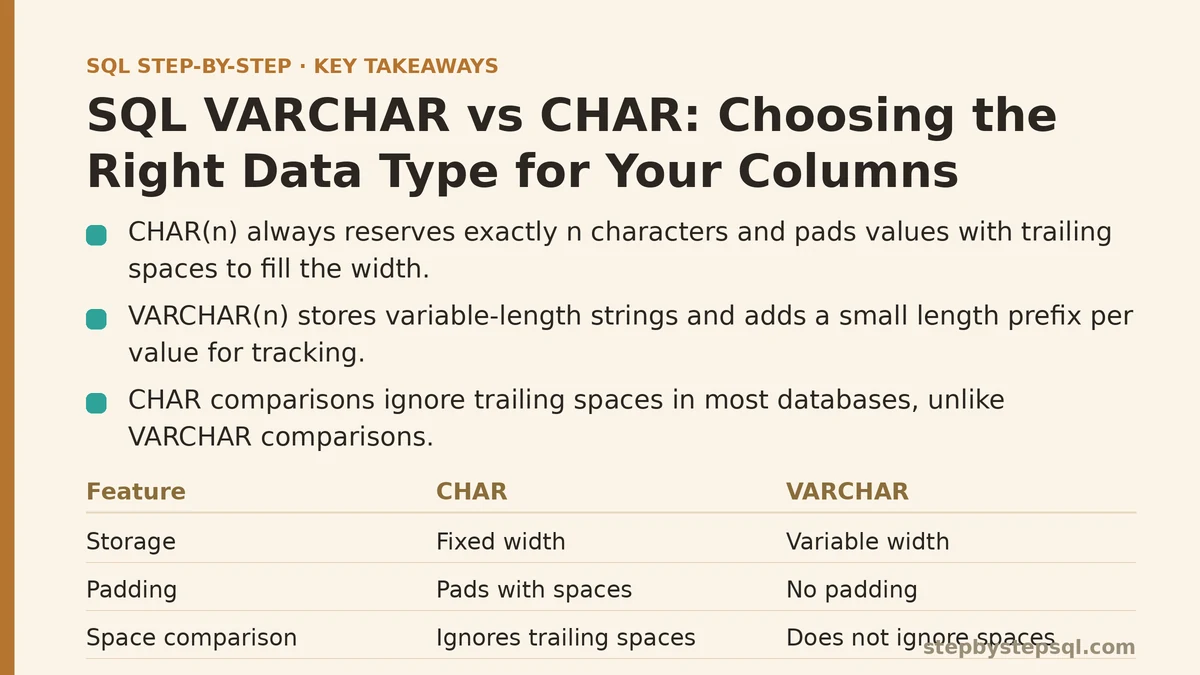
CHAR(n) reserves exactly n characters of space for every single row, no matter what you put in it. Store "US" in a CHAR(2) column and it takes two characters. Store "A" in that same column and it still takes two characters — the database pads it with a trailing space to fill the fixed width.
That padding behavior is the defining trait of CHAR. Every value occupies the full declared length. There is no flexibility, no negotiation, no “store what you give me.” The column has a contract with the database: two characters, always.
The storage math is predictable. A CHAR(10) column on a table with one million rows costs ten characters per row before you account for any row overhead. That is ten megabytes of raw character data whether your values are one character long or ten. You pay for the full width up front.
One more thing worth knowing: CHAR comparisons ignore trailing spaces in most database systems. CHAR(5) values 'abc' and 'abc ' compare as equal because the database strips the padding before comparing. That behavior differs from what you’ll see with VARCHAR, and it occasionally trips up people writing WHERE clauses against fixed-length columns.
What VARCHAR Does
VARCHAR(n) stores variable-length strings. The n sets the maximum number of characters allowed, not the storage allocation. Store "hello" in a VARCHAR(255) column and it takes five characters of space. Store "hello world" and it takes eleven. The column grows to fit the content, up to the limit.
There is a small storage overhead per value: the database needs to track how long each string is, so it stores a length prefix alongside the data. In PostgreSQL this is one byte for strings up to 126 characters and two bytes beyond that. In MySQL it is one or two bytes depending on the row format. That overhead is trivial per row, but it exists.
VARCHAR does not pad. Store "abc" in a VARCHAR(10) column and you get back exactly "abc" — no trailing spaces added, no surprises when you compare values. This makes VARCHAR the safer default for anything where the exact text matters, which is most text.
The Beginner View: When Fixed Width Feels Right
Start with what seems like the obvious case for CHAR: data that you know, with certainty, has a constant length. Country codes ISO 3166-1 alpha-2 are always two letters. US state abbreviations are always two letters. ISO currency codes are always three letters. A CHAR(2) for country codes seems tailor-made for this kind of data.
The argument sounds clean: fixed-length data belongs in a fixed-length type. No wasted space, since every value fills the column anyway. And there is a historical performance story here — older database engines could scan fixed-width rows faster because every row had a predictable byte layout.
That argument mattered more in the era of magnetic hard drives and row-based storage engines. On modern hardware with modern optimizations, the speed gap between scanning CHAR and VARCHAR columns is negligible for the row counts most applications handle. The predictable-layout benefit still exists in theory, but for most workloads you will not measure a difference.
Where CHAR still earns its keep is in very specific circumstances. If your table has an indexed CHAR(2) column holding country codes, and that index is central to a hot query path, the fixed width can give the index engine slightly simpler scanning logic. In practice, this matters only when you are optimizing at the scale of hundreds of millions of rows, and even then it depends on your database engine.
The Advanced View: Where CHAR Quietly Costs You
The problem with CHAR appears the moment your data does not fill the declared width. Consider a CHAR(50) column for a middle_name field. Most people have no middle name, or one that is four characters long. Every row pays 50 characters of storage regardless. On a table with ten million rows, that is 500 megabytes of storage where a VARCHAR(50) might use 150 megabytes for the same data. The padding is invisible in query output — trailing spaces are stripped on retrieval in most engines — but it sits on disk and in memory.
There is a subtler failure mode with CHAR and indexes. When you create an index on a CHAR column, the index entries include the padded width. Comparing indexed values requires the database to compare the full padded strings. A VARCHAR index stores only the actual content, so index comparisons run against shorter values on average. At scale, that translates to fewer bytes read per index lookup.
Another trap: CHAR interacts badly with LIKE patterns. WHERE code LIKE 'A%' on a CHAR(2) column forces the database to evaluate the pattern against padded values. Trailing-space semantics mean 'A' matches both 'A ' and 'AB', which is usually not what you intend. With VARCHAR, 'A' matches only strings that start with 'A' and nothing else.
Finally, consider what happens when your “constant length” data changes. You define CHAR(2) for country codes. Later the business expands into a region where codes are three characters long. Altering a CHAR(2) column to CHAR(3) requires a full table rewrite in most engines, locking the table and potentially taking down your service. A VARCHAR(3) column set at the start handles both lengths without an ALTER TABLE ever being necessary.
A Side-by-Side Decision Table
Here is how the two types stack up across the questions that matter most in practice:
| Consideration | CHAR | VARCHAR |
|---|---|---|
| Storage behavior | Fixed — always fills n characters | Variable — stores only what you give it |
| Trailing spaces | Padded on storage, ignored on comparison | Preserved exactly as stored |
| Best-case data | Truly fixed-width codes (country codes, state abbreviations) | Anything with variable length (names, emails, URLs, notes) |
| Worst-case data | Short values in a wide column | No real worst case beyond declaring an absurdly large maximum |
| Index performance | Predictable width, but padded comparisons | Shorter average key size, faster lookups on typical data |
| ALTER TABLE risk | High if you picked the wrong width | Lower — you can change the maximum without rewriting rows |
| Query surprises | LIKE and equality can behave unexpectedly due to padding | None from type semantics alone |
The single biggest factor is whether your data truly has a constant width for every row, including future rows. If the answer is not a confident, guaranteed yes, VARCHAR is the right call.
A Concrete Walkthrough: Setting Up a Realistic Table
Let’s build a customers table in PostgreSQL and compare the two approaches end to end. First, the schema with CHAR for the country code and VARCHAR for everything else:
CREATE TABLE customers (
    id           SERIAL PRIMARY KEY,
    first_name   VARCHAR(50)  NOT NULL,
    last_name    VARCHAR(50)  NOT NULL,
    country_code CHAR(2)      NOT NULL,
    email        VARCHAR(255) NOT NULL
);
Insert a few rows to see the behavior:
INSERT INTO customers (first_name, last_name, country_code, email)
VALUES
    ('Ada',    'Lovelace', 'GB', '[email protected]'),
    ('Alan',   'Turing',   'GB', '[email protected]'),
    ('Grace',  'Hopper',   'US', '[email protected]'),
    ('Katherine', 'Johnson', 'US', '[email protected]');
Verify the results and check the actual stored lengths:
SELECT
    first_name,
    country_code,
    char_length(country_code) AS code_length,
    octet_length(country_code) AS code_bytes
FROM customers;
Every country_code value comes back as exactly two characters and two bytes because the input already filled the width. Now insert a value that does not fill the width:
INSERT INTO customers (first_name, last_name, country_code, email)
VALUES ('Nikola', 'Tesla', 'HR', '[email protected]');
Here HR fills the column, so everything behaves identically. Now try a one-character code. In most PostgreSQL versions, inserting a single character into CHAR(2) succeeds and pads it. Query it back and you get a single character, because PostgreSQL strips padding on output. The stored representation, however, is two bytes.
To see the real difference, compare storage usage across a larger data set. Generate 100,000 rows and measure:
SELECT
    pg_size_pretty(pg_total_relation_size('customers')) AS table_size;
Run the same test against an equivalent schema using VARCHAR(2) for country_code and compare the numbers. For data that fills the width completely — every country code exactly two characters — the sizes are effectively identical. For any real-world data where values vary, the VARCHAR version comes in measurably smaller.
The verification step already exists in the queries above: the char_length and octet_length functions show you exactly what the database stored. Use those two functions any time you are unsure whether a column is behaving as fixed or variable width.
When Neither One Is the Right Answer
Both CHAR and VARCHAR have a shared limitation in PostgreSQL: they store character data with a defined maximum length, and exceeding that maximum raises an error. If you are storing text with no natural upper bound — a blog post body, a comment thread message, an API response payload — neither type fits well. PostgreSQL offers TEXT for unlimited-length strings. MySQL has TEXT and BLOB variants that serve the same purpose at different storage tiers.
There is also a collapsing distinction to note: in PostgreSQL, VARCHAR without a length argument and TEXT are functionally the same thing. CHAR is the only one of the three that forces padding behavior. Some teams standardize on TEXT for everything and skip the VARCHAR vs CHAR question entirely. That is a defensible position for many codebases, though VARCHAR(n) still provides a useful self-documenting constraint that signals intended maximum length to future developers.
The Decision Rule You Can Apply Right Now
Use this ordering when you are defining a new text column:
- Is the data length unknown or unbounded? Use
TEXT(orVARCHARwithout a length, if your team standard prefers that). - If the data has a defined maximum, is that maximum always hit by every row, with zero exceptions, forever? That means the value is a fixed-width code like a two-letter country code, not a field like “phone number” that eventually gets an extension digit. If yes,
CHAR(n)works and is appropriate. - In every other case — names, emails, titles, URLs, addresses, comments, anything human-generated or subject to changing requirements — use
VARCHAR(n)with the longest length you would ever reasonably allow.
The hidden cost of CHAR is not the type itself. It is the assumption you lock into your schema when you declare it. Every CHAR column is a bet that your data will never change shape. VARCHAR collects the same bet but gives you room to be wrong without paying an ALTER TABLE rewrite.
What kind of column are you creating — a fixed code that will never change width, or text that might vary in length? Tell me about the table you are designing and I can tell you which type to declare, along with what you should watch for during query tuning.
Related guides: ACID Properties in Databases Explained Simply: The Four Rules That Keep Your Data Safe, SQL Data Types Explained: The Foundational Choice That Prevents Future Headaches, and The 4 SQL Constraints That Ensure Data Integrity, Ranked by Importance.