By the end of this guide, you’ll be able to write a basic trigger that keeps two related tables in sync automatically, and — more usefully — you’ll recognize four specific failure patterns before they cost you an afternoon of debugging. Rather than listing trigger syntax in the abstract, this walkthrough follows one system through one trigger and every problem that came up while building and fixing it, in the order those problems appeared.
The system is a small online bookstore. There’s an orders table recording every purchase, and an inventory table tracking how many copies of each book are on hand. The task: whenever someone places an order, inventory should drop automatically, without a developer remembering to write a second UPDATE statement every single time an order gets inserted somewhere in the codebase.
Setting Up the Tables
Two tables, kept deliberately simple. orders has an order_id, a book_id, a quantity_ordered, and an order_date. inventory has a book_id and a quantity_on_hand. Every book in orders is expected to have a matching row in inventory.
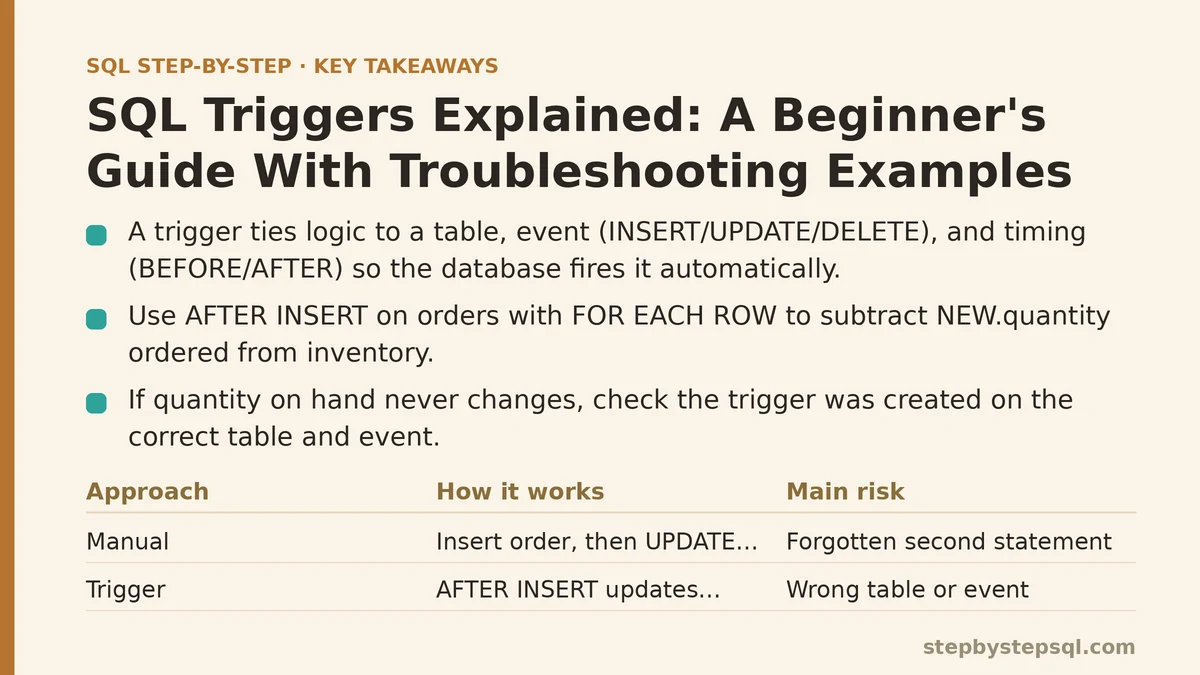
The manual approach — the one this trigger is meant to replace — looks like inserting a row into orders, then running a second UPDATE against inventory to subtract the ordered quantity. That works fine until someone forgets the second statement, or a script inserts orders in bulk without the accompanying update, and inventory quietly drifts out of sync with reality. A trigger removes that dependency on human memory by attaching the inventory update directly to the database event itself.
Writing the First Trigger
A trigger is a block of logic tied to a specific table, a specific event (INSERT, UPDATE, or DELETE), and a specific timing (BEFORE or AFTER that event). The database fires it automatically — no application code has to call it.
For this case, the trigger needs to run AFTER an INSERT on orders, for each row inserted, and it needs to subtract that row’s quantity_ordered from the matching row in inventory. In a generic form, close to standard SQL and easily adapted to MySQL, PostgreSQL, or SQL Server syntax:
CREATE TRIGGER trg_update_inventory
AFTER INSERT ON orders
FOR EACH ROW
BEGIN
  UPDATE inventory
  SET quantity_on_hand = quantity_on_hand - NEW.quantity_ordered
  WHERE book_id = NEW.book_id;
END;
NEW refers to the row that was just inserted — NEW.quantity_ordered and NEW.book_id pull values straight from that new order row. FOR EACH ROW matters here: it tells the database to run this logic once per inserted row, rather than once per statement regardless of how many rows that statement affected. That distinction becomes important later in this walkthrough.
Tested with a single order insert, the trigger worked exactly as expected. Inventory dropped by the right amount, no second statement required. The first real problem didn’t show up until the trigger met slightly messier real-world conditions.
Problem One: The Trigger Fires, But Nothing Happens
A week after deployment, a new book was added to inventory, an order came in for it, and quantity_on_hand never changed. No error. No warning. Just a silently unchanged number.
This is the most disorienting kind of trigger failure, because there’s rarely an error message to point at. The usual causes, roughly in order of how often they turn out to be the culprit:
The trigger was created on the wrong table or the wrong event — an easy mistake when copy-pasting trigger definitions between environments. A quick check against the database’s trigger catalog (information_schema.triggers in MySQL and Postgres, or sys.triggers in SQL Server) confirms whether the trigger exists where you think it does.
The trigger is disabled. Some database systems let triggers be turned off without being dropped, which means the definition still exists and still looks correct on inspection, but nothing fires.
The WHERE clause inside the trigger doesn’t match anything. In this specific case, the new book had been inserted into orders before its corresponding row existed in inventory. The trigger ran, the UPDATE executed, and it updated zero rows — because WHERE book_id = NEW.book_id matched nothing. No error is raised for an UPDATE that affects zero rows; it just quietly does nothing.
That last cause was the actual issue here, and it points to a broader lesson: triggers don’t fail loudly when their logic doesn’t match any rows. They fail silently, which means testing a trigger against only the happy path — where every referenced row already exists — will hide exactly this kind of bug until it hits production.
Problem Two: The Trigger That Triggers Itself
Once the inventory-matching issue was fixed, a second trigger was added: one on inventory itself, AFTER UPDATE, to log every quantity change into an inventory_history table for auditing purposes.
That second trigger, on its own, worked fine. The trouble started when a developer later added logic to that same trigger to also update inventory.last_modified — by running another UPDATE against inventory from inside the trigger that fires on updates to inventory. In some database systems this causes an outright error (Oracle’s well-known “mutating table” restriction is the classic example); in others it causes the trigger to fire again on its own update, which fires it again, and so on until the database hits a recursion limit and throws an error, or — worse — succeeds in a way that leaves the data in an inconsistent state.
The fix wasn’t clever: move the last_modified assignment into the same original UPDATE statement instead of a second one inside the trigger, so the trigger only ever reads from the row being modified rather than writing back to the table it’s attached to. As a general rule, a trigger that modifies the same table it’s defined on needs very careful handling, and in many cases it’s worth restructuring the logic so that step never happens at all.
Problem Three: It Works for One Row, and Falls Apart at a Hundred
Everything held up under normal traffic until a bulk import loaded three hundred historical orders in a single INSERT statement. The trigger ran three hundred times — once per row, exactly as FOR EACH ROW promises — and the import that used to take under a second now took over thirty.
Nothing about the trigger’s logic was wrong. The problem was an assumption baked into its design: that inventory updates would happen one row at a time, in small volume, matching the pattern of individual customer orders. Bulk operations break that assumption completely, because row-level triggers pay their overhead once per row rather than once per statement, and that overhead — a full UPDATE with its own lookup and lock — adds up fast at scale.
There’s no universal fix here, only trade-offs depending on the database engine. Some systems support statement-level triggers that run once regardless of row count, which requires rewriting the logic to operate on a set of changed rows instead of a single implied row. In systems without that option, a common workaround is routing bulk operations through a separate stored procedure that performs a single set-based UPDATE, bypassing the row-by-row trigger entirely for cases where it isn’t needed. The lesson worth keeping: a trigger tested only against single-row activity can hide a performance problem that only shows up once someone runs a batch job against the same table.
Problem Four: Two Triggers, One Table, and No Guarantee of Order
The last issue surfaced once a third trigger was added — one that validated quantity_ordered was greater than zero before allowing an order through. With two AFTER INSERT triggers now sitting on orders, an order occasionally passed validation after inventory had already been decremented, meaning a bad row could get partially processed before being rejected.
Trigger execution order, when more than one trigger shares the same table and event, isn’t something you get to assume. Some databases fire triggers in creation order, some in alphabetical order by trigger name, and some offer an explicit mechanism to declare which trigger runs first. Relying on the default without checking your specific database’s documentation is how two independently reasonable triggers end up interfering with each other.
The fix combined two things: renaming the validation trigger so it sorted before the inventory trigger alphabetically (a blunt but effective option in the database being used here), and, more durably, merging validation into the very start of the inventory trigger’s own logic so ordering no longer mattered. Where a database offers an explicit ordering mechanism, that’s almost always the better long-term choice over relying on naming conventions or creation timestamps.
What This Case Study Suggests About Triggers in General
Across all four problems, the same underlying tension keeps showing up: triggers make behavior automatic, but automatic behavior that’s invisible in the application code is also behavior nobody’s actively watching. A developer reading the code that inserts an order has no direct signal, sitting in that code, that inventory is about to change somewhere else entirely.
That’s not an argument against triggers — the bookstore’s inventory genuinely stayed accurate once the trigger was working correctly, and no one had to remember a second statement ever again. It’s an argument for treating triggers as infrastructure that deserves the same scrutiny as any other piece of logic that runs automatically and silently: documented clearly, tested against edge cases and bulk operations, and kept as narrow in scope as the problem actually requires.
A short checklist worth keeping nearby whenever a trigger doesn’t seem to be working:
| Symptom | Likely Cause |
|---|---|
| Trigger seems to do nothing | WHERE clause matches zero rows, wrong table/event, or trigger disabled |
| Error or infinite recursion | Trigger modifies the same table it’s defined on |
| Works for one row, slow or fails in bulk | Row-level trigger overhead under large batch operations |
| Inconsistent results with multiple triggers | Undefined or unexpected trigger execution order |
Which of these four problems sounds closest to what you’re running into right now? Describe the trigger and the symptom, and it’s usually possible to narrow down which of these four categories it falls into within a few questions. Related guides: How to Write SQL Queries with Common Table Expressions Step by Step, SQL Window Functions Explained Simply: The Concept That Unlocks Advanced Reporting, and SQL ROW_NUMBER, RANK, and DENSE_RANK: Step-by-Step Differences and Use Cases.