The common misconception about transaction isolation is that a database gives you a binary choice: either your transaction sees a perfectly consistent snapshot of the data, or it doesn’t. In practice, every major relational database offers at least four distinct isolation levels, each trading consistency for concurrency in a different way. Choosing the wrong one produces silent data corruption that doesn’t throw an error—it just returns wrong numbers.
Instead of walking through the theory table by table, this post follows a single case study through each isolation level. You will see exactly what breaks, what stays intact, and how to pick the level that matches your tolerance for risk.
The System We Are Building
You are tracking inventory for a small warehouse that sells industrial fasteners. The schema is minimal:
CREATE TABLE products (
  product_id INTEGER PRIMARY KEY,
  name TEXT NOT NULL,
  quantity_on_hand INTEGER NOT NULL DEFAULT 0
);

CREATE TABLE shipments (
  shipment_id INTEGER PRIMARY KEY,
  product_id INTEGER REFERENCES products(product_id),
  quantity INTEGER NOT NULL,
  created_at TIMESTAMP DEFAULT CURRENT_TIMESTAMP
);
Two warehouse operators pick orders at the same time. Operator A scans a bolt that has 100 units in stock. Operator B scans the same bolt two seconds later, also seeing 100 units. Both submit a shipment of 60 units. If both transactions commit, the quantity_on_hand drops to -20. That is a lost update—one operator’s decrement overwrote the other’s.
The database can prevent this, but the prevention mechanism costs performance. Isolation levels exist precisely to let you decide how much of that cost you are willing to pay.
Level Zero: READ UNCOMMITTED
Set the isolation level and confirm the behavior:
-- Session 1
BEGIN TRANSACTION ISOLATION LEVEL READ UNCOMMITTED;
UPDATE products SET quantity_on_hand = quantity_on_hand - 60 WHERE product_id = 1;
-- Do NOT commit yet

-- Session 2 (simultaneously)
BEGIN TRANSACTION ISOLATION LEVEL READ UNCOMMITTED;
SELECT quantity_on_hand FROM products WHERE product_id = 1;
-- Returns 40, even though Session 1 has not committed
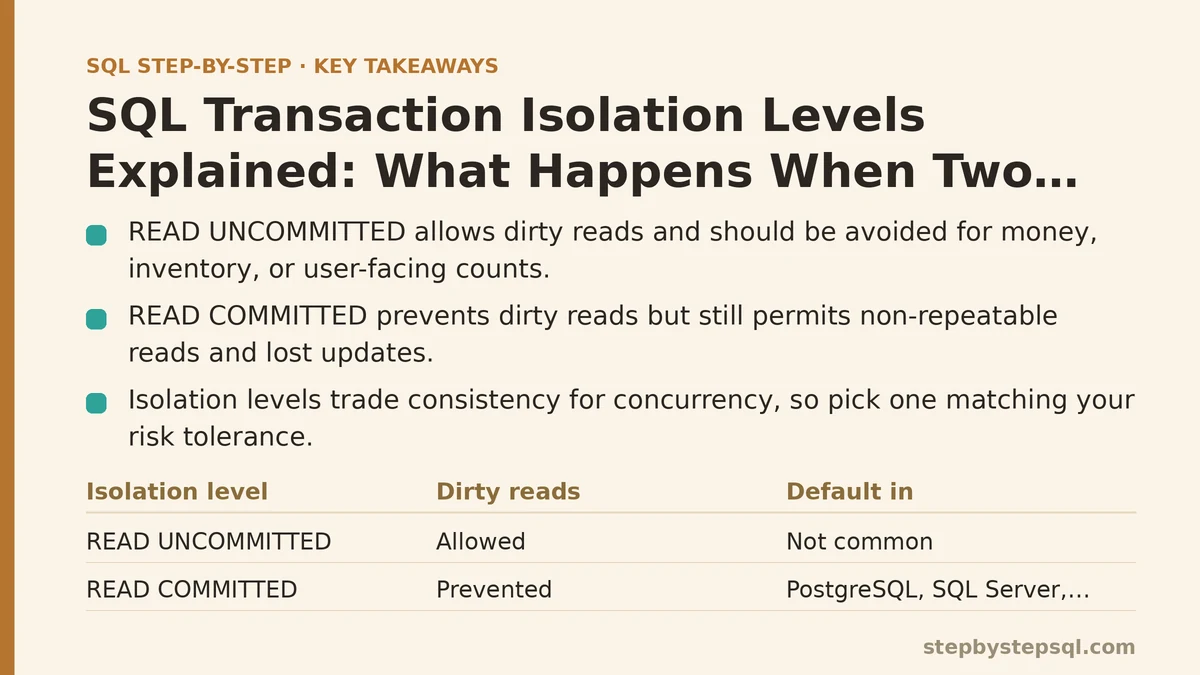
READ UNCOMMITTED allows dirty reads—your query sees rows that another transaction has modified but not yet committed. If Session 1 rolls back, Session 2 has just made a decision based on data that never existed.
For the warehouse, this level is dangerous. Operator B might see 40 units remaining, decide a restock is unnecessary, and walk away. When Session 1 rolls back, the true value returns to 100, but Operator B’s decision was already made.
This level measures the fastest throughput because the database does almost no locking on reads. The problem is that the numbers you receive may be fiction. Use it only when you are reading data that does not drive a decision—a dashboard that refreshes every 30 seconds and can tolerate a flicker is a defensible use case. Anything involving money, inventory, or user-facing counts should not run at this level.
Level One: READ COMMITTED
The default in PostgreSQL, SQL Server, and Oracle. Transaction isolation level read committed takes the first step toward sanity: you no longer see uncommitted changes.
-- Session 1
BEGIN TRANSACTION ISOLATION LEVEL READ COMMITTED;
UPDATE products SET quantity_on_hand = quantity_on_hand - 60 WHERE product_id = 1;
-- Not committed yet

-- Session 2
BEGIN TRANSACTION ISOLATION LEVEL READ COMMITTED;
SELECT quantity_on_hand FROM products WHERE product_id = 1;
-- Returns 100, because Session 1's change is not committed
This fixes the dirty read. But it introduces a subtler failure: non-repeatable reads. Suppose Session 2 runs this sequence:
-- Session 2
SELECT quantity_on_hand FROM products WHERE product_id = 1;
-- Returns 100

-- Session 1 commits its decrement right now

SELECT quantity_on_hand FROM products WHERE product_id = 1;
-- Returns 40 within the same transaction
The same transaction just read two different values for the same row. For the warehouse, this matters if you build a report that sums quantities across all products and then checks individual counts against that sum. The sum was computed from one snapshot, the individual rows from another. The totals will not reconcile.
The lost update problem from the warehouse scenario also persists at this level. Both operators read 100, both decrement to 40, and both commit. The final value is 40, but two shipments of 60 units each were recorded—meaning the system shows 40 units on hand when it should show -20. The shipment records are correct, the inventory figure is wrong.
READ COMMITTED is the pragmatic default for most OLTP work because it blocks the worst failure (dirty reads) without imposing heavy locking. But if your application cannot tolerate stale reads within a single transaction, you need the next level.
Level Two: REPEATABLE READ
Repeatable read solves the non-repeatable read problem. Within a single transaction, every read of the same row returns the same value, no matter how many times you run the SELECT.
-- Session 2
BEGIN TRANSACTION ISOLATION LEVEL REPEATABLE READ;
SELECT quantity_on_hand FROM products WHERE product_id = 1;
-- Returns 100

-- Session 1 attempts to commit its decrement, but the database blocks it
-- Session 1 waits until Session 2 commits or rolls back

SELECT quantity_on_hand FROM products WHERE product_id = 1;
-- Still returns 100, consistently
The mechanism: the database keeps a snapshot of the row as of the first read in the transaction. Subsequent reads return data from that snapshot, so your transaction sees a stable view of the rows it has touched.
The cost shows up as blocking. In the warehouse example, Operator A could find their UPDATE waiting indefinitely because Operator B holds a read lock on the same row. This is the classic “writers block each other through readers” problem. Production systems that push high write concurrency through repeatable read frequently surface this as a mysterious slowdown when two transactions touch the same row within seconds of each other.
Repeatable read does not fix everything. It still permits phantom reads—new rows that match your WHERE clause appearing mid-transaction because another transaction inserted them. If you are counting all rows in the shipments table for a report, and a concurrent transaction inserts a new shipment, your count changes from one query to the next at this level.
Level Three: SERIALIZABLE
The highest isolation level. Serializable makes the database behave as if your transactions ran one after another, even though they executed concurrently.
-- Session 2
BEGIN TRANSACTION ISOLATION LEVEL SERIALIZABLE;
SELECT quantity_on_hand FROM products WHERE product_id = 1;
-- Returns 100

-- Session 1 tries to update the same product
-- The database returns an error or blocks the transaction:
-- ERROR: could not serialize access due to concurrent update
At serializable isolation, the database detects a conflict between the snapshot Session 2 is holding and the write Session 1 is attempting. Depending on the database, Session 1 either waits indefinitely or fails immediately with a serialization error. The safest pattern is to retry the entire transaction—the application catches the error, rolls back, and re-executes from the start.
For the warehouse, serializable is the only level that guarantees both operators can decrement the same product without losing an update. The second operator’s transaction fails and must be retried with fresh data. This is correct behavior; the alternative is a negative inventory count that no one notices until a customer invoice is wrong.
The operational cost is steep. Under contention—multiple transactions touching the same rows—you see more deadlocks, more serialization failures, and more retries. Think of serializable as the safety net you deploy only for transactions where a lost update or a phantom read produces a demonstrably wrong business result: financial transfers, inventory decrements, seat reservations.
The Case Study Conclusion: Which Level Fits the Warehouse?
The hardware store scenario has three distinct workflows with different needs.
For the decrement operation—the inventory update triggered by an operator scanning a product—use serializable. The cost of a lost update is a negative stock count, which cascades into overselling and angry customers. A retry on conflict is cheap relative to the damage.
-- Recommended pattern for the inventory decrement
BEGIN;
SET TRANSACTION ISOLATION LEVEL SERIALIZABLE;

INSERT INTO shipments (product_id, quantity) VALUES (1, 60);

UPDATE products
SET quantity_on_hand = quantity_on_hand - 60
WHERE product_id = 1;

COMMIT;
-- On serialization failure: roll back and retry the entire block,
-- re-reading quantity_on_hand after each new snapshot is established
For the reporting query, the one that generates the daily restock list, repeatable read is enough. The report should not see mid-transaction changes to rows it has already read. The phantom read risk is acceptable because the report runs once and the numbers are compared against a manual count anyway.
For the monitoring dashboard that refreshes every ten seconds, read committed is the right choice. A brief inconsistency between the shipment count and the inventory total is a cosmetic issue. Locking that dashboard down to serializable would add needless contention to the system with zero business benefit.
Failure Modes That Will Bite You
Isolation levels are not just a theoretical toggle. Here are the failure modes that surface in production.
First, serializable does not mean deadlock-free. It reduces lost updates but can turn a straightforward UPDATE into a wait. If you wrap a long-running transaction at serializable isolation—say, one that does several SELECTs before the UPDATE—you multiply the window in which another transaction can trip over your locks. Keep serializable transactions short.
Second, read committed is the default in most databases for a reason, but that default lures you into complacency. If your application reads a value, writes a derived value, and commits, without ever re-reading between those steps, you have a lost update even at repeatable read. You need either serializable or an explicit SELECT … FOR UPDATE on the row before the write.
-- The manual locking alternative to serializable
BEGIN TRANSACTION ISOLATION LEVEL READ COMMITTED;
SELECT quantity_on_hand FROM products WHERE product_id = 1 FOR UPDATE;
-- Lock held, other writers block until this transaction ends
UPDATE products SET quantity_on_hand = quantity_on_hand - 60 WHERE product_id = 1;
COMMIT;
SELECT FOR UPDATE gives you the lost-update protection of serializable while keeping the rest of your transaction at a lower isolation level. It is a surgical tool when you cannot afford the full serializable overhead.
Third, understand your specific database’s implementation. PostgreSQL’s repeatable read uses snapshot isolation and does not block writers the way plain repeatable read in the SQL standard describes. MySQL’s repeatable read differs from PostgreSQL’s in how it handles gap locks. The SQL standard is a floor, not a contract—test the actual behavior in your engine with two sessions before you ship.
A Decision Rule You Can Apply
Start with read committed. If your transaction does a read followed by a decision based on that read, and the decision drives a write, escalate to serializable or use SELECT FOR UPDATE. If the transaction is a pure read that must see a consistent snapshot across multiple queries, use repeatable read. If the read feeds a dashboard where temporary inaccuracy is acceptable, stay at read committed. Reserve read uncommitted for analytics over data where precision does not matter.
The wrong choice is rarely the one that throws an exception. It is the one that returns plausible numbers with subtle errors. The warehouse case study demonstrates this precisely: every isolation level returned a valid-looking result, but only serializable returned a correct one under concurrency. Build the habit of asking what the business consequence is when two transactions collide on the same row, and let that consequence—not the performance numbers—drive your choice.
Related guides: SQL Cursors Explained: When They Earn Their Keep and When They Waste Your Time, How to Optimize Slow SQL Queries: A Practical Diagnostic Approach, and How to Write SQL Queries with Common Table Expressions Step by Step.