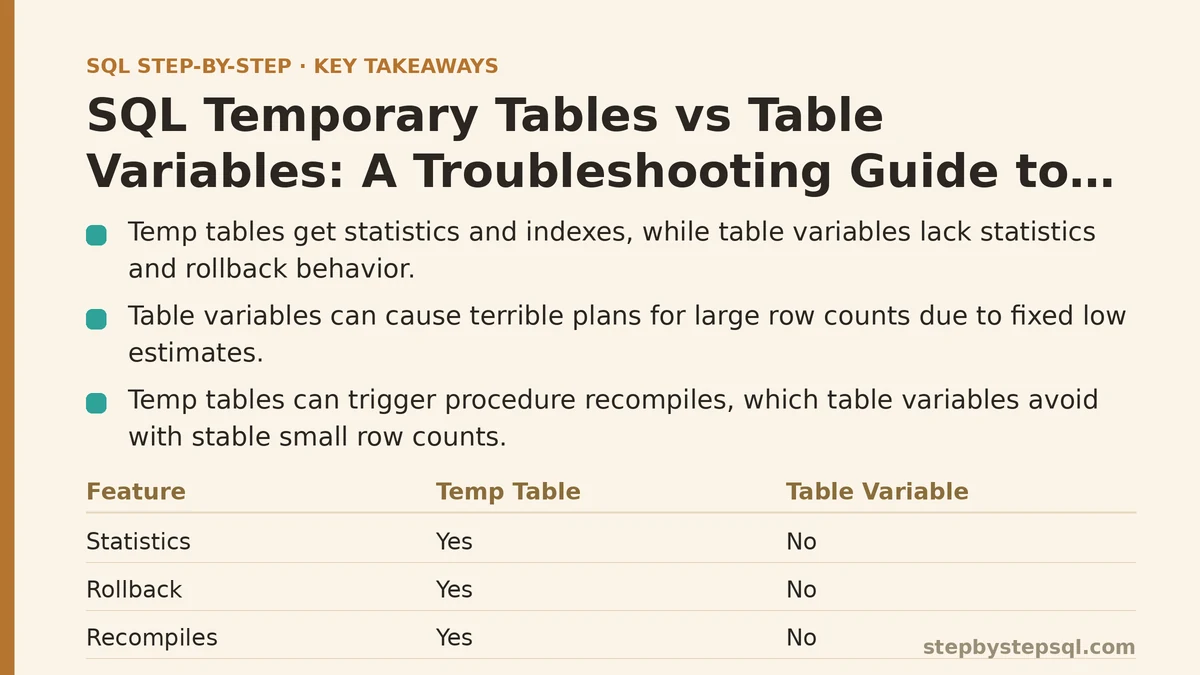
A temporary table (created with CREATE TABLE #Name or ##Name) is a real table stored in tempdb, complete with statistics, the ability to hold multiple indexes, and full participation in transactions. A table variable (declared with DECLARE @Name TABLE) is a table-shaped object that also lives in tempdb under the hood, but it skips most of that machinery — no statistics, limited indexing options, and no rollback behavior tied to the surrounding transaction. Both hold rows temporarily. Neither is simply a “lighter” version of the other; they trade away different things.
Most of the confusion around these two objects doesn’t come from not knowing the syntax. It comes from a query behaving unexpectedly — a plan that’s suddenly slow, data that vanishes when it shouldn’t, an index you can’t add — and not immediately connecting that symptom back to which object you chose. This guide works through the most common symptoms in that order: what you’re seeing, why it’s happening, and what to change.
Symptom: Your Table Variable Query Suddenly Gets a Terrible Execution Plan
You swap a temp table for a table variable somewhere in an existing procedure — maybe to avoid a recompile, maybe just out of habit — and a query that used to run in milliseconds starts taking seconds once the row count climbs into the tens of thousands.
Cause: Table variables carry no statistics. The query optimizer has no histogram to consult, so it falls back to a fixed, low-row estimate regardless of how many rows the table variable actually holds (older engine versions assumed exactly one row; newer versions estimate somewhat better but still without real statistics behind the number). Feed it 200,000 rows and the optimizer still plans around a tiny estimate, often choosing a nested loop join where a hash join would have been dramatically cheaper.
Fix: For anything beyond a few thousand rows, reach for a temp table instead. Temp tables get statistics automatically, and the optimizer can build a plan that matches the actual data volume. Table variables are the right call for small, predictable row counts — lookup lists, a handful of parameter values, staging data inside a loop — not for anything that might scale unpredictably.
Symptom: A Stored Procedure Recompiles Every Time It Runs
A procedure that used to execute quickly starts showing recompilation events in your monitoring, and overall throughput drops even though nothing about the query logic changed.
Cause: Temp tables trigger statistics updates as their row counts change, and SQL Server’s recompilation thresholds can force the whole procedure to recompile mid-execution once enough rows have been inserted into a temp table. On a procedure that runs constantly and loads a large temp table each time, that recompilation cost adds up fast.
Fix: If the temp table’s row count is small and stable, switching to a table variable removes this recompilation trigger entirely, since table variables don’t carry statistics that need updating. This is one of the few scenarios where a table variable’s lack of statistics is an advantage rather than a liability — you’re trading estimate accuracy for a stable, non-recompiling plan. Test this change with realistic data volumes before rolling it out; the fix only pays off when row counts stay low.
Symptom: Data Survives a ROLLBACK When You Expected It to Vanish
Inside a transaction, something fails, you issue a ROLLBACK, and afterward the temporary object still holds rows you were certain had been undone.
Cause: This almost always traces back to a table variable being mistaken for a temp table. Table variables are not rolled back when a surrounding transaction rolls back — writes to a table variable are not tracked as part of the transaction in the same way. A temp table, by contrast, fully participates in the transaction and rolls back exactly as a permanent table would.
Fix: If you need error-logging or diagnostic data to survive a rollback — a common pattern is capturing what a transaction attempted before it failed — a table variable is the correct tool specifically because of this behavior. If you were relying on rollback to clean up staging data and it isn’t happening, switch to a temp table so the object’s lifecycle matches the transaction’s outcome.
Symptom: You Can’t Add the Index You Need After the Table Is Created
You try to add a nonclustered index to a table variable after declaring it, or you want more than the couple of indexes you defined inline, and the syntax simply isn’t available the way it would be for a permanent or temporary table.
Cause: Table variables only support indexes defined as part of their declaration — through inline PRIMARY KEY, UNIQUE, or (on current engine versions) inline index syntax. There’s no separate CREATE INDEX step afterward, and no altering the index set once the variable is declared. Temp tables face no such restriction; you can create them, then add or drop indexes on them like any other table.
Fix: If your query needs several indexes, or you won’t know which index would help until you’ve inspected the data, use a temp table. Reserve table variables for cases where the indexing needs are simple and known upfront — typically a single key used to filter or join.
Symptom: tempdb Contention Spikes Under Heavy Concurrent Load
Under high concurrency, you start seeing contention on tempdb’s system pages, and a procedure that performed fine in isolated testing slows down noticeably once dozens of sessions run it simultaneously.
Cause: Every temp table creation and drop touches tempdb’s system catalog, and under heavy concurrent load that metadata churn becomes a bottleneck. Table variables generate less of this overhead in many cases, since their metadata handling is lighter — though it’s worth being precise here: table variables are not purely in-memory, and they still use tempdb storage for their actual data. The difference is in metadata and logging overhead, not in avoiding tempdb altogether.
Fix: For small, frequently-created working tables inside high-concurrency procedures, table variables can reduce tempdb metadata pressure meaningfully. This isn’t a universal fix, though — if the workaround pushes you toward a bad execution plan (see the first symptom above), you’ve solved one bottleneck by creating a worse one. Measure both angles before committing to the change.
Symptom: A Nested Procedure Can’t See the Table You Just Created
A stored procedure calls a second procedure, and that second procedure needs access to a temporary object the first one built, but the reference fails or returns nothing.
Cause: This is a scoping issue, and the two objects behave differently. A local temp table (#Name) created in an outer procedure is visible to any procedure called from within that same session and scope, including nested procedure calls — the inner procedure can reference it directly. A table variable cannot be referenced this way at all; it’s scoped strictly to the batch, procedure, or function where it was declared, with no equivalent visibility into nested calls.
Fix: If a nested procedure genuinely needs to read a temporary object created by its caller, use a local temp table rather than a table variable — that visibility simply isn’t available otherwise. If you specifically want a table variable’s other properties (no recompile trigger, transaction independence), pass its contents into the nested procedure explicitly using a table-valued parameter instead of relying on scope.
Symptom: “Invalid Object Name” Errors After Dynamic SQL Runs
A temp table gets created inside a block of dynamic SQL (EXEC or sp_executesql), and code immediately afterward that tries to reference it throws an “invalid object name” error, even though the temp table clearly existed a moment earlier.
Cause: A local temp table created inside dynamic SQL is scoped to that dynamic SQL’s own execution context, not to the outer batch that invoked it. Once the dynamic SQL finishes running, that temp table is gone as far as the calling code is concerned. This is purely a scoping rule and has nothing to do with table variables, which can’t be created inside dynamic SQL and then referenced outside it either — they’re batch-scoped in the same restrictive sense.
Fix: Create the temp table in the outer batch before calling the dynamic SQL, and only insert into or query it from within the dynamic SQL — don’t create it there. If the temp table absolutely must be created inside dynamic SQL and used outside it, a global temp table (##Name) will survive that boundary, though it introduces its own risk: visibility across every session on the server, which usually calls for careful cleanup logic.
Deciding Between Them at a Glance
| Situation | Better Choice |
|---|---|
| Row count is large or unpredictable | Temp table |
| Row count is small and stable (a handful to a few thousand rows) | Table variable |
| Multiple or unknown indexes needed | Temp table |
| Data must survive a transaction rollback | Table variable |
| Data must be undone with a rollback | Temp table |
| Nested procedure needs to read the object | Temp table |
| High-frequency procedure, small data, avoiding recompiles | Table variable |
| Heavy concurrent load, simple small dataset | Table variable (test first) |
None of these rules are absolute — they describe tendencies backed by how each object is built internally, not fixed laws. The one habit worth keeping regardless of which object you choose: test with data volumes close to production before deciding, since almost every symptom on this list only shows up once row counts or concurrency reach a realistic scale.
Related guides: SQL FULL OUTER JOIN and CROSS JOIN Explained: A Troubleshooting Guide With Real Examples, SQL Triggers Explained: A Beginner’s Guide With Troubleshooting Examples, and Step-by-Step Guide to Writing Multi-Table SQL Joins for Beginners.