A subquery and a JOIN can return the exact same rows for a surprising number of questions — but one of them will duplicate rows you did not ask for, and the other will not. That single fact explains most of the confusion around when to use each. The syntax is not the hard part; knowing which tool matches the shape of your question is.
This tutorial compares the two approaches from a beginner angle first, then from a more advanced angle, so you can see where each one stops being a convenience and starts being a liability.
The Same Question, Two Ways
Start with a simple schema you can picture on one line: a customers table (one row per customer) and an orders table (one row per order, each carrying a customer_id).
The question: which customers have placed at least one order?
A JOIN answer:
SELECT DISTINCT c.customer_id, c.customer_name
FROM customers AS c
INNER JOIN orders AS o
    ON o.customer_id = c.customer_id;
A subquery answer:
SELECT customer_id, customer_name
FROM customers
WHERE customer_id IN (
    SELECT customer_id
    FROM orders
);
Both return the same customer list. Look closely at the JOIN version: the DISTINCT is doing quiet work. If a customer has five orders, the INNER JOIN produces five rows for that customer, and DISTINCT collapses them back down. The subquery never duplicates in the first place, because IN only checks existence — it asks “is this customer_id present anywhere in orders?” and returns the outer row once.
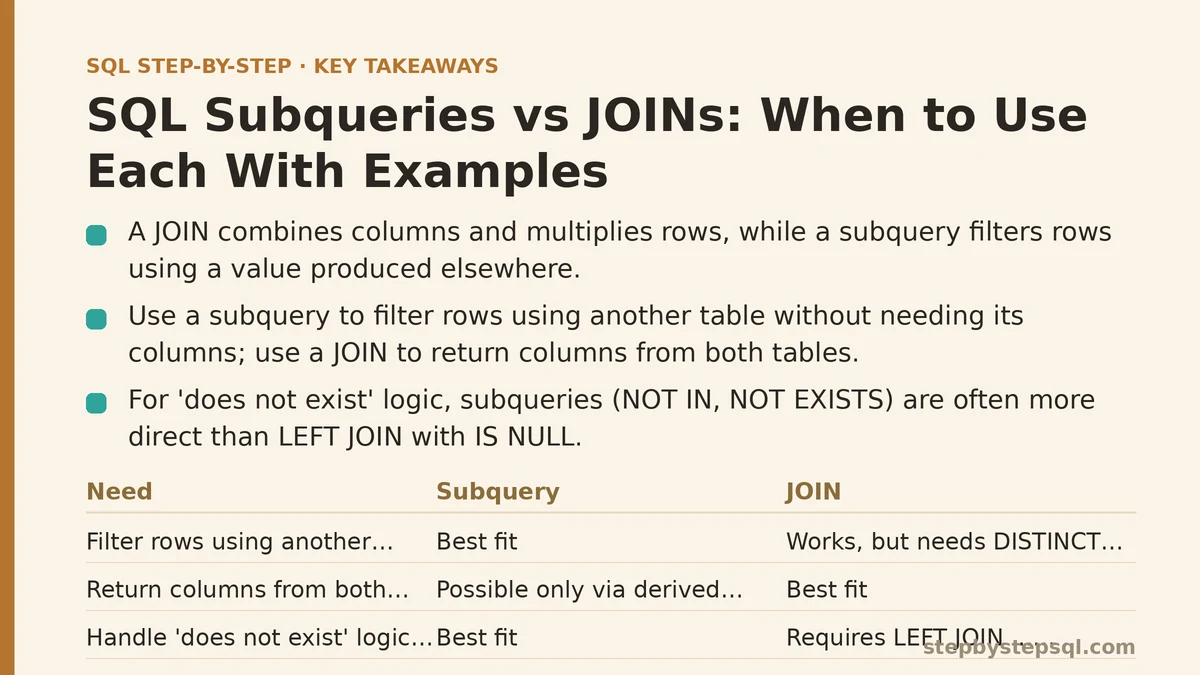
That is the central asymmetry. A JOIN combines columns and multiplies rows; a subquery filters rows using a value produced elsewhere.
Beginner View: What Each One Is For
What a subquery does
A subquery is a full SELECT statement nested inside another statement. It produces a value, a list of values, or a small table that the outer query then uses. The three patterns you will use most:
- Scalar subquery — returns one row, one column. Usable anywhere a single value fits.
- IN / NOT IN subquery — returns one column of many rows. Used as a membership filter.
- Derived table (inline view) — a subquery in the
FROMclause, treated as a temporary table.
What a JOIN does
A JOIN combines two tables horizontally, matching rows on a condition and appending the second table’s columns to the first. The output is wider, not just filtered. That distinction matters: if you need columns from both tables in the result, a JOIN is the natural fit. If you only need columns from one table but want to filter by data in another, a subquery often reads more directly.
A quick reference table
| Need | Subquery | JOIN |
|---|---|---|
| Filter rows using another table, no columns needed from it | Best fit | Works, but needs DISTINCT or careful aggregation |
| Return columns from both tables in the output | Possible only via derived table | Best fit |
| Aggregate one table, compare the outer rows to it | Best fit (scalar or IN) | Possible with a derived table |
| Combine two tables with matching keys, one row each | Works but roundabout | Best fit |
Handle “does not exist” logic (NOT IN, NOT EXISTS) | Best fit | Requires LEFT JOIN ... WHERE ... IS NULL |
| Performance on large result sets | Depends on the engine and plan | Usually equal or better, but not guaranteed |
That table is not a rulebook — it is a starting heuristic. The rest of the post explains why each row holds.
A Concrete Walk-Through: Setup, Change, Verify
Use three small tables so the difference in row counts is easy to see.
CREATE TABLE customers (
    customer_id   INT PRIMARY KEY,
    customer_name VARCHAR(100)
);

CREATE TABLE orders (
    order_id    INT PRIMARY KEY,
    customer_id INT,
    order_total DECIMAL(10,2),
    order_date  DATE
);

INSERT INTO customers VALUES
    (1, 'Acme Corp'),
    (2, 'Bluebird LLC'),
    (3, 'Cedar Works');

INSERT INTO orders VALUES
    (101, 1, 250.00, '2026-01-10'),
    (102, 1, 400.00, '2026-02-15'),
    (103, 2, 120.00, '2026-03-01');
Acme Corp has two orders, Bluebird LLC has one, Cedar Works has none.
Task: list every customer with the total value of their orders.
The wrong first attempt — a plain JOIN with SUM and no GROUP BY — returns one row and lumps everyone together. Add GROUP BY c.customer_id, and you get one row per customer who ordered, but Cedar Works disappears entirely. A LEFT JOIN fixes that:
SELECT
    c.customer_id,
    c.customer_name,
    COALESCE(SUM(o.order_total), 0) AS total_spent
FROM customers AS c
LEFT JOIN orders AS o
    ON o.customer_id = c.customer_id
GROUP BY c.customer_id, c.customer_name;
Expected output:
| customer_id | customer_name | total_spent |
|---|---|---|
| 1 | Acme Corp | 650.00 |
| 2 | Bluebird LLC | 120.00 |
| 3 | Cedar Works | 0.00 |
Now the subquery version of the same task, using a derived table:
SELECT
    c.customer_id,
    c.customer_name,
    COALESCE(t.total_spent, 0) AS total_spent
FROM customers AS c
LEFT JOIN (
    SELECT customer_id, SUM(order_total) AS total_spent
    FROM orders
    GROUP BY customer_id
) AS t
    ON t.customer_id = c.customer_id;
Both queries return the identical table. The difference is where the aggregation happens. In the first, SUM is applied after the join, so you must remember the GROUP BY. In the second, the aggregation is isolated inside the derived table, and the LEFT JOIN only has to match one row per customer. Neither is wrong; the derived table often reads more clearly when the aggregation logic is complex, because you can test the inner query on its own by running just the part inside the parentheses.
Verification habit: run the inner query by itself first and check the row count. If the derived table returns one row per customer_id, the outer join cannot multiply rows. If it returns more, you have introduced a fan-out bug.
Advanced View: Row Multiplication and the Silent Bugs
This is where choosing wrong starts costing more than readability.
When a JOIN fans out unexpectedly
Suppose you add a payments table alongside orders, one payment per order. Now you want each customer’s order total and their payment total. Written naively:
SELECT
    c.customer_id,
    SUM(o.order_total)  AS order_sum,
    SUM(p.payment_amt)  AS payment_sum
FROM customers   AS c
LEFT JOIN orders   AS o ON o.customer_id = c.customer_id
LEFT JOIN payments AS p ON p.order_id    = o.order_id
GROUP BY c.customer_id;
For a customer with two orders and one payment per order, orders produces two rows, payments matches each — so far fine. But if the payments table has more than one payment per order (a common reality — split payments, refund adjustments), the order total gets counted more than once, and order_sum comes back inflated. The pattern is a classic fan-out, and it silently produces numbers that look plausible.
The subquery-first fix
Aggregating each child table independently before joining sidesteps the double count:
SELECT
    c.customer_id,
    COALESCE(o.order_sum, 0)   AS order_sum,
    COALESCE(p.payment_sum, 0) AS payment_sum
FROM customers AS c
LEFT JOIN (
    SELECT customer_id, SUM(order_total) AS order_sum
    FROM orders
    GROUP BY customer_id
) AS o ON o.customer_id = c.customer_id
LEFT JOIN (
    SELECT o.customer_id, SUM(p.payment_amt) AS payment_sum
    FROM orders o
    JOIN payments p ON p.order_id = o.order_id
    GROUP BY o.customer_id
) AS p ON p.customer_id = c.customer_id;
Each derived table returns exactly one row per customer_id, so neither join can multiply the other’s totals. The query is longer, and that is the trade-off: more lines in exchange for row-count guarantees.
NOT IN and the NULL trap
NOT IN against a subquery that can return NULL returns zero rows — a failure mode that surprises people constantly. If any customer_id in the subquery is NULL, the comparison becomes unknown and the whole predicate fails. Use NOT EXISTS instead:
SELECT c.customer_id, c.customer_name
FROM customers AS c
WHERE NOT EXISTS (
    SELECT 1
    FROM orders AS o
    WHERE o.customer_id = c.customer_id
);
NOT EXISTS is NULL-safe, typically optimizes well on correlated lookups, and expresses “has no matching row” directly. It is the safer default whenever you reach for “does not exist” logic.
Where the Performance Story Gets Complicated
A common piece of advice is “JOINs are faster than subqueries.” That is too blunt. Modern optimizers — PostgreSQL, MySQL 8+, SQL Server, Oracle — routinely rewrite IN subqueries as semi-joins, so the two forms often produce the same execution plan. The relevant distinction is not subquery versus JOIN but set-based versus correlated row-by-row.
- A non-correlated subquery runs once and its result is reused. A
WHERE customer_id IN (SELECT ...)where the inner query does not reference the outer query is typically planned as a hash semi-join, which is efficient. - A correlated subquery references the outer query’s columns and, conceptually, runs once per outer row. Some engines decorrelate these into joins; others do not. If the plan shows the inner query executing per row, that is where you should consider rewriting as a JOIN or a derived table.
Does this matter at scale? It commonly does when the correlated subquery scans a large table per outer row. For a few thousand rows the difference is often invisible. For a few million, a correlated subquery that would ideally be a semi-join can dominate runtime. The honest answer is: check the execution plan (EXPLAIN in PostgreSQL and MySQL, SET SHOWPLAN_ALL ON in SQL Server) and look at whether the inner query is evaluated once or per row.
When NOT to use a JOIN
Sometimes the JOIN is the wrong tool even when it works:
- You only need existence, not the columns. A
WHERE EXISTSorINreads clearer and communicates intent. - The child table has many rows per parent and you don’t want them. A JOIN forces you to aggregate or
DISTINCT; a subquery does not. - You need a single aggregate compared against every outer row (e.g., “customers whose total spending is above the average of all customers”). A scalar subquery is direct; a JOIN to an aggregate requires a derived table anyway.
When NOT to use a subquery
- You need columns from both tables. Nesting in
FROMand then projecting works, but a straight JOIN with the right key is more readable and often preserves the plan better. - The subquery returns many columns. A derived table returning ten columns joined against one id signals that the problem is a JOIN in disguise.
- You are chaining three or four levels of nesting. Deeply nested derived tables become hard to debug; flattening into sequential JOINs is usually clearer and lets the optimizer spread work across the plan.
Reading the Question Before You Write the Query
A practical way to choose without memorizing rules: describe the answer you want in plain language and notice whether it mentions columns from more than one table.
- “Show me the names and emails of customers in region X.” One table’s columns + a filter on the same table → no subquery or JOIN needed at all.
- “Show me customers who placed an order over 500.” Columns from one table, filter by another → subquery or
EXISTS. - “Show me each order alongside its customer name.” Columns from both tables → JOIN.
- “Show me customers whose total spending is above the average across all customers.” Aggregate compared to a scalar → scalar subquery.
- “Show me each customer’s order count and payment count.” Two child counts → derived tables aggregated independently, then joined.
That mapping is what the reference table earlier summarized. The skill is recognizing which sentence describes your question.
Putting It Together
Subqueries and JOINs are not rivals competing for the same job. They produce different output shapes by default, and choosing the one that matches the shape you want saves you from DISTINCT cleanups and inflated sums later.
Two habits carry most of the value:
- Run the inner query first whenever you write a derived table or
INsubquery. If the inner result has more than one row per key, a JOIN built on it will multiply rows. Verify before composing the outer query. - Ask whether you need existence, aggregation, or combination. Existence and inline aggregation favor subqueries and
EXISTS. Column combination across matching rows favors JOINs.
Related guides: SQL JOIN Explained with Visual Diagrams: Finally Understand How Tables Connect, SQL Window Functions Explained Simply: The Concept That Unlocks Advanced Reporting, and SQL WHERE Clause: All Operators Explained With Real Examples.
Which query are you rewriting right now — filtering with a subquery or combining tables with a JOIN? Share the shape of your tables and the question you are trying to answer, and it becomes much easier to point at which approach fits and what the result will look like.