A common assumption is that combining multiple rows into a single comma-separated string is something you handle in application code, after the query returns — because SQL is supposedly for filtering and joining data, not formatting it. That assumption costs a lot of unnecessary code. Every major database can do this aggregation directly in the query itself, and once you know the syntax, it usually replaces a loop, an array, and a .join() call somewhere in your backend.
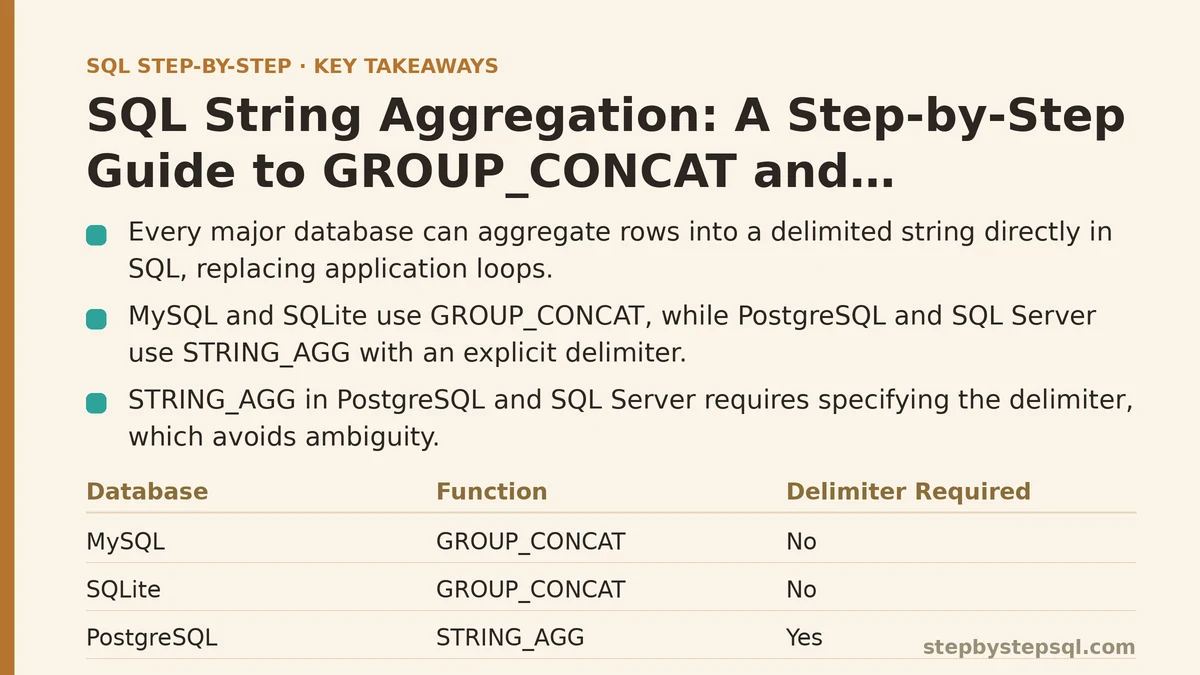
The function goes by different names depending on which database you’re using — GROUP_CONCAT in MySQL and SQLite, STRING_AGG in PostgreSQL and SQL Server — but the underlying concept is identical everywhere: take a column’s values across a group of rows and collapse them into one delimited string. This guide walks through it step by step, from the simplest case to the ordering and deduplication details that trip people up once real data gets involved.
Step 1: Understand What Problem This Actually Solves
Picture a table of orders, where each order has an ID and a product name, and a single order can contain several products across several rows. You want one row per order, with all its products listed as a single string — something like “Widget, Gadget, Cable” — rather than three separate rows you’d have to stitch together yourself.
This is a grouping problem at its core, similar to what GROUP BY normally handles. The difference is that instead of summing a number or counting rows, you’re concatenating text values from every row in the group into one combined string. Without a dedicated function for this, you’d typically pull the raw rows back into your application and loop over them, building the string by hand. String aggregation moves that work into the database, where the grouping was already happening anyway.
Step 2: Write the Basic Query in MySQL or SQLite
In MySQL and SQLite, the function is GROUP_CONCAT. The basic shape: SELECT order_id, GROUP_CONCAT(product_name) FROM order_items GROUP BY order_id.
Notice the GROUP BY clause is still there, doing its usual job of defining the groups. GROUP_CONCAT then acts on each group the way SUM or COUNT would, except instead of returning a number, it returns every product_name value in that group joined into one string. By default, MySQL separates values with a comma, and SQLite does the same.
Run this against the orders example, and each order now appears as a single row, with its products already combined into one readable field — no application-side loop required.
Step 3: Write the Equivalent Query in PostgreSQL or SQL Server
PostgreSQL and SQL Server use STRING_AGG instead, and it requires you to specify the delimiter explicitly rather than assuming a comma by default. The syntax: STRING_AGG(product_name, ', '), passing the column first and the separator second.
A full query looks like: SELECT order_id, STRING_AGG(product_name, ', ') FROM order_items GROUP BY order_id. Everything else about the logic matches the MySQL version — same GROUP BY, same one-row-per-group result, same idea of collapsing multiple rows into a single delimited value.
Requiring an explicit delimiter is arguably the better design choice, since it removes any ambiguity about what separator your output actually contains. It’s a small syntax difference, but it’s the one detail that breaks queries most often when someone copies MySQL syntax into a PostgreSQL project without adjusting it.
Step 4: Control the Order of the Concatenated Values
Left alone, most databases will concatenate values in whatever order the underlying rows happen to arrive in, which is not guaranteed to be consistent or meaningful. If you need “Cable, Gadget, Widget” instead of some arbitrary order, you have to say so explicitly.
STRING_AGG in PostgreSQL supports an ORDER BY clause built directly into the function: STRING_AGG(product_name, ', ' ORDER BY product_name). SQL Server supports the same pattern inside STRING_AGG. MySQL’s GROUP_CONCAT handles it a little differently, using ORDER BY inside the parentheses as well, but placed after the column and before any separator specification: GROUP_CONCAT(product_name ORDER BY product_name SEPARATOR ', ').
Skipping this step is one of the more common mistakes with string aggregation. Two runs of what looks like the same query can return values in a different order if the database changes its internal row-retrieval path, and if a report or a downstream comparison depends on consistent ordering, that inconsistency will eventually surface as a confusing bug.
Step 5: Remove Duplicate Values With DISTINCT
Sometimes a group contains repeated values you don’t want showing up twice in the aggregated string — a customer who ordered the same product across multiple line items, for instance. Both major function families support DISTINCT for exactly this case.
In MySQL: GROUP_CONCAT(DISTINCT product_name). In PostgreSQL, DISTINCT goes inside STRING_AGG in a similar position: STRING_AGG(DISTINCT product_name, ', '). Either way, the effect is the same — each unique value appears once in the resulting string, regardless of how many rows in that group shared that same value.
Combining DISTINCT with an explicit ORDER BY, where supported, gives you a clean, deduplicated, predictably sorted string in one pass, without needing a subquery to deduplicate the data beforehand.
Step 6: Watch for the Length Limit in MySQL
MySQL applies a default maximum length to GROUP_CONCAT output — historically 1024 characters, though this is controlled by a server variable called group_concat_max_len. If a group’s concatenated string runs past that limit, MySQL silently truncates it rather than throwing an error, which is exactly the kind of problem that goes unnoticed until someone spots missing data in a report.
If you’re aggregating a column that could plausibly produce long strings — many line items per order, long product names, or both — check this variable and raise it if needed: SET group_concat_max_len = 10000;, adjusted to whatever ceiling makes sense for your data. PostgreSQL’s STRING_AGG and SQL Server’s version don’t impose this same kind of default cap, so this step is specific to MySQL environments.
Step 7: Combine String Aggregation With Other Aggregates
String aggregation doesn’t have to stand alone in a query. It works fine alongside SUM, COUNT, AVG, or any other aggregate function in the same SELECT statement, as long as everything is grouped by the same GROUP BY clause.
A useful combined example: SELECT order_id, COUNT(product_name) AS item_count, SUM(price) AS order_total, GROUP_CONCAT(product_name SEPARATOR ', ') AS products FROM order_items GROUP BY order_id. This single query returns, per order, how many items it contains, the total price, and a readable list of every product — three different summary views of the same group, produced in one pass over the data.
This is usually where string aggregation earns its keep in real reporting work: not as an isolated trick, but as one more aggregate sitting comfortably next to the numeric ones you were already writing.
Step 8: Know When Not to Use It
String aggregation is built for producing human-readable summaries — a label, a report column, an export field someone will read directly. It’s a poor fit for producing data your application intends to parse back apart later, since splitting a concatenated string on a delimiter is fragile the moment a value happens to contain that same delimiter character.
If downstream code needs to work with the individual values programmatically, it’s usually better to query the raw, ungrouped rows and handle the list construction in application code, or to return a proper array type where your database supports one (PostgreSQL’s array aggregation, for instance). Reach for string aggregation when the destination is a report, a UI label, or an export — not when something on the other end needs to reliably take that string apart again.
A Quick Reference Across Databases
| Database | Function | Delimiter Syntax | Ordering |
|---|---|---|---|
| MySQL | GROUP_CONCAT(col) | SEPARATOR ', ' | ORDER BY col inside parentheses |
| SQLite | GROUP_CONCAT(col, ', ') | Second argument | Limited support |
| PostgreSQL | STRING_AGG(col, ', ') | Second argument | ORDER BY col inside parentheses |
| SQL Server | STRING_AGG(col, ', ') | Second argument | WITHIN GROUP (ORDER BY col) |
Keep this table nearby the first few times you switch between database systems on different projects — the concept transfers instantly, but the exact syntax rarely does.
Which database are you working with, and what does your data look like — do you need ordering, deduplication, or a combination with other aggregates? Describe the shape of your table and I can help you write the exact aggregation query for it.
Related guides: Step-by-Step Guide to SQL Window Functions for Beginners, Step-by-Step Guide to Writing Multi-Table SQL Joins for Beginners, and 10 Essential SQL String Functions for Data Cleaning, Ranked.