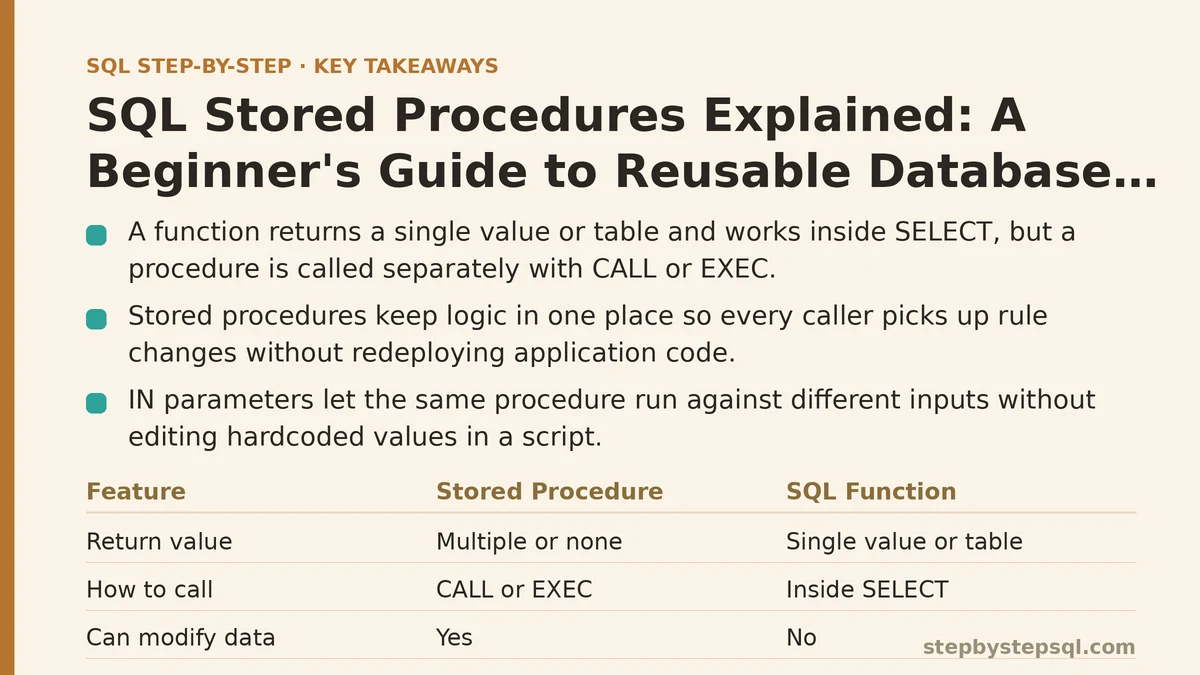
A stored procedure and a SQL function are not the same thing, even though beginners swap the two terms constantly. A function has to return a single value or table and slots directly into a SELECT statement; a procedure can do far more — modify data, run multiple statements, branch with IF logic, loop with WHILE — but it has to be called on its own with CALL or EXEC, never embedded inside another query. That one distinction explains most of the confusion people run into when they first hear the term “stored procedure,” so it’s worth nailing down before anything else.
Once that boundary is clear, the more useful question becomes: what does a stored procedure actually give you that a regular query doesn’t? Below are the five answers that matter most, ranked from the one that changes your daily workflow immediately to the one that only shows up once your database has been running in production for a while.
1. Reusability: Write the Logic Once, Call It From Everywhere
This is the reason most people learn stored procedures in the first place, so it earns the top spot. Instead of pasting the same fifty-line query into your application code, your reporting tool, and a scheduled batch job — and then updating all three copies every time the logic needs a tweak — you write the logic once inside the database as a procedure, and every caller just invokes it by name.
Picture a query that calculates a customer’s loyalty tier based on total spend, order count, and account age. If that logic lives as raw SQL scattered across three different applications, a single rule change means editing three different codebases, deploying three different releases, and hoping nobody missed a spot. Wrapped in a stored procedure, the rule change happens in one place, and every application calling that procedure picks up the new behavior the next time it runs — no redeployment of the calling code required at all.
This is also where procedures separate cleanly from plain scripts you might run manually. A script lives in a file on someone’s machine or in a version control repository, disconnected from the database itself. A stored procedure lives inside the database, callable by name from any client that can connect to it — a web application, a reporting dashboard, a scheduled job, even another procedure.
2. Parameters: The Same Logic, Handling Different Inputs Each Time
Reusable logic isn’t worth much if it can only ever do one specific thing, which is why parameters rank second. A stored procedure accepts IN parameters (values passed into it), and in some database systems, OUT parameters (values it hands back beyond whatever it returns through a result set).
Take that loyalty-tier procedure again. Instead of hardcoding a single customer ID, define it with an IN parameter for customer ID, and the body of the procedure references that parameter everywhere it needs a specific customer’s data. Calling the procedure with a different ID each time runs the identical logic against a different row, with zero changes to the procedure itself.
Compare this to a plain query saved as a script: to run it against a different customer, someone has to open the file, find the hardcoded ID, edit it, and re-run the whole thing. A parameterized procedure removes that editing step entirely — the caller supplies the value at the moment of execution, and the logic adapts on the fly. This single feature is usually what convinces beginners that procedures are worth the extra setup.
3. Encapsulation and Security: An Interface Instead of Direct Table Access
Third on this list, and easy to underestimate early on, is what a procedure hides from the people calling it. A well-designed procedure exposes a name and a set of parameters — nothing about the underlying table structure, the join logic, or the business rules baked into the calculation has to be visible to whoever’s calling it.
This matters most in environments with multiple teams touching the same database. Instead of granting an application direct SELECT and UPDATE access to sensitive tables — payroll figures, customer financial data, anything with real exposure risk — a database administrator can grant EXECUTE permission on a specific procedure instead. The application gets exactly the functionality it needs, through a controlled interface, without ever holding broad access to the raw tables underneath.
It also protects you from a quieter problem: table structure changing out from under every query that touches it. Add a column, rename one, split a table in two — if the change happens inside the procedure and the procedure’s interface (its name and parameters) stays the same, every calling application keeps working without modification. That insulation between “how the data is stored” and “how the data is used” is worth more than it sounds like on paper.
4. Procedural Logic: Branching and Looping Inside the Database Itself
Fourth is the feature that most clearly separates a procedure from a function or a plain query: the ability to write actual procedural code, not just a single declarative statement. Stored procedures support IF/ELSE branching, WHILE loops, local variables, and — depending on the database system — error handling constructs like TRY/CATCH or exception blocks.
A single SELECT statement can’t decide “if this condition is true, run this update, otherwise run that one instead.” A stored procedure can. It can check a condition, take one path or another, loop through a batch of records applying the same operation to each, and raise a custom error if something looks wrong — all inside one callable object, with no need to orchestrate that logic from an external application layer.
This is also the clearest line between procedures and functions. A function has to return a single value or a table and generally can’t modify data as a side effect in most database systems. A procedure carries no such restriction — it can run INSERT, UPDATE, and DELETE statements freely, control transactions with COMMIT and ROLLBACK, and return nothing at all if that’s what the task calls for. If your logic needs to change data rather than just calculate a value from it, you’re already in procedure territory, not function territory.
5. Performance: A Measurable, Though Often Overstated, Edge
Ranked last because it matters least for a beginner’s first few procedures, but performance is where stored procedures pick up their long-standing reputation. Many database systems compile and cache a procedure’s execution plan the first time it runs, then reuse that plan on subsequent calls instead of re-parsing and re-optimizing the SQL from scratch every single time.
Against ad hoc SQL sent fresh from an application on every request, this can produce a real, measurable difference — particularly for complex queries executed thousands of times a day. The gap has narrowed over the years as modern query optimizers and connection-level plan caching have gotten better at handling repeated ad hoc queries too, so treat this as a nice bonus rather than the main reason to reach for a procedure.
Where the performance edge shows up most reliably is in reducing network round trips. A procedure that runs five related statements executes all five inside the database in one call from the application; the equivalent broken into five separate queries sent one at a time means five separate trips across the network, each with its own latency. On a slow connection or a high-traffic system, that difference adds up fast — and it’s a more dependable win than the execution-plan caching argument on its own.
One Trade-Off Worth Weighing Before You Commit
None of this makes stored procedures the automatic right choice for every situation, and it’s worth being honest about the cost. Procedure logic tends to be harder to version-control cleanly than application code, harder to unit-test in isolation, and specific to whichever database system you’re running — a procedure written for PostgreSQL doesn’t port cleanly to SQL Server without rewriting.
For a one-off report or logic that changes weekly while your product is still finding its shape, a plain application-layer query is often the lower-friction choice. Reach for a stored procedure once the logic has stabilized, gets called from more than one place, or touches data sensitive enough that you want a controlled interface between it and the applications using it.
Quick Comparison: Procedure vs. Function vs. Plain Query
| Stored Procedure | Function | Plain Ad Hoc Query | |
|---|---|---|---|
| Can modify data (INSERT/UPDATE/DELETE) | Yes | Usually no | Yes |
| Callable from inside another SELECT | No | Yes | N/A |
| Supports IF/WHILE/loops | Yes | Limited, depends on system | No |
| Accepts parameters | Yes | Yes | No (values must be hardcoded or bound externally) |
| Where the logic lives | Inside the database | Inside the database | Inside the application or script file |
Line these five points up against your own project: if you’re editing the same query in more than one place, hardcoding values you keep changing by hand, or granting broader table access than you’re comfortable with, a stored procedure is probably overdue. Which of those five reasons is the one pulling at your current project the hardest? Related guides: Beginner’s Step-by-Step Guide to Creating Your First SQL Table with Primary Keys, Beginners Guide to SQL Window Functions: ROW_NUMBER and RANK Explained, and How to Use SQL Subqueries in WHERE and FROM Clauses: A Beginner Guide.