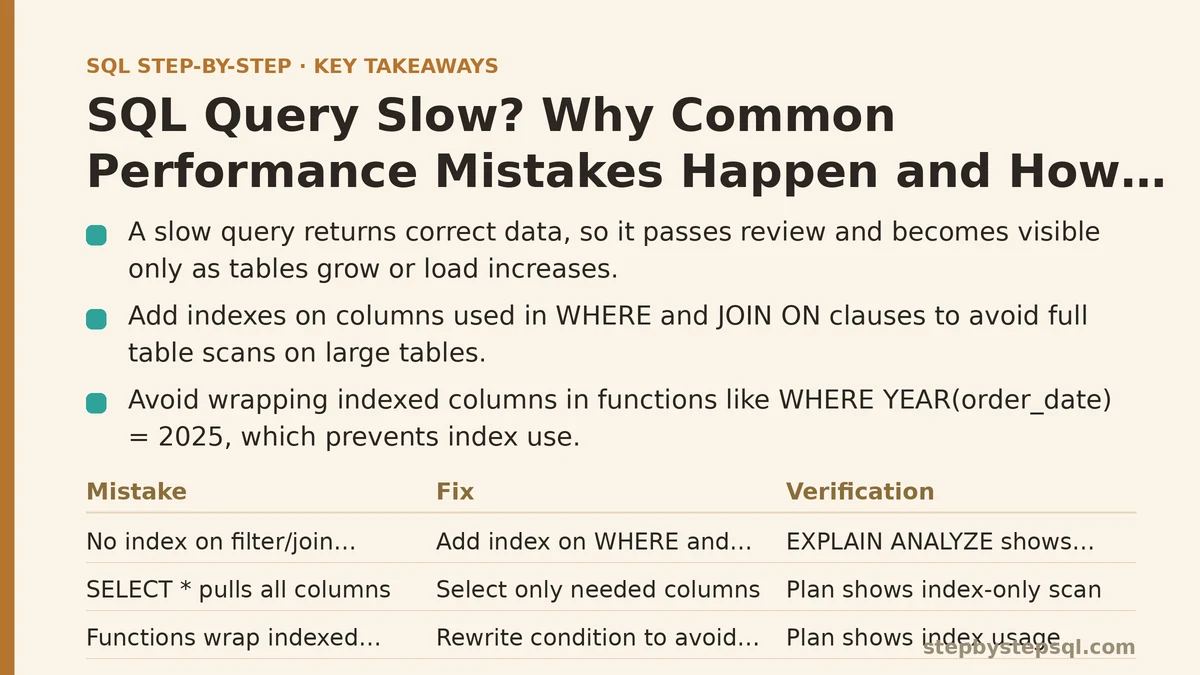
A slow query and a wrong query are two different problems, but they get treated the same way. A wrong query returns bad data and you notice immediately. A slow query returns correct data, so it quietly passes review and only becomes visible later, once the table grows or the concurrent load climbs. The dangerous mistake here isn’t writing a slow query — it’s assuming that because the result is right, the query is fine.
This tutorial takes two audiences in turn. If you’re newer to SQL, the first half explains the most common reasons a query runs slowly and the single fix that resolves most of them. If you’re already comfortable with JOINs and subqueries, the second half goes deeper into execution plans, sargability, and the trade-offs that determine when an index helps and when it doesn’t. Both halves describe how the technology behaves in general, not what any one person measured.
Beginner Path: The Mistakes That Cause Most Slow Queries
Before reaching for a query rewrite, confirm the query is slow because of what it asks for, and not because of how the database is set up. Three mistakes account for a large share of slow queries reported by people new to SQL.
Mistake 1: No Index on the Columns You Filter or Join On
An index is a separate, maintained structure that lets the database find rows without scanning the whole table. Without one, filtering a table with a WHERE clause or joining on a foreign key forces a full table scan: every row gets read to find the ones that match. On a 1,000-row table that’s invisible. On a 10-million-row table it can turn a query that should return in milliseconds into one that takes seconds or minutes.
The fix is to add an index on the columns used in WHERE conditions and JOIN ON clauses:
-- Filter by a column that has no index: scans every row
SELECT id, total
FROM orders
WHERE customer_id = 4821;

-- Add an index on the filtered column
CREATE INDEX idx_orders_customer_id ON orders (customer_id);

-- The same query now uses the index to locate matching rows directly
SELECT id, total
FROM orders
WHERE customer_id = 4821;
To verify the change rather than assume it, most databases expose an execution plan command. In PostgreSQL it’s EXPLAIN ANALYZE, in MySQL it’s EXPLAIN ANALYZE (8.0.18+) or EXPLAIN, and in SQL Server it’s SET STATISTICS IO ON plus the execution plan in your client. The thing to look for is whether the plan shows an index scan or index seek instead of a full table scan, and whether the estimated cost drops:
EXPLAIN ANALYZE
SELECT id, total
FROM orders
WHERE customer_id = 4821;
Trade-off: indexes are not free. Every INSERT, UPDATE, and DELETE has to maintain each index on the table, and each index consumes disk space. A table with heavy write traffic and a dozen indexes will slow down on writes. Index the columns that queries filter and join on, and resist adding indexes “just in case.”
Mistake 2: Selecting Every Column With SELECT *
Pulling all columns when you only need three has two costs. The first is data transfer: the database reads and sends columns you discard. The second, more subtle cost appears when a useful index exists only on a subset of columns. A covering index — one that contains every column the query needs — can be satisfied entirely from the index. When the query asks for SELECT *, it can’t be covered, so the database reads the index and then makes additional lookups into the table for each row.
-- Reads every column from every matched row
SELECT * FROM orders WHERE customer_id = 4821;

-- Reads only the columns needed, which a covering index can serve directly
SELECT id, order_date, total
FROM orders
WHERE customer_id = 4821;
The verify step is the same: compare the plan. A narrower SELECT is more likely to show an index-only scan (PostgreSQL) or a covering index scan, where the table itself isn’t touched.
Mistake 3: Wrapping Indexed Columns in Functions
This one is easy to write by accident. A condition like WHERE YEAR(order_date) = 2025 reads naturally, but it forces the database to evaluate YEAR() on every row before comparing. No ordinary index on order_date can be used, because the database sees a transformed value, not the raw column.
The fix is to rewrite the condition so the indexed column stands alone on one side of the comparison:
-- Function on the column: index on order_date cannot be used
SELECT id, total
FROM orders
WHERE YEAR(order_date) = 2025;

-- Column stands alone: index on order_date can be used
SELECT id, total
FROM orders
WHERE order_date >= '2025-01-01'
  AND order_date <  '2026-01-01';
The second form is called a sargable condition — a search-argument-able predicate, meaning the database can use an index to seek directly to the matching range. This concept is the bridge to the advanced half below.
Beginner summary table:
| Mistake | Symptom in the execution plan | Typical fix |
|---|---|---|
| No index on filtered/joined column | Full table scan | Create an index on that column |
SELECT * | Table lookups even when an index exists | Select only needed columns |
Function on indexed column (YEAR(col)) | Scan despite an index | Rewrite as a range on the raw column |
Advanced Path: Sargability, Execution Plans, and Trade-offs
If you already know how to add an index, the harder questions are: why does the index get ignored even when it exists, and when does the optimizer choose not to use it?
The Sargability Rule, Stated Precisely
A predicate is sargable when the indexed column appears unmodified on one side of the operator. These forms are sargable and can use an index on col:
col = valuecol BETWEEN a AND bcol >= a AND col < bcol LIKE 'prefix%'(leading literal, no wildcard first)
These are not sargable and typically force a scan:
YEAR(col) = 2025,LOWER(col) = 'x',col + 1 = 5— the column is wrappedcol LIKE '%suffix'— a leading wildcard prevents an index seek- Comparing a column to a different data type that forces an implicit conversion
The rewrite for the function case is usually just algebra. For LOWER(email) = '[email protected]', either store an expression index on LOWER(email) or normalize the data on write so the raw column matches on equality.
When a Good Index Still Doesn’t Help
Once past the sargability trap, the next surprise is an index that exists but goes unused. Common reasons:
- Low selectivity. If a WHERE condition matches 40% of the rows, an index seek followed by row lookups costs more than a sequential scan. Optimizers know this and will deliberately choose the scan.
- Type mismatch. Joining an
INTcolumn against aVARCHARcolumn forces conversion and disables the index. Match data types on both sides of the join. - Stale statistics. The optimizer decides how to execute based on statistics about data distribution. If those are out of date, the chosen plan can be wrong. Most databases update them automatically, but for large tables after a bulk load, run
ANALYZE(PostgreSQL) orANALYZE TABLE(MySQL) manually. - Compounded predicates. An index on
(a, b)supports queries filtering ona, or ona AND b, but typically not onbalone. Order matters in a composite index.
Rewriting OR and NOT IN
Two operators that commonly defeat index use:
-- OR across two columns often produces a scan or a union of two scans
SELECT id FROM orders
WHERE status = 'open' OR priority = 'high';

-- If each column has its own index, unions of two indexed queries can help
SELECT id FROM orders WHERE status = 'open'
UNION
SELECT id FROM orders WHERE priority = 'high';
The trade-off here is real: the UNION form runs two queries and deduplicates, so it’s better when each branch is selective and worse when the branches overlap heavily or match most of the table. Measure with EXPLAIN ANALYZE rather than assuming one form is always faster. NOT IN has its own trap — when the subquery can return NULL, the result becomes unknown for every row and the optimizer often can’t use an index at all. Prefer NOT EXISTS or LEFT JOIN ... WHERE right.id IS NULL, which handle NULLs predictably.
Explicit JOIN vs Implicit Join
An implicit join — listing tables in FROM and filtering the join condition in WHERE — is not automatically slower than the explicit JOIN ... ON form. Modern optimizers rewrite both into the same plan. What does matter is that when the join condition is separated from the FROM clause, it’s easier to accidentally add a filter that changes the join’s semantics, particularly with outer joins. Writing explicit JOINs makes the plan you intend clearer and makes it obvious which conditions filter rows versus which link tables.
Reading a Plan for the First Time
An execution plan reads from the innermost operation outward. Focus on three things:
- Scan type on the largest table: sequential scan, index scan, or index-only scan.
- Estimated vs. actual row counts: a large mismatch means stale statistics or a badly estimated cardinality, and often signals a wrong plan.
- The most expensive node: in PostgreSQL, the cost numbers on each node; in MySQL, the rows and filtered columns.
The path from setup to verify, applied end to end:
- Setup: a table with millions of rows, a query with a function on an indexed column.
- Change: rewrite the predicate as a range on the raw column, add the missing index if there isn’t one.
- Verify: run
EXPLAIN ANALYZEbefore and after, and confirm the scan type changes from a sequential scan to an index scan and the actual execution time drops.
When NOT to Add an Index or Rewrite
Sometimes the correct move is to change nothing about the query:
- A reporting query that scans a whole table once a night may not benefit from an index at all — a sequential scan can be faster than random access through an index when you need most of the table.
- On a write-heavy table, an extra index may cost more in write throughput than it saves in read latency.
- Very small tables don’t benefit from indexing; the planner will scan them regardless.
The general ordering to follow is: fix the query shape first (sargable predicates, narrow SELECT, explicit joins), add indexes second, and tune the server only after those two are exhausted. Tuning server memory before the query and the index are right is often treating a symptom rather than the cause.
A Practical Checklist
Run through this before submitting a query that touches a large table:
- Are all WHERE and JOIN ON columns either indexed or covered by a composite index whose leading column matches?
- Are any indexed columns wrapped in a function or arithmetic expression?
- Does the SELECT list avoid
*where a narrower list would do? - Have you looked at the execution plan with
EXPLAIN ANALYZErather than guessing? - If a predicate matches a lot of rows, is a full scan the better choice for that query?
- Are statistics up to date after any large bulk load?
Which query is giving you trouble right now — what does its plan show for the largest table, and are the columns in your WHERE clause indexed? Share the plan output and the filter conditions, and it’s usually possible to point to the exact line causing the slowdown.
Related guides: How SQL Indexes Actually Speed Up Your Queries (And When They Slow You Down Instead), Common Indexing Mistakes That Silently Slow Down Your SQL Queries, and SQL Execution Plan Basics: How to Read Query Plans Like a Professional.