LIMIT and OFFSET FETCH NEXT get treated as two spellings of the same idea, and for small tables that assumption barely costs you anything. Both cap the number of rows returned. Both let you skip ahead to some later slice of a result set. The difference only becomes expensive once your table stops being small — and by then, the pagination logic is usually already baked into a dozen places across the codebase, which is exactly the situation this case study walks through.
The Setup: A Product Catalog That Grew Past Its Design
The scenario is a product listing page for an online store, the kind of page nearly every e-commerce site has: a grid of products, fifty per page, with “next” and “previous” controls at the bottom. When the catalog held around twelve thousand products, the query behind that page was about as simple as SQL gets.
SELECT id, name, price, category FROM products ORDER BY id LIMIT 50 OFFSET 0
Page one, page two, page three — each page just bumped the OFFSET value by fifty. Page four used OFFSET 150. Page ten used OFFSET 450. The pattern was consistent, the query was fast, and nobody thought about it again for over a year.
Then the catalog grew. A supplier integration added bulk imports, categories multiplied, and within eighteen months the products table held just over two million rows. The pagination logic hadn’t changed at all — it didn’t need to, syntactically. What changed was how that query behaved once someone requested a page deep into the result set.
Where LIMIT and OFFSET Actually Come From
Before getting to what broke, it’s worth being precise about what these two keywords do, since the confusion between them and FETCH NEXT starts with a misunderstanding of their roles.
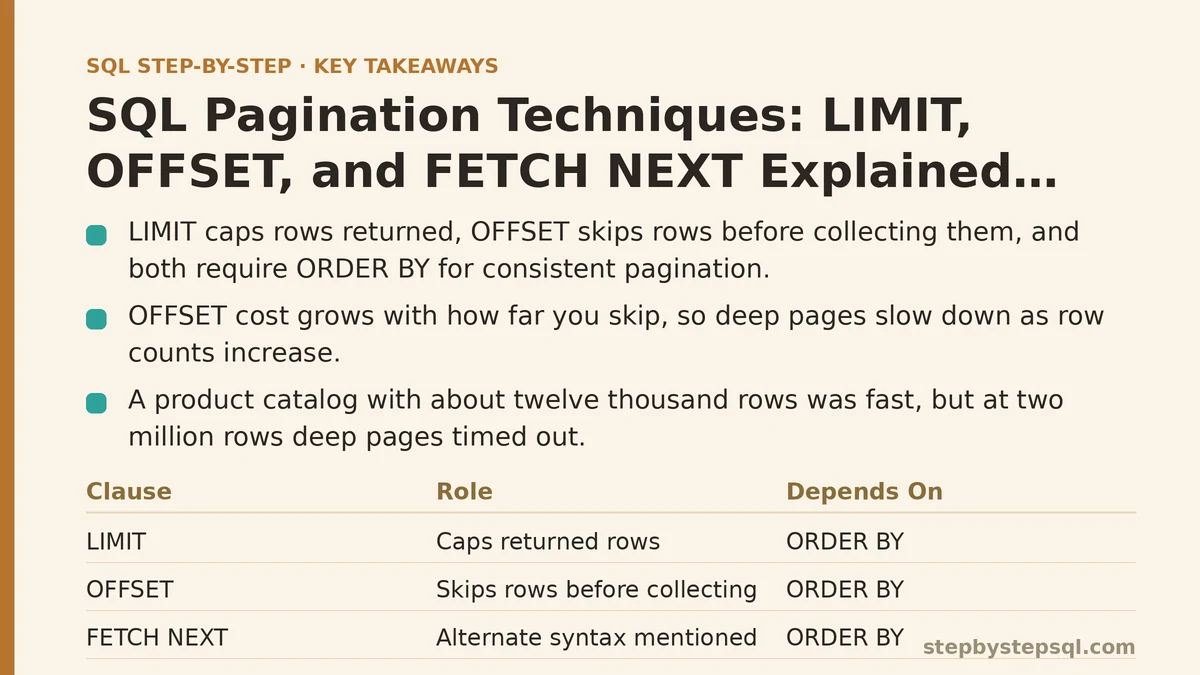
LIMIT caps the total number of rows the query returns. LIMIT 50 means “give me at most fifty rows,” full stop. OFFSET tells the database how many rows to skip before it starts collecting those fifty. OFFSET 100 means “ignore the first hundred matching rows, then start counting from there.” Combined, LIMIT 50 OFFSET 100 returns rows 101 through 150 of whatever result set your query would otherwise produce.
Both keywords depend entirely on ORDER BY to mean anything consistent. Without an ORDER BY clause, a database is free to return rows in whatever order it finds convenient internally, which can shift between executions — meaning OFFSET could skip a different set of rows each time the query runs, and pagination would silently produce duplicate or missing products across pages. This is the first mistake the catalog’s original developer avoided by accident: ORDER BY id was already in place, and it happened to be a unique column, so pagination stayed stable even before anyone thought carefully about why that mattered.
The Symptom: Page One Was Fast, Page Forty Thousand Was Not
The catalog’s support team started fielding complaints about a “load more” feature used by a small number of power users who browsed the entire inventory by category, sometimes paging dozens of screens deep. Page one loaded in under ten milliseconds. By the time a user reached page eight hundred — OFFSET 40000 — the same query was taking over a second. Past page two thousand, some requests timed out entirely.
The query hadn’t changed. The row count had. And OFFSET carries a cost that scales directly with how far into the table you’re skipping, which is the part that trips up developers who assume OFFSET works like a direct index into a result set.
Here’s what’s actually happening under the hood: the database has to walk through and discard every one of the skipped rows before it can start collecting the fifty you asked for. OFFSET 40000 means the engine touches forty thousand and fifty rows to hand back fifty of them. It doesn’t jump straight to row 40001 the way an array index would. As OFFSET climbs, that discarded work climbs with it, and query time grows roughly in proportion to how deep the page number goes — which is exactly the shape of the slowdown the support team was reporting.
Bringing FETCH NEXT Into the Picture
At this point, someone on the team proposed switching the catalog’s query to the FETCH NEXT syntax, on the assumption that it might perform differently. This is a common and understandable guess, and it’s worth settling directly: it doesn’t.
OFFSET FETCH NEXT is the SQL standard’s way of writing the same operation LIMIT and OFFSET express in MySQL and PostgreSQL. SQL Server and Oracle favor this syntax; PostgreSQL and MySQL support both, though LIMIT/OFFSET is more idiomatic there. Written against the same catalog table, the equivalent query looks like this.
SELECT id, name, price, category FROM products ORDER BY id OFFSET 40000 ROWS FETCH NEXT 50 ROWS ONLY
Same ORDER BY, same OFFSET, same row count returned. FETCH NEXT is a syntax choice, not a performance optimization — it’s answering “which words does my database dialect want here,” not “how do I skip rows more efficiently.” Migrating the catalog’s query to this syntax would have made it more portable across database engines, and nothing else. The team confirmed this in testing: identical execution plans, identical timing, once run against the same SQL Server instance under both spellings. That test result closed off the FETCH NEXT theory and pointed the investigation back toward OFFSET itself as the real bottleneck.
The Fix: Keyset Pagination Instead of Counting From Zero
The real fix came from changing what OFFSET was being asked to do at all, rather than searching for a faster way to skip rows. Instead of asking “skip forty thousand rows, then give me the next fifty,” the rewritten query asked “give me the next fifty rows after the last product ID I already showed you.”
This approach is usually called keyset pagination, or seek pagination. Instead of tracking a page number and multiplying it into an OFFSET value, the application remembers the ID of the last row shown on the previous page and uses that value directly in a WHERE clause.
SELECT id, name, price, category FROM products WHERE id > 812340 ORDER BY id LIMIT 50
There’s no OFFSET here at all. The database uses the index on id to seek directly to the row just after 812340 and reads fifty rows forward from that point — the same cost whether that starting point is row fifty or row two million. In testing against the catalog table, page one and the deepest page a user could reasonably reach returned in the same low single-digit milliseconds, a stark contrast to the OFFSET version’s climbing response time.
The tradeoff, and it is a real one: keyset pagination doesn’t support jumping arbitrarily to “page 4,000” the way OFFSET-based pagination does, since there’s no page number driving the query — only a remembered position. For the catalog’s “load more” pattern, where users move forward sequentially, that tradeoff cost nothing. For an admin dashboard elsewhere in the same product that let staff type a page number directly into a box and jump there, the team kept OFFSET-based pagination in place, since that page count never exceeded a few hundred and the performance cliff never came into play.
What Changed in the Catalog’s Query Layer
The final version of the pagination logic used both techniques, chosen deliberately per use case rather than applied uniformly everywhere. The public-facing catalog switched entirely to keyset pagination keyed on product ID, with the frontend sending back the last-seen ID instead of a page number. The internal admin tool, where jump-to-page mattered more than raw scale, kept its OFFSET-based query untouched, since its row counts never got large enough for the cost to matter.
Two adjustments accompanied the switch. First, the ORDER BY column needed a genuine guarantee of uniqueness — pagination keyed on a non-unique column like category or price could skip or repeat rows across pages if two rows shared a value, so the team added id as a secondary sort key wherever the primary sort column wasn’t already unique. Second, every keyset query needed a covering index on the sort column to keep that WHERE id > … seek fast; without it, the database falls back to scanning, and the entire performance advantage disappears.
Comparing the Three Approaches
| Technique | Best fit | Deep-page performance | Supports jump-to-page |
|---|---|---|---|
| LIMIT / OFFSET | Small to medium tables, arbitrary page jumps | Degrades as OFFSET grows | Yes |
| OFFSET FETCH NEXT | Same as LIMIT/OFFSET, SQL Server/Oracle syntax | Identical to LIMIT/OFFSET | Yes |
| Keyset (seek) pagination | Large tables, sequential “load more” browsing | Constant, regardless of depth | No |
None of these three is universally correct. The right choice depends on how large the table is expected to grow, and whether users need to jump to an arbitrary page or simply move forward one screen at a time — the same question this catalog had to answer twice, once for its public storefront and once for its internal tools, arriving at two different answers for two different jobs.
Is your pagination query slowing down on later pages, or are you deciding between these approaches before writing the first version? Describe your table size and how users move through the results, and I can help you work out which technique fits your case.
Related guides: Common Indexing Mistakes That Silently Slow Down Your SQL Queries, How SQL Indexes Actually Speed Up Your Queries (And When They Slow You Down Instead), and SQL Execution Plan Basics: How to Read Query Plans Like a Professional.