Two statements, one goal, and a world of difference: INSERT ... ON DUPLICATE KEY UPDATE and MERGE both get called “upserts,” but they behave differently under pressure. The first is a single-table convenience tool. The second is a full conditional engine that can update, insert, and delete in one pass. The problem is that most explanations of MERGE stop at “insert if new, update if exists,” which leaves out the part where it can also delete rows, and the part where it can corrupt your data if you forget a predicate.
This post walks through MERGE with the exact scenarios where it earns its complexity, the failure modes that bite experienced analysts, and the alternative you should reach for when MERGE is overkill.
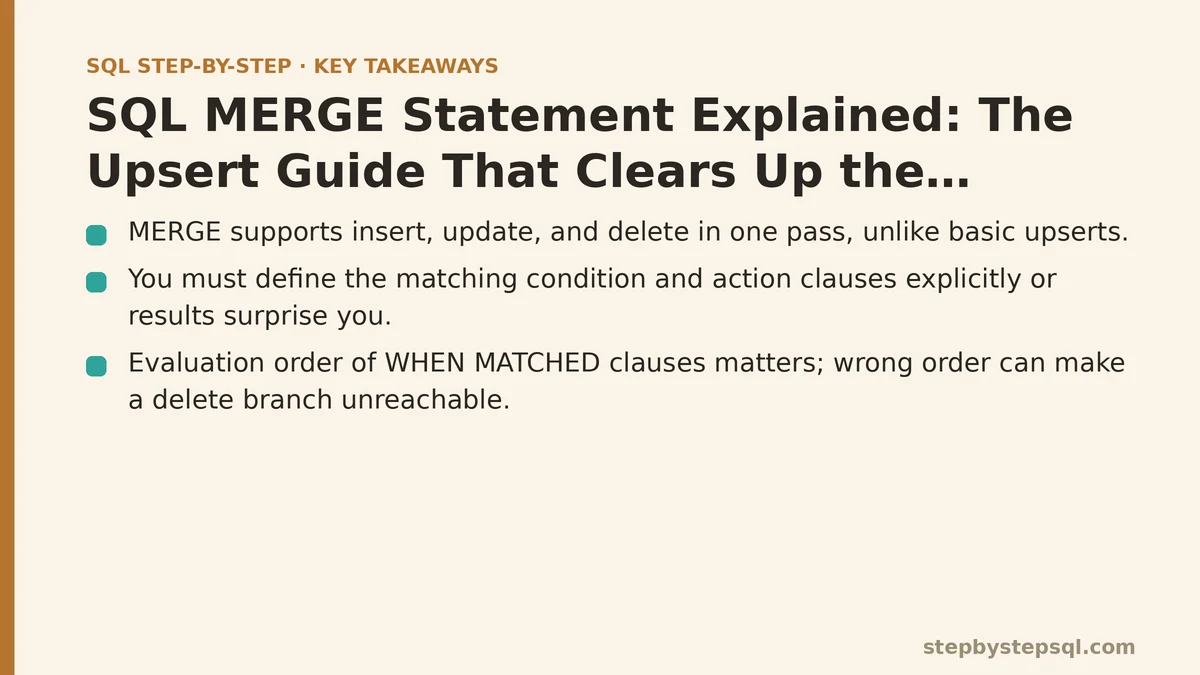
The Myth: MERGE Is Just INSERT or UPDATE
The one-sentence version says MERGE compares a source to a target, inserts rows that don’t exist, and updates rows that do. That is true, but it is incomplete in two important ways.
First, MERGE also supports a DELETE clause. You can remove rows from the target when a certain condition is met, in the same statement that updates and inserts. That makes it a three-way operation, not a two-way one.
Second, MERGE does not automatically know what “new” and “existing” mean. You have to define the matching condition explicitly in the ON clause, and you have to tell it what to do for each case using WHEN MATCHED, WHEN NOT MATCHED, and — in some databases — WHEN NOT MATCHED BY SOURCE. If you treat the statement as a magic upsert and skip the details, the results will surprise you.
The reality is that MERGE is a conditional data-modification engine. It evaluates every source row against your ON condition, then routes each row through exactly one of the clauses you defined. It is closer to writing a CASE statement for your whole table than it is to a simple insert-or-update helper.
The Core Syntax You Need to Know
Every MERGE statement has four parts: a target table, a source (which can be a table, a view, or a subquery), a matching condition, and at least one action clause. Here is the shape in standard SQL:
MERGE INTO target_table AS t
USING source_table AS s
   ON t.id = s.id
WHEN MATCHED THEN
    UPDATE SET t.name = s.name, t.quantity = s.quantity
WHEN NOT MATCHED THEN
    INSERT (id, name, quantity) VALUES (s.id, s.name, s.quantity);
That is the textbook upsert. But compare that to this next version, which adds the delete case:
MERGE INTO inventory AS t
USING daily_stock_update AS s
   ON t.product_id = s.product_id
WHEN MATCHED AND s.stock_qty = 0 THEN
    DELETE
WHEN MATCHED THEN
    UPDATE SET t.stock_qty = s.stock_qty
WHEN NOT MATCHED THEN
    INSERT (product_id, stock_qty) VALUES (s.product_id, s.stock_qty);
Notice the AND clause inside WHEN MATCHED. That is a search condition, and it is the difference between a safe statement and a destructive one. The first WHEN MATCHED clause checks for a match and checks whether the new stock quantity is zero. Only then does it delete. The second WHEN MATCHED clause has no extra condition, so it catches every other matched row and updates it.
If you reverse the order of those two WHEN MATCHED clauses, the delete branch becomes unreachable — the update branch runs first and swallows every matched row. Evaluation order matters, and this is where beginners get into trouble.
Walking Through a Real Scenario: Syncing a Product Catalog
Let us build a concrete example end to end. You have a product table in your main database, and you receive a nightly feed of price changes from a vendor. The feed contains product IDs, new prices, and a status column that tells you whether the product is still active.
Start with the target table:
CREATE TABLE products (
    product_id   INTEGER PRIMARY KEY,
    product_name TEXT    NOT NULL,
    price        NUMERIC(10,2) NOT NULL,
    is_active    BOOLEAN NOT NULL DEFAULT TRUE
);
The vendor feed arrives in a staging table called price_updates. Your job is to synchronize products with it. Here is the full MERGE:
MERGE INTO products AS p
USING price_updates AS u
   ON p.product_id = u.product_id
WHEN MATCHED AND u.status = 'inactive' THEN
    UPDATE SET p.is_active = FALSE, p.price = u.price
WHEN MATCHED THEN
    UPDATE SET p.price = u.price, p.is_active = TRUE
WHEN NOT MATCHED AND u.status = 'active' THEN
    INSERT (product_id, product_name, price, is_active)
    VALUES (u.product_id, u.product_name, u.price, TRUE);
The logic reads like a decision tree. If a product exists in both tables and the vendor marks it inactive, you keep the row but turn it off. If it exists and the status is anything else, you update the price and activate it. If the product is brand new and the vendor says it is active, you insert it. New products marked inactive are skipped entirely — there is no WHEN NOT MATCHED clause without the status check, so those rows fall through with no action.
After the statement runs, verify the result with a simple query:
SELECT product_id, price, is_active
FROM products
ORDER BY product_id;
You should see updated prices for existing rows, new rows for active-only newcomers, and unchanged rows for inactive newcomers. That last group is the one that confirms your search conditions are working. If you had written a plain upsert without the status checks, those inactive newcomers would have been inserted, and you would be showing products to customers that the vendor told you to drop.
When MERGE Deletes Data You Wanted to Keep
The most dangerous misconception about MERGE is that it only touches rows that appear in the source. That is true for WHEN MATCHED and WHEN NOT MATCHED, but it is not true for the optional WHEN NOT MATCHED BY SOURCE clause, which is supported in SQL Server and other databases.
That clause fires for rows in the target that have no matching row in the source. It is a powerful synchronization tool — it deletes or updates stale rows — but it is also a one-way door. Consider this statement:
MERGE INTO products AS p
USING price_updates AS u
   ON p.product_id = u.product_id
WHEN MATCHED THEN
    UPDATE SET p.price = u.price
WHEN NOT MATCHED BY SOURCE THEN
    DELETE;
If your vendor feed is missing a product for one night — because of a bug, a delayed file, or a scheduled maintenance window — that product will be deleted from your target table. The data is gone, and the next successful feed will not bring it back, because the inserts only happen for rows that exist in the source.
In practice, this clause is only safe when your source is guaranteed to be a complete snapshot of every valid target row. If your source is a change log or a partial update, do not use WHEN NOT MATCHED BY SOURCE. You will drop rows that simply were not part of that batch.
If you absolutely need the cleanup behavior, add a safety predicate:
WHEN NOT MATCHED BY SOURCE AND p.is_active = FALSE THEN
    DELETE;
That version only removes rows you already marked inactive, which means a missing source row cannot delete a live product.
Row-Level Failure Modes: Duplicates and the ON Clause
MERGE assumes your ON condition uniquely identifies a row in the target. If it does not, the statement can raise an error, or — in some database systems — update the same target row multiple times.
The classic mistake is joining on a column that is not unique in the source. Say your price_updates staging table contains two rows for the same product because a batch process ran twice. Your MERGE matches both source rows to the same target row, and the target row gets updated twice. The result depends on which database you use, but none of the outcomes are good: an error, a nondeterministic final value, or a statement that updates one row and silently ignores the second source row.
Before running MERGE, deduplicate your source:
MERGE INTO products AS p
USING (
    SELECT product_id, product_name, price,
           ROW_NUMBER() OVER (PARTITION BY product_id ORDER BY updated_at DESC) AS rn
    FROM price_updates
) AS u
   ON p.product_id = u.product_id
  AND u.rn = 1
WHEN MATCHED THEN
    UPDATE SET p.price = u.price
WHEN NOT MATCHED THEN
    INSERT (product_id, product_name, price)
    VALUES (u.product_id, u.product_name, u.price);
The ROW_NUMBER() subquery keeps only the latest update per product, which turns an unsafe statement into a deterministic one. Test your source cardinality before you trust MERGE — it is the cheapest way to avoid a production incident.
Performance and Locking: The Trade-Off Nobody Mentions
MERGE has a reputation for being slow, and in some databases that reputation is earned. Because it evaluates multiple clauses and can modify the same table in different ways, it often acquires more locks than a simpler INSERT or UPDATE statement. On a large table with heavy concurrent traffic, a MERGE can block other writers for the duration of the operation.
There is a well-documented bug in SQL Server where MERGE can produce incorrect results or deadlocks under certain parallelism and foreign-key conditions, to the point where Microsoft has documented known issues with the statement. That does not mean you should never use MERGE — it means you should measure it against the simpler alternative on your own data.
A practical test: run a MERGE against a table with one million rows and write down the duration and the peak lock count. Then run the equivalent INSERT ... ON CONFLICT (PostgreSQL), INSERT ... ON DUPLICATE KEY UPDATE (MySQL), or pair of UPDATE and INSERT statements wrapped in a transaction. Compare the numbers. For many workloads, the two-statement version is just as fast and far easier to reason about.
When NOT to Use MERGE
The clearest case against MERGE is when you only need an upsert. PostgreSQL’s INSERT ... ON CONFLICT and MySQL’s INSERT ... ON DUPLICATE KEY UPDATE were designed for exactly that, and they are simpler, faster, and less error-prone for the single-table case.
Here is the PostgreSQL alternative:
INSERT INTO products (product_id, product_name, price)
VALUES (101, 'Widget', 19.99)
ON CONFLICT (product_id)
DO UPDATE SET price = EXCLUDED.price, product_name = EXCLUDED.product_name;
That is one statement, no USING clause, no WHEN branches, and no risk of accidentally hitting a NOT MATCHED BY SOURCE clause. It does exactly what most people mean when they say “upsert.”
You should reach for MERGE only when you need at least two of these three behaviors in the same statement: conditional insert, conditional update, and conditional delete based on source data. Sync jobs that compare a snapshot against a live table are the natural fit. Single-table upserts are not.
The other case against MERGE is auditability. A MERGE statement can perform three different kinds of writes in one execution, which makes it harder to trace in logs, harder to review in code review, and harder to debug when a row ends up in the wrong state. Splitting those writes into separate statements gives you clearer failure points and cleaner transaction boundaries.
A Mental Model That Sticks
Think of MERGE not as a single operation but as a routing table. Every source row enters the statement, gets checked against the ON condition, and then falls into the first WHEN clause whose condition evaluates to true. If no clause matches, nothing happens to that row. The order of your WHEN clauses decides which condition wins when two of them could both apply.
That is the whole model. It is not “insert if new, update if old.” It is a decision tree with three branches, and you control the rules at every fork.
The questions to ask yourself before writing MERGE are straightforward. Is my source guaranteed unique on the join key? Does my source represent a complete snapshot or a partial change feed? Do I need the delete branch at all? If the source is partial and you do not need deletion, use the simpler upsert syntax instead. If you do need the full routing behavior, write the clauses from most specific to least specific, deduplicate your source, and test on a copy of the table before touching production.
What are you syncing — a full snapshot that needs cleanup, or a change feed that only needs updates? Tell me the shape of your source data and which database you are on, and I will show you the exact MERGE (or upsert alternative) that fits your case.
Related guides: ACID Properties in Databases Explained Simply: The Four Rules That Keep Your Data Safe, Beginners Guide to SQL Window Functions: ROW_NUMBER and RANK Explained, and SQL FULL OUTER JOIN and CROSS JOIN Explained: A Troubleshooting Guide With Real Examples.