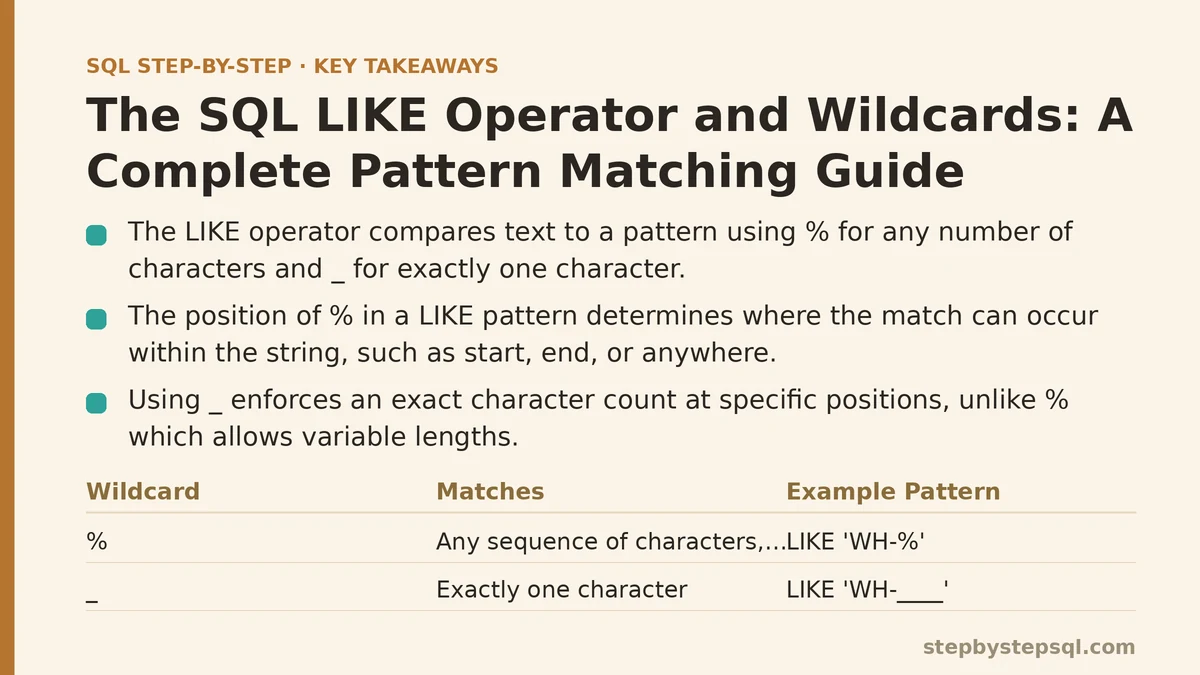
The LIKE operator compares a text value against a pattern rather than an exact string, using two special characters — % and _ — to stand in for parts of that pattern you don’t know or don’t care about. % matches any sequence of characters, including zero characters. _ matches exactly one character, no more and no less. Everything else about LIKE, including every mistake people make with it, comes back to those two symbols and how precisely they behave.
The clearest way to see how those rules play out is to follow a single messy dataset from a broken search box to a clean, correct query.
The Setup: A Product Table Nobody Trusts Anymore
Imagine a products table that’s been fed by three different systems over the years: a legacy inventory tool, a supplier import script, and manual entry by whoever was covering the warehouse desk that week. SKU codes are inconsistent. Product names have stray capitalization. Some entries have trailing spaces, some have abbreviations, and a handful contain punctuation that was never supposed to be there.
Someone on the support team needs to find every product whose SKU starts with WH- — the prefix used for warehouse-only items — so those listings can be pulled from the public site. That’s the first real pattern-matching problem, and it’s the one that introduces %.
The Percent Sign: Matching Any Number of Characters
The query starts simply: SELECT sku, product_name FROM products WHERE sku LIKE 'WH-%'. Read that pattern left to right: the SKU must begin with the literal characters WH-, followed by anything at all, including nothing. A SKU of exactly WH- would still match, since % is allowed to represent zero characters — that edge case surprises people who assume % always stands for “something.”
Flip the pattern around — LIKE '%WH-' — and now the match logic reverses: the SKU must end with WH-, with any number of characters allowed before it. Put % on both sides, LIKE '%WH-%', and the pattern matches WH- occurring anywhere in the string at all, whether at the start, the end, or buried in the middle.
This is the first lesson worth internalizing: the position of % in the pattern determines where the match is allowed to happen, not just whether a match happens. Ordering matters as much as the character itself.
Running LIKE 'WH-%' against the products table pulls back 340 rows. That’s more than expected, so the next question is where those extra rows are coming from.
The Underscore: Matching Exactly One Character
A closer look at the results turns up a problem. Alongside the expected six-character warehouse SKUs like WH-1042, there’s a batch of entries like WH-104, WH-A9, and even one stray WH- with nothing after it. The % wildcard doesn’t care about length, so all of them qualify.
The support team actually wants only the standard-format warehouse SKUs: WH-, followed by exactly four digits, nothing more. That’s a job for _, which matches exactly one character and nothing else.
The corrected pattern: LIKE 'WH-____' — four underscores after the hyphen, one for each expected digit. Now WH-1042 matches, but WH-104 doesn’t (only three characters after the hyphen) and WH-10425 doesn’t either (five characters, one too many). Each underscore is a placeholder for precisely one character position, and LIKE enforces that count strictly.
This distinction — % for “any number of characters” versus _ for “exactly one character” — is the entire vocabulary of LIKE. Nearly every pattern-matching problem in SQL is some combination of these two symbols, arranged to describe the shape of the string you’re looking for.
There’s a catch worth flagging here: _ still matches a digit, a letter, a space, or punctuation — it has no concept of “digit only.” If a SKU had WH-10X2, the pattern WH-____ would match it anyway, since _ doesn’t distinguish character types. For that level of precision, LIKE reaches its limit, and a regular expression function (covered further down) becomes the better tool.
When the Pattern Itself Contains a Literal % or _
The next ticket complicates things. Some legitimate product names in this table contain a literal percent sign — bundle deals named things like “50% Off Starter Kit” — and someone needs to find all of them. Writing LIKE '%50%%' seems reasonable at first glance, but it fails immediately, because LIKE has no way to tell a literal % apart from a wildcard % unless it’s told explicitly.
This is what the ESCAPE clause exists for. Choosing a character that won’t otherwise appear in the pattern — a backslash is common — the query becomes: LIKE '%50\%%' ESCAPE '\'. That tells the database: wherever a backslash precedes a % in this pattern, treat that % as a literal character to match, not as a wildcard. The remaining % characters in the pattern, with no backslash in front of them, keep their normal wildcard meaning.
The same escaping applies to a literal underscore. A product code containing an actual _ character — not a stand-in for “any one character,” but the underscore key itself — needs the same treatment: LIKE '%order\_id%' ESCAPE '\'.
Not every database defaults to backslash as an escape character, and some don’t require declaring one at all for simple cases — check the specific syntax for whatever database is in use before assuming this pattern transfers unchanged. The concept, though, holds everywhere LIKE exists: wildcard characters need an explicit escape mechanism the moment they need to be matched literally instead of interpreted as wildcards.
Case Sensitivity: The Same Pattern, Different Results Depending on the Engine
With the SKU and literal-character issues sorted, the next request looks trivial: find every product name containing the word “clearance,” regardless of capitalization — “Clearance,” “CLEARANCE,” “clearance,” all of it.
Running LIKE '%clearance%' against this table returns some matches but misses others, and the reason depends entirely on which database engine is running the query. In PostgreSQL, LIKE is case-sensitive by default, so %clearance% won’t match “Clearance Sale.” MySQL, on the other hand, typically runs LIKE comparisons case-insensitively by default, because of how its default collation handles string comparison — the identical query, the identical pattern, a different result depending on the engine underneath it.
That inconsistency is exactly why relying on LIKE’s default case behavior is fragile. The more portable fix is to normalize both sides of the comparison explicitly: LOWER(product_name) LIKE '%clearance%', with the pattern itself already written in lowercase. Some databases also offer a dedicated case-insensitive variant — PostgreSQL’s ILIKE being the clearest example — which does the same job without wrapping the column in a function call.
Wrapping a column in LOWER() for every comparison does carry a cost worth knowing about: it can prevent the database from using a standard index on that column efficiently, since the index was built on the original values, not their lowercased versions. For a table this size it’s a non-issue. For a table with tens of millions of rows, it’s worth checking whether the database supports a function-based index or a case-insensitive collation instead of leaning on LOWER() everywhere.
The Leading Wildcard Problem
With the case-sensitivity issue resolved, someone asks a follow-up question: can this same search run fast enough to power a live search box on the internal admin site, where staff type a few characters and expect results instantly?
Here’s where LIKE '%clearance%' runs into a structural limitation rather than a correctness one. A standard B-tree index on product_name is built to support fast lookups when you know how a value starts — it can jump straight to entries beginning with “cl,” for instance. A pattern with a leading %, like %clearance%, gives the database no fixed starting point to search from, since the matching text could begin anywhere in the string. The database typically falls back to scanning every row and checking each one against the pattern individually.
Compare that to LIKE 'clearance%', with no leading wildcard. Because the pattern specifies exactly how the string starts, many databases can use a standard index to jump directly to the relevant range of values rather than scanning the whole table. Same operator, same column, dramatically different performance characteristics depending purely on where the % sits in the pattern.
For this admin search box, the practical answer turned out to be a compromise: restrict the live-as-you-type search to a leading-wildcard-free pattern ('clearance%') for speed, and offer a separate “search anywhere” option that runs the slower %clearance% query only when someone explicitly requests it. Tables that need to support fast substring search at scale generally reach for a dedicated tool — full-text search indexes, or a trigram index in PostgreSQL — rather than asking a standard B-tree index to do something it wasn’t built for.
Combining LIKE With Other Conditions
The final version of this cleanup query needed to do more than match a pattern — it needed to exclude a specific set of exceptions. A handful of clearance-named products were intentionally kept live on the site and shouldn’t be pulled, and their SKUs all happened to start with EXEMPT-.
NOT LIKE handles simple exclusion the same way LIKE handles inclusion — WHERE sku NOT LIKE 'EXEMPT-%' filters out anything matching that prefix. Combined with the earlier condition using AND, the full query became: match anything with “clearance” in the name, case-insensitively, and exclude anything with an EXEMPT- SKU prefix.
LIKE combines with AND, OR, and IN exactly the way any other condition does in a WHERE clause — it isn’t a special case syntactically, just a comparison operator that happens to test a pattern instead of an exact value. The complexity in a query like this one comes from stacking several pattern conditions with clear logical intent, not from any unusual behavior of LIKE itself.
When Pattern Matching Outgrows LIKE
By the end of this cleanup project, one more request came in: flag any product name containing a phone number, in any of several formats — with dashes, without dashes, with or without a leading country code. That request marks the point where LIKE stops being the right tool.
LIKE can express “starts with,” “ends with,” “contains,” and fixed-length gaps using _, but it has no concept of character classes, optional segments, or repeated patterns of variable length. Matching “a sequence of exactly ten digits, optionally separated by dashes” is exactly the kind of problem regular expressions were built for, and most databases expose that capability through a function like REGEXP_LIKE (Oracle, MySQL), ~ (PostgreSQL), or RLIKE (MySQL, Spark SQL).
The practical rule that emerged from this project: reach for LIKE when the pattern is fixed and simple — a known prefix, suffix, or substring, maybe with a predictable number of unknown characters in the middle. Reach for a regular expression the moment the pattern needs to describe variation — optional segments, alternatives, or repetition — rather than a fixed shape.
A Quick Reference for the Patterns Covered Here
| Pattern | Matches |
|---|---|
'WH-%' | Starts with WH-, any length after |
'%WH-' | Ends with WH- |
'%WH-%' | Contains WH- anywhere |
'WH-____' | Starts with WH-, followed by exactly 4 characters |
'%50\%%' ESCAPE '\' | Contains a literal % character |
LOWER(col) LIKE '%x%' | Case-insensitive contains, portable across engines |
NOT LIKE 'EXEMPT-%' | Excludes a known prefix |
Most real-world LIKE problems reduce to picking the right row from a table like this one and getting the wildcard placement right on the first try — the operator itself has no more surface area than %, _, and an optional ESCAPE clause to handle literal matches.
What pattern are you trying to match — a known prefix, a fixed-length code, or something with more variation than % and _ can cleanly describe? Lay out the shape of the data and the exception cases, and the right pattern (or the point where it’s time to switch to a regular expression) usually falls out quickly.
Related guides: Beginners Guide to SQL Window Functions: ROW_NUMBER and RANK Explained, SQL Database Backup and Restore Basics Explained: A Complete Walkthrough, and SQL Execution Plan Basics: How to Read Query Plans Like a Professional.