A single unescaped apostrophe can turn a login form into a full database export tool. That’s not a hypothetical worst case — it’s the plain mechanism behind SQL injection, one of the oldest vulnerabilities in web development, and one that still shows up in production code written by experienced teams. The attack itself requires no special tools and no deep hacking skill. It just requires a query built the wrong way.
This post lays out SQL injection prevention as a comparison: what a beginner typically does (often without realizing the risk), and what a more advanced or security-conscious developer does instead. Seeing both approaches side by side makes the reasoning stick in a way that a bare list of rules usually doesn’t.
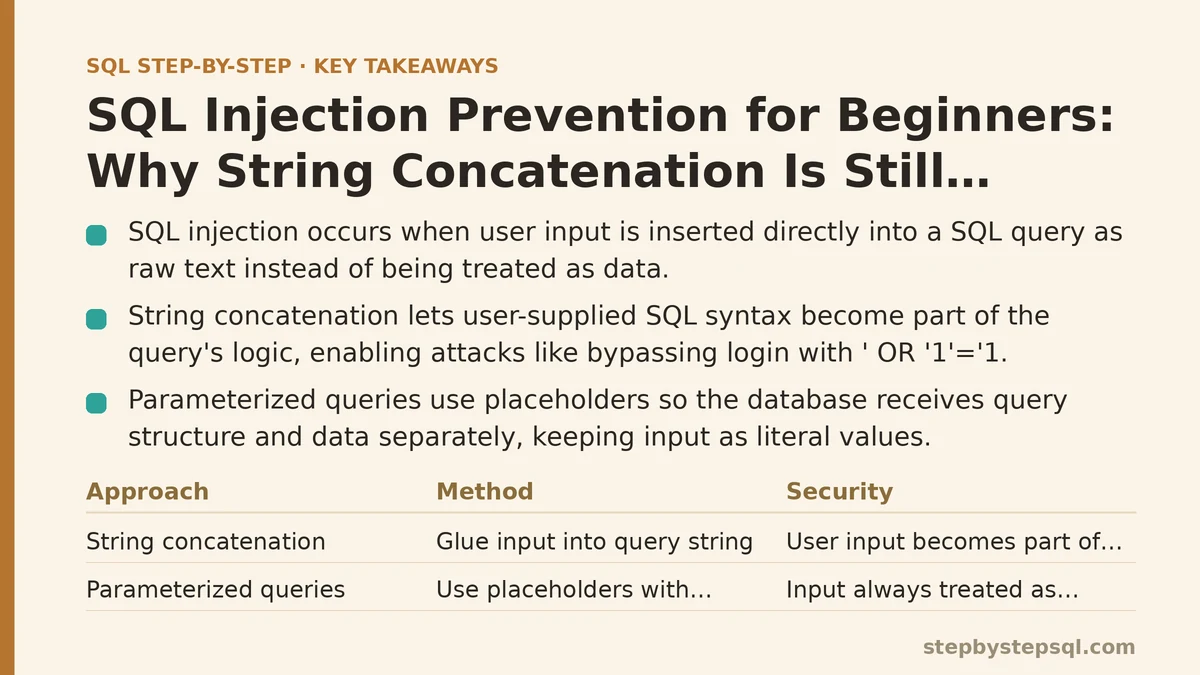
What SQL Injection Actually Is
SQL injection happens when user input gets inserted directly into a SQL query as raw text, rather than being treated strictly as data. If that input contains SQL syntax of its own, the database can end up executing commands the original query never intended.
The classic example: a login form that builds a query by gluing together a fixed string and whatever the user typed into the username field. If a user enters something like ' OR '1'='1, and that text lands unfiltered inside the query, the resulting condition can evaluate to true for every row in the table — potentially logging in as the first user in the database without ever knowing a real password.
That’s the entire concept. Everything below is really about one question: does your input become part of the query’s logic, or does it stay confined to being a value the query evaluates?
Beginner Approach: String Concatenation
What it looks like: building a query by directly inserting a variable into a string — something like constructing SELECT * FROM users WHERE username = ' plus the input value plus '.
This is almost always how newcomers first learn to write dynamic queries, because it mirrors how string building works everywhere else in programming. It runs. It returns the expected result during testing. Nothing about it looks dangerous until someone deliberately types something malicious into the field.
Why it’s risky: the database can’t tell the difference between “data the user supplied” and “SQL syntax the user supplied,” because both arrive as the same plain string. Any quote, semicolon, or SQL keyword typed into an input field becomes part of the query’s actual structure the moment it’s concatenated in.
Where beginners get caught out: the vulnerability rarely shows up in normal testing, since normal input doesn’t contain SQL syntax. It only surfaces once someone tests deliberately — or once an attacker finds the form first. That delay is exactly why concatenated queries make it into production so often: they look completely fine right up until they aren’t.
Advanced Approach: Parameterized Queries
What it looks like: instead of inserting the value directly into the query string, you write the query with a placeholder — a question mark or a named parameter — and pass the actual value separately, through the database driver’s own parameter-binding mechanism.
Why it works: the database receives the query structure and the data value as two separate things, never as one combined string. The placeholder tells the database engine exactly where a value belongs, and whatever gets passed in for that placeholder is always treated as a literal value, never as executable SQL syntax — even if that value happens to contain a quote or a semicolon.
This is the single most important shift in this entire post. An attacker can still submit ' OR '1'='1 through a parameterized query, and nothing bad happens: the database just searches for a username that literally equals that entire odd string, finds no match, and returns nothing. The malicious input never gets the chance to alter the query’s logic.
How this looks across common tools: most database drivers and ORMs support parameterization natively — placeholders in raw SQL libraries, or built-in query builders in tools like an ORM, which parameterize automatically behind the scenes without requiring you to think about placeholders directly. The exact syntax varies by language and driver, but the underlying principle — separate the query structure from the data — stays constant everywhere.
Beginner Approach: Trusting Client-Side Validation
What it looks like: relying on a JavaScript check in the browser, or an HTML form attribute, to make sure the input “looks right” before it gets submitted — and assuming that’s sufficient protection.
Why it’s risky: client-side validation runs on the user’s machine, which means the user controls it completely. Anyone can bypass a browser check by submitting a request directly to the server — through a script, a command-line tool, or a browser’s own developer console — skipping the frontend entirely. Client-side validation is a usability feature, not a security boundary; it’s there to save honest users from typos, not to stop deliberate attacks.
A common misconception: many beginners assume that if a form field limits input to numbers, or blocks certain characters visually, that field is now safe. It isn’t. That protection evaporates the instant someone talks to the server directly instead of going through the form.
Advanced Approach: Validating and Escaping on the Server, Every Time
What it looks like: treating every single piece of input as untrusted the moment it arrives at the server, regardless of what happened — or didn’t happen — on the client side. This means server-side type checks, length limits, and format validation, applied consistently to every request rather than just the ones that come through the “normal” form flow.
Why it works: the server is the only place where you have full control over what gets executed. Anything checked only in the browser can be skipped; anything checked on the server cannot be bypassed by an attacker sending a crafted request. Server-side validation and parameterized queries aren’t competing solutions — they solve different parts of the same problem, and mature applications use both together rather than treating one as a replacement for the other.
Worth noting: escaping special characters manually was once a common workaround before parameterized queries were widely supported. It’s largely considered fragile today, since it’s easy to miss an edge case that a database’s own parameter binding wouldn’t miss. Escaping still shows up in specific contexts, but it should be treated as a fallback, not a primary defense.
Beginner Approach: One Shared Database Account for Everything
What it looks like: the application connects to the database using a single account, and that account has broad privileges — often full read, write, and administrative access — because it’s simpler to set up and nobody ever revisits the permissions later.
Why it’s risky: if an injection vulnerability does slip through despite everything else, the damage an attacker can do is capped only by what that database account is allowed to do. A fully privileged account turns a single overlooked query into a path toward reading every table, modifying data, or dropping entire tables outright.
Advanced Approach: Least-Privilege Database Accounts
What it looks like: the application’s database account is scoped down to only the permissions that specific application actually needs — read access where only reading happens, write access limited to the tables it’s supposed to modify, and no administrative privileges at all for a standard web-facing connection.
Why it works: this doesn’t prevent SQL injection from happening, but it limits the blast radius if it does. An injected query running under a tightly scoped account simply can’t drop a table it has no permission to drop, or read a table it was never granted access to in the first place. Least-privilege design is a defense-in-depth measure — a second layer that matters precisely because no single layer of security should be trusted as the only one standing between an attacker and your data.
Beginner Approach: Generic or Missing Error Messages Handling
What it looks like: letting raw database error messages — full of table names, column names, and sometimes even query fragments — surface directly to the end user whenever something goes wrong.
Why it’s risky: detailed error output hands an attacker a map of your database structure for free. Table names, column names, and the underlying database engine itself can all leak through an unhandled error, making it considerably easier to craft a more targeted injection attempt on a second try.
Advanced Approach: Controlled Error Handling and Logging
What it looks like: catching database errors on the server, logging the full detail privately for debugging, and returning a generic, non-descriptive message to the user — something like “something went wrong” rather than the raw exception.
Why it works: this closes off a reconnaissance channel that attackers commonly rely on when probing for vulnerabilities. It costs nothing in terms of functionality for legitimate users, since they never needed to see a stack trace in the first place, and it quietly removes a source of information an attacker could otherwise use to refine an attack.
Putting the Comparison Side by Side
| Practice | Beginner Approach | Advanced Approach |
|---|---|---|
| Building queries | String concatenation with user input | Parameterized queries / prepared statements |
| Input handling | Client-side validation only | Server-side validation on every request |
| Database permissions | One account with broad access | Least-privilege, scoped accounts |
| Error handling | Raw database errors shown to users | Generic messages, detailed logs kept private |
None of these advanced practices are exotic or difficult to adopt once you know to look for them. Parameterized queries, in particular, are usually a small syntax change rather than a redesign — the hard part is unlearning string concatenation as the default instinct, not implementing the fix itself.
Where to Start If You’re Retrofitting Old Code
Fixing every query across an existing application all at once is rarely realistic, so prioritize by exposure. Start with any query that touches user input directly from a public-facing form — login, search, and anything accepting free text are the highest-value first targets. Move to internal tools and admin panels afterward; they still deserve fixing, but they typically face far less exposure to anonymous attackers than a public login form does.
Are you working with an existing codebase full of concatenated queries, or starting a new project from scratch? Tell me which database and language you’re using, and I can walk through exactly how parameterized queries look in your specific setup.
Related guides: 10 Common SQL Mistakes Beginners Make (And How to Fix Each One), SQL String Functions: A Step-by-Step Guide for Beginners, and 10 Essential SQL String Functions for Data Cleaning, Ranked.