Say you are trying to reconcile two systems that are supposed to describe the same customers — one is your CRM, the other is your billing platform — and you need to see every mismatch in either direction: customers in the CRM with no billing record, and billing records with no matching CRM entry. An INNER JOIN won’t show you either gap. A LEFT JOIN only shows you one direction. You need something that keeps everything from both tables at once, and that’s the moment most people first go looking for FULL OUTER JOIN.
Separately, say you’re building a report that needs every combination of product and region — even combinations that have never had a single sale — so the report has a placeholder row ready for every product-region pair before any actual data gets attached. That’s not a matching problem at all. That’s CROSS JOIN territory, and it trips people up for the opposite reason FULL OUTER JOIN does: instead of too few rows, you accidentally get millions too many.
Both of these JOIN types show up rarely enough that most people never build solid instincts around them, and then run into trouble the moment they do reach for one. Rather than explain them from first principles again, this guide is organized around the actual problems people hit: the symptom you’re seeing, the cause behind it, and the fix.
Symptom: Your Query Throws an Error the Moment You Type FULL OUTER JOIN
You write out a FULL OUTER JOIN between two tables, run it, and get a syntax error or a flat “not supported” message instead of a result set.
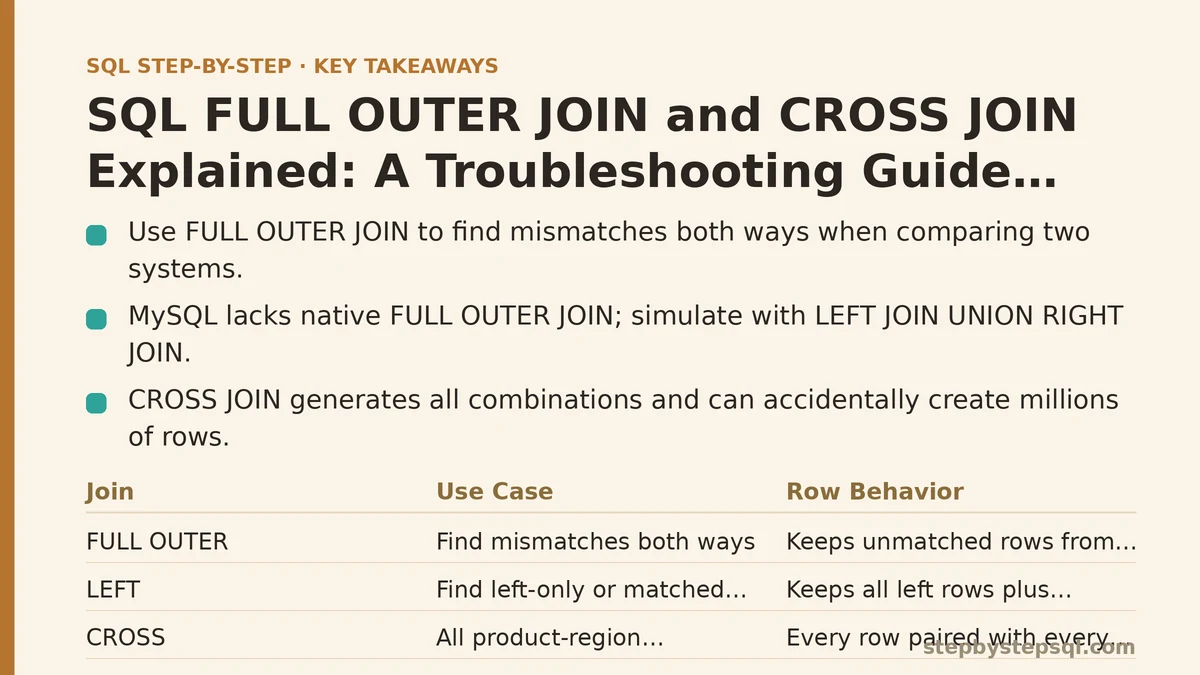
Cause: Not every database engine supports FULL OUTER JOIN natively. MySQL is the most common offender — it has no built-in FULL OUTER JOIN syntax in most versions still in wide use, even though PostgreSQL, SQL Server, and Oracle all support it directly.
Fix: Simulate it manually. Take a LEFT JOIN between your two tables, take a RIGHT JOIN between the same two tables, and combine the results with UNION. The LEFT JOIN covers every row from the first table plus any match, the RIGHT JOIN covers every row from the second table plus any match, and UNION removes the duplicate rows that both queries would otherwise return for properly matched pairs. It’s more typing than a single FULL OUTER JOIN keyword, but it produces an identical result on engines where the native syntax isn’t available.
Symptom: FULL OUTER JOIN Returns Far More Rows Than You Expected
You run the join, and the row count is noticeably higher than either table’s individual row count — sometimes almost double.
Cause: This usually isn’t a bug. It’s what FULL OUTER JOIN is designed to do: every unmatched row from the left table gets a row in the output with NULLs standing in for the right table’s columns, and every unmatched row from the right table gets a row with NULLs standing in for the left table’s columns. If your two tables genuinely have a large number of records that don’t correspond to anything on the other side, that’s exactly how many extra rows you should expect to see.
Fix: Before assuming something’s wrong, count the unmatched rows on each side separately. Run a LEFT JOIN with a WHERE clause filtering for NULLs on the right table’s key column, and you’ll see exactly how many left-only rows exist. Do the mirror version for right-only rows. Add those two counts to the count of properly matched rows, and that total should match your FULL OUTER JOIN’s row count almost exactly. If it does, the join is behaving correctly — your data just has more of a mismatch than you assumed.
Symptom: A WHERE Clause Quietly Removes the Unmatched Rows You Added FULL OUTER JOIN to Preserve
You write a FULL OUTER JOIN specifically to see unmatched records on both sides, then add a WHERE clause filtering on a column from one of the joined tables — and suddenly all the unmatched rows you were looking for have vanished.
Cause: WHERE runs after the join completes. If you filter on, say, an order date column from the second table, any row where that column is NULL (because it came from an unmatched left-side row) fails the comparison and gets dropped, right along with all the other unmatched rows you were trying to inspect. This is the same trap that catches people with LEFT JOIN — FULL OUTER JOIN just makes it easy to lose rows from both directions instead of one.
Fix: If you need to filter, filter inside the JOIN’s ON clause instead of in WHERE, or explicitly account for NULLs with something like WHERE column IS NULL OR column meets your condition. If the real goal is “show me only the mismatches,” skip filtering altogether and instead add a WHERE clause checking that either key column is NULL — that isolates the unmatched rows on both sides without touching the matched ones.
Symptom: Your Result Set Explodes Into an Unreasonable Number of Rows
You expected a few thousand rows and got several million, your query is timing out, or your database is warning you about an enormous result set — and you’re not even sure where the extra rows came from.
Cause: This is almost always a CROSS JOIN happening by accident. It typically shows up as a missing or malformed ON clause: you meant to write an INNER JOIN or LEFT JOIN with a matching condition, but a typo, a copy-paste error, or a forgotten ON turned it into a plain JOIN with no linking condition — which most database engines interpret as a CROSS JOIN, pairing every row from the first table with every row from the second table regardless of whether anything actually matches.
Fix: Check your ON clause first. A table with 1,000 rows joined against a table with 2,000 rows should produce, at most, 2,000 matched rows for an INNER JOIN — not 2,000,000. If your row count is closer to that multiplied figure, the join condition isn’t doing what you think it’s doing. Add or correct the ON clause, and the row count should drop back down to something proportional to your actual data.
Symptom: You Need Every Combination of Two Lists, But Your JOIN Keeps Filtering Down to Only the Matches
You’re building something like a report scaffold or a scheduling grid, where you want every product paired with every region — including pairs that have zero sales, zero appointments, or zero of whatever the data represents — but your INNER JOIN or LEFT JOIN keeps giving you only the combinations that already exist in some other table.
Cause: INNER JOIN and LEFT JOIN both require a matching condition, and by definition they can only return combinations tied together by some shared value. If you want combinations that have no natural relationship to match on — every product with every region, regardless of whether that pairing has ever occurred — no ON condition can produce that, because there’s nothing to match.
Fix: This is precisely what CROSS JOIN is built for. Select your columns, name your first table, write CROSS JOIN, name your second table — no ON clause at all, because none is needed. Every row from the first table pairs with every row from the second, producing a result with exactly (rows in table one) multiplied by (rows in table two) rows. Ten products crossed with five regions gives you fifty rows, one for every possible pairing, ready to be left-joined against your actual sales data afterward so the pairings with no sales still show up with a zero or NULL instead of disappearing.
Symptom: CROSS JOIN Grinds Your Query to a Halt
You deliberately used CROSS JOIN, understood exactly what it would do, and it still ends up unusably slow or blows past your database’s memory limits.
Cause: CROSS JOIN’s row count multiplies, not adds. A CROSS JOIN between a 10,000-row table and a 10,000-row table doesn’t produce 20,000 rows — it produces 100,000,000. That number climbs fast, and it climbs regardless of whether the resulting combinations are useful to you.
Fix: Filter each table down before the CROSS JOIN runs, not after. If you only need combinations for active products and current regions, apply those WHERE conditions to each table first — through a subquery, a common table expression, or a filtered join beforehand — so the CROSS JOIN multiplies two much smaller sets instead of the full, unfiltered tables. If the combination count is still enormous even after filtering, that’s usually a sign CROSS JOIN isn’t the right tool for the specific report you’re building, and a different approach — generating the combinations in application code, for instance — may fit better.
Symptom: Chaining Multiple FULL OUTER JOINs Produces a Confusing Mess of Duplicate and Unexpected Rows
You’ve got three or four tables that all need to be fully preserved on every side, you chain several FULL OUTER JOINs together, and the output no longer makes sense — rows repeat, NULLs show up in places you didn’t expect, and the row count is hard to explain.
Cause: Each additional FULL OUTER JOIN compounds the unmatched-row logic of the one before it. A row that was already a NULL-padded placeholder from the first join can then fail to match anything in the third table too, generating yet another layer of NULLs stacked on top of the first. With three or more tables involved, it becomes difficult to hold the full combination of matched and unmatched possibilities in your head at once.
Fix: Build the query one join at a time and check the row count and shape after each addition, rather than writing the whole chain and running it once. Join the first two tables, confirm the result looks right, then add the third table’s FULL OUTER JOIN on top of that already-verified result. This step-by-step approach makes it obvious exactly which join introduced an unexpected row, instead of leaving you to untangle three joins’ worth of NULL logic simultaneously.
Quick Reference
| Symptom | Likely Cause | Fix |
|---|---|---|
| Syntax error on FULL OUTER JOIN | Database doesn’t support it natively (common in MySQL) | Simulate with LEFT JOIN + RIGHT JOIN + UNION |
| Far more rows than expected | large number of unmatched rows on one or both sides | Count unmatched rows separately to confirm the math |
| Unmatched rows disappear after adding WHERE | Filter applied after the join strips NULL-padded rows | Move the condition into ON, or explicitly allow NULLs |
| Row count wildly higher than either table | Missing or broken ON clause turned a JOIN into a CROSS JOIN | Check and correct the join condition |
| Only matched combinations appear, but you need all of them | Using INNER/LEFT JOIN when there’s nothing to match on | Use CROSS JOIN instead |
| CROSS JOIN times out or exhausts memory | Row count multiplies (rows × rows), not adds | Filter each table before the CROSS JOIN, not after |
| Chained FULL OUTER JOINs produce a confusing result | Unmatched rows compound with each additional join | Build and verify the query one join at a time |
Most FULL OUTER JOIN problems trace back to one thing: forgetting that NULLs on either side are the whole point, not a bug. Most CROSS JOIN problems trace back to the opposite mistake: not respecting how fast row counts multiply once there’s no matching condition holding them back. Keep those two ideas in mind, and the majority of the errors above stop happening in the first place.
Which of these symptoms matches what you’re seeing right now — an error, an exploding row count, or missing rows after a WHERE clause? Describe your query and table sizes, and I can help you pinpoint exactly which fix applies.
Related guides: How to Use SQL Self Joins with Real Examples for Beginners, SQL Self-Join Explained: How to Join a Table to Itself, and Common SQL JOIN Mistakes That Duplicate or Drop Rows.