A common misconception about monthly revenue reports: they are just a SELECT SUM(amount) FROM orders WHERE order_date BETWEEN '2026-01-01' AND '2026-01-31'. That query runs without errors, and it produces a number. But that number rarely matches what the finance team books as revenue for January, and the gap has nothing to do with arithmetic mistakes.
The gap comes from three structural problems that a naive date filter cannot solve: timezone boundaries, partial-month data arriving after month-end, and the difference between recognized revenue and cash collected. Each of these silently corrupts reports that look correct. This post walks through a step-by-step process for building a monthly revenue report in SQL that survives contact with real financial data — and reconciles against the general ledger.
Step 1: Define What “Revenue” Means Before You Write a Single Query
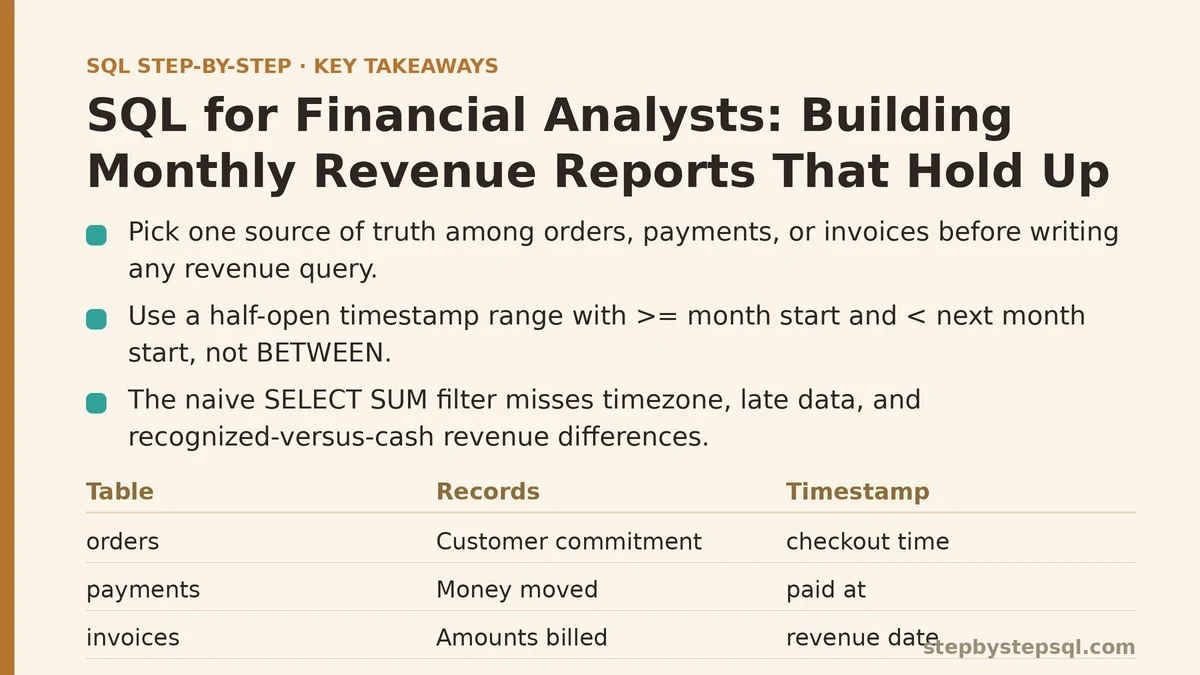
Every database has at least one table that looks like it stores revenue. In practice, most have three: orders, payments, and invoices. These tables answer different questions, and conflating them is the #1 source of revenue reporting discrepancies.
orders— records that a customer committed to a purchase. The row exists when the cart is checked out, not when money changes hands.payments— records money that moved. Credit card captures, wire transfers, checks deposited. The row has apaid_attimestamp.invoices— records what you billed the customer. An invoice might be generated days after the order, and a single order can spawn multiple invoices if the customer pays in installments.
For a monthly revenue report, you need to pick exactly one of these tables as the source of truth and document that choice. My default recommendation for SaaS and subscription businesses: use invoices with a revenue_date column that your finance team sets to the day the service was delivered, not the day the invoice was sent. For product businesses with immediate delivery, orders with order_date is usually fine.
The failure mode here is mixing sources. If January’s report counts orders placed in January but payments that arrived in January, you are double-counting anything that crosses the month boundary. Pick one table. Lock it in. Write it in a comment at the top of every report query you build.
/*
 * Source of truth: invoices.revenue_date
 * This date is set by the finance team and reflects
 * when the service was delivered, per ASC 606 guidance.
 */
Step 2: Handle Timezone Boundaries with a Timestamp Range, Not a Date Range
This is the bug that produces numbers off by one day, and it is maddening because the query looks perfect. If your revenue_date column is stored as a TIMESTAMP WITH TIME ZONE (which it should be), then filtering with BETWEEN '2026-01-01' AND '2026-01-31' treats those strings as midnight UTC on those days. In a company operating in US Eastern Time, that cutoff is 7:00 PM on December 31 — everything after 7 PM is silently exiled from January’s report.
The correct pattern is a half-open interval: >= the start of the month and < the start of the next month. This is not just cleaner; it is the only string comparison that is unambiguous across every timezone a database might interpret.
SELECT
    DATE_TRUNC('month', revenue_date) AS revenue_month,
    SUM(line_total) AS total_revenue
FROM invoices
WHERE revenue_date >= DATE '2026-01-01'
  AND revenue_date <  DATE '2026-02-01'
GROUP BY 1
ORDER BY 1;
The DATE '2026-01-01' cast is intentional. It anchors the comparison to a calendar date, and the < DATE '2026-02-01' boundary guarantees that January 31 at 11:59:59.999 PM — in whatever timezone your database stores — is included, while February 1 at 00:00:00.000 is excluded. If you use BETWEEN with DATE '2026-01-31' as the upper bound, you exclude every invoice recorded after midnight on January 31 UTC, which is most of a business day in the Americas.
Step 3: Build a Calendar Table to Drive the Report
Financial reports are not just about one month. They need to compare month-over-month, show trailing twelve months, and support fiscal calendars that do not align to Gregorian months. Hardcoding date ranges in every query is how drift happens — one query uses 2026-01-01, another uses 2026-01-02 because someone “fixed” an off-by-one, and the reports stop matching.
A dim_calendar table solves this permanently. This table lists every date from, say, 2020 through 2035, with pre-computed columns for month, quarter, fiscal year, and whether the date is a business day. You generate it once, and every report joins against it.
CREATE TABLE dim_calendar AS
SELECT
    d::date AS calendar_date,
    EXTRACT(YEAR FROM d)  AS cal_year,
    EXTRACT(MONTH FROM d) AS cal_month,
    DATE_TRUNC('month', d)::date AS month_start,
    (DATE_TRUNC('month', d) + INTERVAL '1 month')::date AS next_month_start,
    EXTRACT(QUARTER FROM d) AS cal_quarter
FROM generate_series(
    DATE '2020-01-01',
    DATE '2035-12-31',
    INTERVAL '1 day'
) AS d;
Then wrap it in a CTE for monthly grouping, or join it directly in reporting queries. The payoff is that “last month” becomes a self-documenting comparison, and you never type a date literal again.
Step 4: Handle Partial-Month Data with a Cutoff Logic
Here is the scenario that breaks naive reports: January ends, you run the report on February 3, and the number is $482,000. You run it again on February 10, and it is $489,000. The finance team asks why last month’s revenue changed after the month closed. The answer: invoices with a revenue_date in January were still being finalized in early February — credits processed late, corrections posted, a handful of invoices created retroactively.
Some organizations accept this and call the report “final” after a 5-business-day close window. Others need the number to be immutable the moment the clock hits February 1. You cannot make late-arriving data disappear from your database without deleting rows, but you can make it disappear from your report by storing a snapshot — a materialized report table that is built once after close and not rebuilt.
The pattern:
CREATE TABLE monthly_revenue_snapshot AS
SELECT
    DATE_TRUNC('month', revenue_date)::date AS revenue_month,
    SUM(line_total) AS total_revenue,
    COUNT(*) AS invoice_count,
    CURRENT_DATE AS snapshot_generated_on
FROM invoices
WHERE revenue_date >= DATE '2026-01-01'
  AND revenue_date <  DATE '2026-02-01'
GROUP BY 1;
Run this at month-end close. Do not rebuild it. If someone asks why January’s number is what it is, you point at the snapshot and say “that is what January was worth as of February 5.” If a January invoice arrives on March 1, it goes into March’s snapshot, not January’s. This is a deliberate choice — and it is the choice that keeps your report consistent with what was known at close time.
The trade-off: you lose the ability to “correct” January retroactively. If your finance team expects every report to be fully accurate including retroactive adjustments, the snapshot approach fails. In that case, keep the live query but add a posted_at timestamp to each invoice and filter to posted_at < close_cutoff. The report is still mutable, but you can explain the delta by showing what got posted after close.
Step 5: Reconcile Revenue with Refunds and Credits
Gross revenue is not the number the CFO asks about at the end of the month. Net revenue is — and net revenue subtracts refunds, chargebacks, and voided invoices. If your invoices table stores only positive line items, and refunds live in a separate refunds table, then your monthly report must reconcile the two or it will overstate revenue by every refund that happened in the month.
WITH gross_revenue AS (
    SELECT
        DATE_TRUNC('month', revenue_date)::date AS revenue_month,
        SUM(line_total) AS gross_total
    FROM invoices
    WHERE revenue_date >= DATE '2026-01-01'
      AND revenue_date <  DATE '2026-02-01'
    GROUP BY 1
),
refunds AS (
    SELECT
        DATE_TRUNC('month', refund_date)::date AS refund_month,
        SUM(refund_amount) AS refund_total
    FROM refunds
    WHERE refund_date >= DATE '2026-01-01'
      AND refund_date <  DATE '2026-02-01'
    GROUP BY 1
)
SELECT
    g.revenue_month,
    g.gross_total,
    COALESCE(r.refund_total, 0) AS refund_total,
    g.gross_total - COALESCE(r.refund_total, 0) AS net_revenue
FROM gross_revenue g
LEFT JOIN refunds r ON g.revenue_month = r.refund_month
ORDER BY g.revenue_month;
The LEFT JOIN with COALESCE matters. Without it, a month with zero refunds drops out of the report entirely, because the inner join finds no matching row. The COALESCE also protects against the subtle bug where a NULL refund total makes net revenue NULL instead of equal to gross.
Step 6: Add a Running Total for Month-to-Date Visibility
A single month’s number is one data point. The report becomes dramatically more useful when it shows how revenue is accumulating within the month — especially for management who wants to know mid-month whether they are on track. A window function gives you a running total without collapsing the daily detail.
WITH daily_revenue AS (
    SELECT
        revenue_date::date AS day,
        SUM(line_total) AS daily_total
    FROM invoices
    WHERE revenue_date >= DATE '2026-01-01'
      AND revenue_date <  DATE '2026-02-01'
    GROUP BY 1
)
SELECT
    day,
    daily_total,
    SUM(daily_total) OVER (ORDER BY day) AS running_mtd_revenue
FROM daily_revenue
ORDER BY day;
The SUM(...) OVER (ORDER BY day) window function calculates the cumulative total up to and including the current row. No self-joins, no subqueries. This is the same pattern described in the window functions tutorial on this site, applied here to a financial reporting context.
Step 7: Verify the Report Against the General Ledger
The final step is not optional. A report that runs without errors is not a report that is correct — it is a report that has not yet been checked. The verification process has three parts:
- Row count check. Compare the number of invoices in your report against the count in the accounting system for the same month. A mismatch of more than a handful means you have a filter problem.
- Spot-check top customers. Pick the 10 largest invoices in January and confirm each one appears in the finance team’s ledger with the same amount.
- Month-over-month sanity range. Compute the percentage change from December to January. If it swings more than 20% and there was no pricing change or major contract churn, something is off.
Write these checks as a query, not as a manual ritual:
SELECT
    'january_invoice_count' AS metric,
    COUNT(*) AS value
FROM invoices
WHERE revenue_date >= DATE '2026-01-01'
  AND revenue_date <  DATE '2026-02-01'
UNION ALL
SELECT
    'january_total_revenue',
    SUM(line_total)
FROM invoices
WHERE revenue_date >= DATE '2026-01-01'
  AND revenue_date <  DATE '2026-02-01'
UNION ALL
SELECT
    'january_refund_total',
    SUM(refund_amount)
FROM refunds
WHERE refund_date >= DATE '2026-01-01'
  AND refund_date <  DATE '2026-02-01';
Run that, compare against the ledger, and you have a documented reconciliation trail.
When Not to Use This Approach
This entire pipeline assumes your revenue data is relatively clean, invoicing is automated, and rows are not being bulk-deleted or rewritten after posting. If your company still records revenue in spreadsheets or a legacy ERP with no API, this SQL falls apart — the data source is the problem, not the query. Similarly, if you have a high volume of manual journal entries adjusting revenue post-hoc, the snapshot approach will understate those adjustments. In those cases, fix the upstream data capture first, then build the report.
Also note that this process targets monthly reporting. If you need daily P&L previews or real-time revenue dashboards that update on every transaction, you will want a different architecture: a streaming pipeline feeding a star schema, rather than a batch SQL report. The two coexist — batch for official close, streaming for operational visibility.
The Report Is a Commitment, Not a Query
A monthly revenue report is a number that the entire company plans against. When it wobbles because of a timezone bug or a late-arriving invoice, the finance team spends a day explaining why the number moved. When it is built with a defined source of truth, a half-open date interval, a calendar table, and a snapshot cutoff, it holds still — and that stillness is what makes it trustworthy.
Which part of your current revenue report disagrees with the finance team’s number? Describe your tables and the discrepancy — whether it is a timezone issue, a refund accounting problem, or a late-data problem — and I can help you pinpoint the exact query change that closes the gap.
Related guides: How to Use SQL Date Functions for Filtering and Grouping by Time, ACID Properties in Databases Explained Simply: The Four Rules That Keep Your Data Safe, and Common Indexing Mistakes That Silently Slow Down Your SQL Queries.