Two queries can return the identical set of rows and still perform nothing alike once they hit the database engine. That’s the situation with EXISTS and IN: swap one for the other in a subquery and the output often doesn’t change at all, but the execution plan behind it can. Most advice on this topic boils down to “EXISTS is faster,” repeated without much nuance, and that advice is wrong often enough to be worth unpacking properly.
The real answer depends on three things: how large your subquery’s result set is, whether that subquery can return NULL values, and what your database engine’s optimizer decides to do with the query you actually wrote versus the query you meant to write. Below is a ranked breakdown of the five scenarios that matter most, ordered from the clearest, safest call down to the one situation where the conventional wisdom flips entirely.
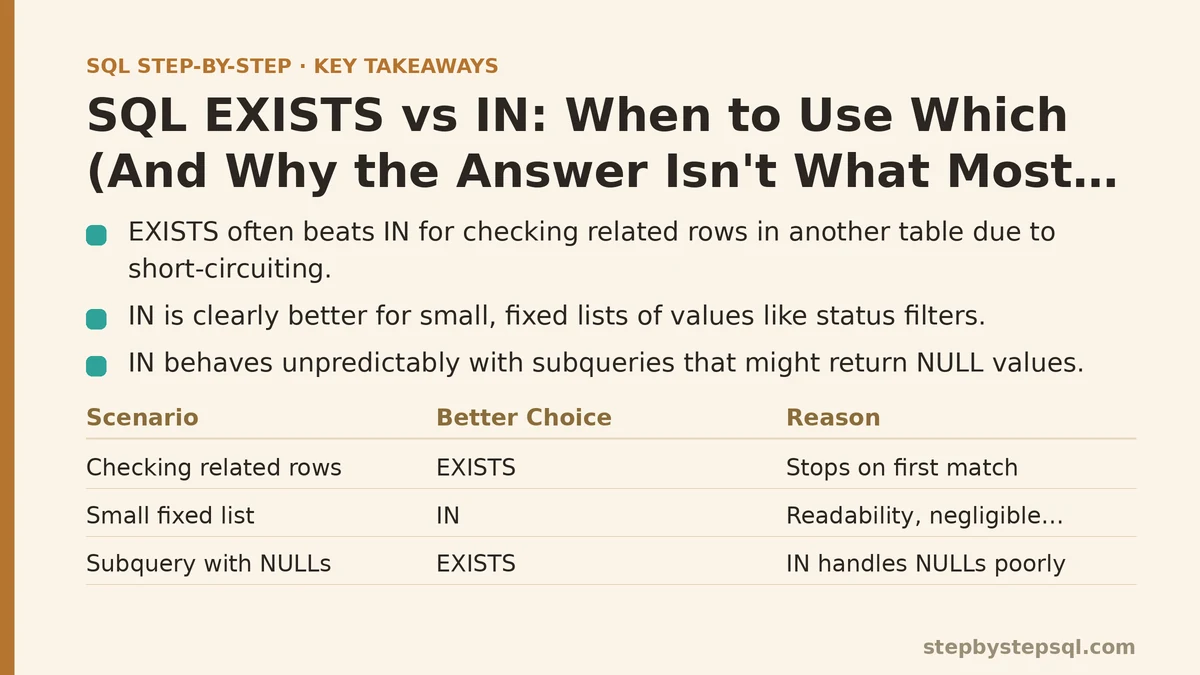
1. Checking for Related Rows in Another Table — EXISTS Wins, Almost Always
This is the classic use case, and it’s the one place where the “EXISTS is generally preferable” advice holds up consistently.
Say you want every customer who has placed at least one order. Written with IN, that’s SELECT from customers WHERE customer ID IN (SELECT customer ID FROM orders). Written with EXISTS, it’s SELECT from customers WHERE EXISTS (SELECT 1 FROM orders WHERE orders.customer ID equals customers.customer ID).
The IN version has to build out the full list of customer IDs from orders first, then check each customer against that list. The EXISTS version works row by row against the customers table, and for each customer it stops the moment it finds one matching order — it never needs to care how many orders that customer has, just whether at least one exists. That short-circuiting behavior is the whole reason EXISTS tends to outperform IN here, particularly once the orders table grows into the millions of rows.
Modern query optimizers in PostgreSQL, SQL Server, and MySQL 8+ frequently rewrite an IN subquery into something functionally equivalent to EXISTS behind the scenes anyway, which narrows the practical performance gap. But relying on the optimizer to fix your query for you is a weaker position than writing the clearer version yourself, and EXISTS communicates intent — “does a related row exist” — more directly than IN does.
2. Filtering Against a Small, Fixed List of Values — IN Wins, Clearly
Not every use of IN involves a subquery. When you’re filtering against a short, hardcoded list — WHERE status IN (‘shipped’, ‘returned’, ‘cancelled’) — there’s no subquery to compare against EXISTS at all, and IN is simply the right tool.
Even when the right-hand side is a subquery, if that subquery is guaranteed to return a small result set — say, a handful of region codes from a lookup table with twelve rows — the performance difference between IN and EXISTS becomes negligible. At that scale, readability should decide the matter, and IN usually reads more naturally: “where category is in this set of values” mirrors how the business question was originally phrased.
Rewriting a query like that as EXISTS just to follow a rule of thumb adds a correlated subquery and a bit of extra syntax without buying you anything. This is the case where reaching for EXISTS is optimization theater rather than optimization.
3. Subqueries That Might Return NULL — IN Loses Badly, and Silently
This is the scenario that catches people off guard, and it’s arguably the most important item on this list, because the failure mode isn’t slowness — it’s a wrong answer that never throws an error.
Consider WHERE customer ID NOT IN (SELECT customer ID FROM orders). If even one row in the orders table has a NULL customer ID, this entire query returns zero rows. Not fewer rows — zero. NOT IN evaluates by checking that the value doesn’t equal any value in the list, and comparing anything against NULL produces an unknown result rather than true or false. A single unknown anywhere in that OR-chain of comparisons poisons the whole condition, and the query quietly returns nothing, with no warning that anything went wrong.
NOT EXISTS doesn’t have this problem. Rewritten as WHERE NOT EXISTS (SELECT 1 FROM orders WHERE orders.customer ID equals customers.customer ID), the comparison happens per matching row rather than against a flattened list, so a stray NULL elsewhere in the orders table has no effect on the outcome.
If there’s one rule worth memorizing from this entire post, it’s this one: default to NOT EXISTS over NOT IN whenever the subquery’s column isn’t guaranteed to be NULL-free, and if you’re not certain it’s NULL-free, treat it as though it isn’t.
4. Correlated vs Uncorrelated Subqueries — Context Decides the Winner
IN traditionally pairs with an uncorrelated subquery — one that runs independently of the outer query and produces a self-contained list of values. EXISTS traditionally pairs with a correlated subquery — one that references a column from the outer query and gets re-evaluated, at least conceptually, for every outer row.
This distinction matters because it shapes what each one is naturally good at. An uncorrelated IN subquery is well suited to checking membership against a value set computed once. A correlated EXISTS subquery is well suited to checking a relationship that depends on the specific outer row currently being evaluated — which is exactly why EXISTS is the natural fit for “does this customer have any orders” but a clumsier fit for “is this status one of these three allowed values.”
You can write IN with a correlated subquery, and you can write EXISTS in ways that resemble an uncorrelated check, but neither reads naturally when forced against its grain. Matching the tool to the shape of the question — a value-set membership check versus a per-row relationship check — tends to produce cleaner SQL than picking based on a performance rule alone.
5. When the Optimizer Makes the Choice Irrelevant
Here’s the scenario that undercuts most confident advice on this topic, including some of what’s written above: on a well-indexed table, with a modern optimizer, EXISTS and its IN equivalent frequently compile down to an identical execution plan.
PostgreSQL’s planner, for instance, will commonly transform an IN subquery into a semi-join — the same operation it would have used for EXISTS — as long as the subquery is a simple SELECT without complications like DISTINCT or GROUP BY layered on top. SQL Server’s optimizer does something similar. In these cases, benchmarking EXISTS against IN on your actual data, with EXPLAIN or its equivalent, is worth more than any general rule, this one included.
Where the two genuinely diverge is on subqueries with LIMIT, DISTINCT, or aggregation applied — constructs that block the optimizer from rewriting IN into a semi-join — and on the NOT IN / NULL trap from item three, which no amount of optimizer cleverness will save you from, because it’s a correctness issue rather than a performance one.
Putting the Ranking to Use
| Rank | Scenario | Better choice | Why |
|---|---|---|---|
| 1 | Checking for related rows in another table | EXISTS | Short-circuits on first match; clearer intent |
| 2 | Filtering against a small, fixed value list | IN | Simpler syntax, negligible performance cost |
| 3 | Subquery column might contain NULL, with NOT | NOT EXISTS | NOT IN silently returns zero rows if a NULL is present |
| 4 | Correlated vs. uncorrelated question shape | Match the tool to the question | Each reads naturally in its own context |
| 5 | Well-indexed table, modern optimizer | Test both | Plans frequently converge; benchmark rather than assume |
The pattern across all five: EXISTS is the safer default whenever NULLs are a possibility or a relationship-check is what you’re really after, IN is perfectly fine for small, fixed sets, and neither one deserves to be treated as a universal rule you apply without looking at your actual data and your actual table sizes first.
Which of these five situations matches the query you’re wrestling with right now — and does your subquery’s column allow NULLs? That single question usually settles the EXISTS-versus-IN debate faster than any performance benchmark will. Related guides: SQL Subqueries: Beginner to Intermediate Guide, Top SQL Subquery Mistakes and How to Fix Them: A Troubleshooting Guide, and Understanding SQL Subqueries: Correlated vs Non-Correlated With Examples.