Say you are trying to answer a simple question: which cities do our customers live in? You write a query, select the city column from your customers table, and get back three hundred rows because you have three hundred customers. Half of them live in the same handful of cities. You slap DISTINCT in front of the column, run it again, and now you have a clean list of maybe twelve cities. Problem solved.
Now say you add a second column to that same query — customer name alongside city — because you want to see who lives where. Suddenly DISTINCT stops removing anything. Every row comes back, duplicates and all, and the keyword that just worked perfectly a minute ago now looks completely broken.
It isn’t broken. You’ve just run into the single most misunderstood thing about DISTINCT, and clearing it up is what this post is for.
Myth: DISTINCT removes duplicate values in a column
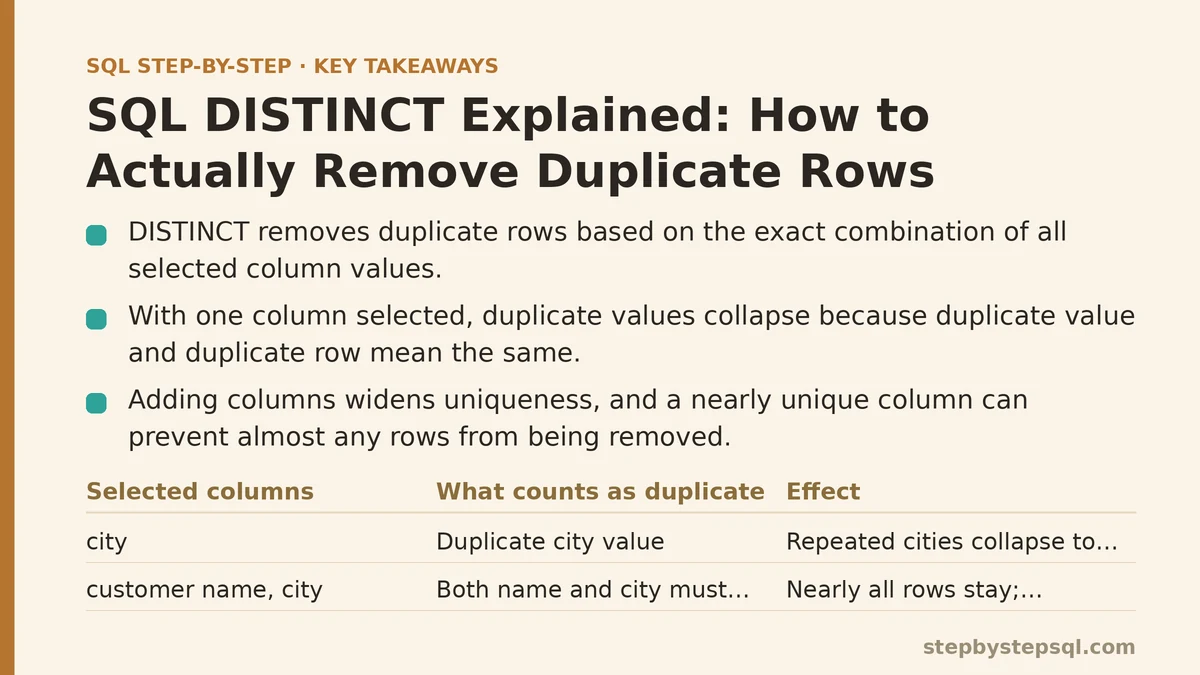
This is the assumption almost everyone starts with, and it’s easy to see why. Put DISTINCT in front of a single column, and that’s exactly what appears to happen — repeated values collapse down to one instance each. If a hundred customers live in Chicago, SELECT DISTINCT city returns Chicago exactly once.
But that outcome is a side effect of a narrower query, not proof of what DISTINCT actually does. The moment you select more than one column, the illusion falls apart, because DISTINCT was never evaluating column values in isolation to begin with.
Reality: DISTINCT removes duplicate rows, based on every selected column combined
DISTINCT looks at the entire row produced by your SELECT list and asks a single question: is this exact combination of values, across all selected columns, identical to a combination that already appeared? Only if the answer is yes does a row get dropped.
Select just city, and every row consists of a single value, so “duplicate row” and “duplicate city” mean the same thing. Select customer name and city together, and now a row is duplicate only if both the name and the city match some other row exactly. Two different customers happening to share a city no longer counts, because their names differ, and the row as a whole is unique even though one column repeats.
This is the reframing that matters: DISTINCT operates on rows, and columns only look like they’re being deduplicated individually because a single-column query happens to make a row and a column the same thing.
Myth: Adding more columns to a DISTINCT query just adds more detail
It seems reasonable to assume that DISTINCT with two columns behaves like DISTINCT with one column, just with extra information tagging along for the ride. Add customer name to your city query, the thinking goes, and you’ll get the same twelve distinct cities, now each labeled with a representative customer.
Reality: Adding columns can eliminate the deduplication effect entirely
Every additional column widens what counts as a unique row, and it can widen it enough that almost nothing gets removed. Customer name is very likely unique per customer already, so pairing it with city means nearly every row is already distinct on its own — DISTINCT has almost nothing left to collapse.
This is why people report that DISTINCT “stopped working” the moment their query grew past one column. It didn’t stop working. The definition of a duplicate changed the instant the SELECT list changed, and the old mental model — DISTINCT cleans up this one column — never accounted for that.
If your actual goal is still “list each city once,” adding unrelated columns to the SELECT list is the wrong move regardless of DISTINCT. You’d want to either keep the query to just the city column, or reach for GROUP BY if you need an aggregate value (a count of customers, say) attached to each city.
Myth: DISTINCT and GROUP BY are two ways of writing the same thing
Because both keywords can produce a list of unique cities, it’s tempting to treat them as interchangeable — pick whichever one you remember the syntax for.
Reality: They solve different problems that happen to overlap in simple cases
GROUP BY exists to attach an aggregate calculation — a SUM, COUNT, AVG — to each unique group. DISTINCT exists purely to remove duplicate rows, with no aggregation involved at all. When your query has no aggregate function in it, DISTINCT and a GROUP BY on the same columns will often return an identical result, which is exactly what feeds the impression that they’re the same feature under two names.
The moment you need a count of customers per city, only GROUP BY can express that, because DISTINCT has no mechanism for calculating anything — it only filters out rows that exactly repeat other rows. Reach for DISTINCT when the goal is strictly “give me the unique combinations, nothing more.” Reach for GROUP BY when the goal is “give me one row per group, plus something calculated about that group.”
Myth: DISTINCT is basically free — just add it whenever duplicates are a possibility
Since DISTINCT is a single keyword with no visible configuration, it’s easy to treat it as a costless safety net: unsure whether your join might produce duplicates, so add DISTINCT just in case.
Reality: DISTINCT has to compare every row against every other row, which isn’t free at scale
To find duplicates, the database typically has to sort or hash the entire result set so that matching rows end up next to each other for comparison. On a small table this is instant and invisible. On a result set with millions of rows, that sorting or hashing step adds real, measurable work, and it runs on every single execution of the query, not just the first one.
The more common and more useful fix, when DISTINCT is being used to paper over a join that’s producing more rows than expected, is to go find out why the join is duplicating rows in the first place — usually a one-to-many relationship you didn’t account for — rather than filtering the symptom out after the fact. DISTINCT used this way isn’t wrong, exactly, but it’s treating the output rather than the cause, and it carries a performance cost that a corrected join wouldn’t.
Myth: DISTINCT treats NULL the way WHERE conditions treat NULL
SQL’s handling of NULL is notoriously inconsistent across different parts of a query, so it’s a fair guess that DISTINCT might exclude NULL values, or that two NULLs might be treated as unequal, the way a WHERE clause comparing a column to NULL would behave.
Reality: DISTINCT treats two NULLs as duplicates of each other
For the specific purpose of removing duplicates, DISTINCT considers NULL equal to NULL, and it will collapse multiple NULL rows down to a single NULL row in the output, just as it would for any other repeated value. This is a deliberate exception to how NULL comparisons normally work elsewhere in SQL, where NULL equals NULL evaluates to unknown rather than true.
Practically, this means SELECT DISTINCT on a column with scattered missing values will return one NULL in your results, representing every row where that column was empty, alongside your other distinct values. It’s a small detail, but it explains an output that would otherwise look inconsistent with everything else you know about how NULL behaves in comparisons.
Myth: DISTINCT works the same no matter where it appears in the query
A keyword feels like it should behave consistently, so it’s natural to assume DISTINCT does its deduplication job the same way whether it’s sitting in a plain SELECT or wrapped around a single aggregate function.
Reality: DISTINCT inside an aggregate function changes what the function counts, not what rows get returned
Something like COUNT(DISTINCT column) is a different mechanism from SELECT DISTINCT applied to a whole row. Here, DISTINCT is telling COUNT to count only the unique values within that one column, ignoring repeats, rather than filtering the rows that make it into your final output. COUNT(DISTINCT city) on a customer table tells you how many unique cities are represented, as a single number, without listing them and without touching any other column in the SELECT list.
The two uses share a name and a general spirit — both are about uniqueness — but they operate at different levels: one filters the rows in your result set, the other filters the values fed into a single calculation. Confusing them tends to produce queries that run without error but answer a subtly different question than the one you meant to ask.
Putting the Corrected Model to Work
The habit worth building is small: before typing DISTINCT, look at your full SELECT list, not just the column you’re trying to deduplicate. Ask what combination of those columns would need to match, exactly, for two rows to count as duplicates. If that combination isn’t the one you actually care about, DISTINCT alone won’t get you the result you’re picturing, no matter how confident the syntax looks.
That one-step check would have saved a lot of confused debugging the first time a second column showed up in a query I expected to behave exactly like the first version.
| Situation | Right Tool |
|---|---|
| One column, want unique values only | DISTINCT |
| Multiple columns, want unique combinations, no calculation | DISTINCT |
| Need a count, sum, or average per group | GROUP BY |
| Need a count of unique values within one column | COUNT(DISTINCT column) |
| Join is producing duplicate rows | Fix the join condition, don’t just filter with DISTINCT |
| Related guides: Beginners Guide to SQL Window Functions: ROW_NUMBER and RANK Explained, How to Use SQL Aggregate Functions Correctly: SUM, COUNT, AVG, MAX, MIN Explained, and SQL Data Types Explained: The Foundational Choice That Prevents Future Headaches. |