By the end of this tutorial you will have a working inventory database: three tables that hold products, suppliers, and stock movements, plus SQL you can run to answer the questions an inventory system exists to answer — what do we have, where did it go, and what needs reordering. The walkthrough moves from schema design through inserts to verification queries, and it flags the design decisions that cause trouble later if you get them wrong on day one.
Inventory databases attract a lot of folklore. Before writing any SQL, it helps to separate what beginners are commonly told from what the tables need to do in practice.
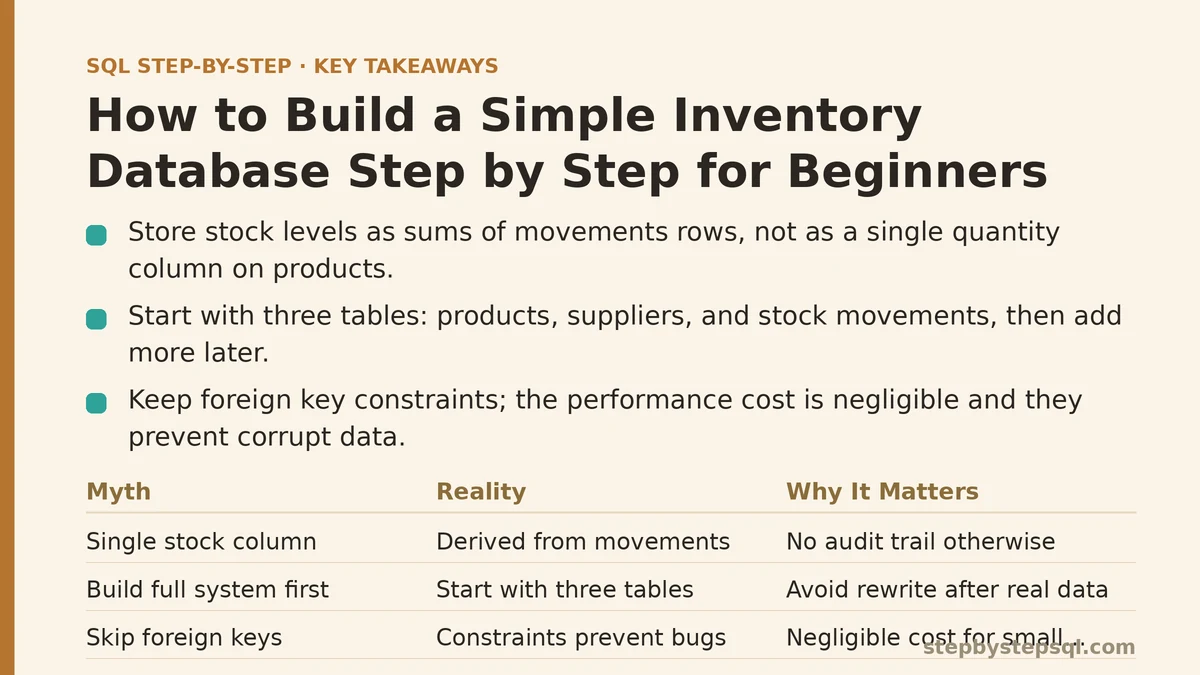
Myth vs Reality: How Inventory Databases Get Talked About
Myth: You Need a Single “Stock” Column on the Products Table
This is the most common starting design, and it’s the one that breaks first. A quantity_on_hand integer sitting on products looks tidy. It tells you the current number and nothing else. You can’t answer “how much did we sell last month,” you can’t explain why the number changed, and if two people update it at the same time you have no record of what happened.
Reality: Stock Levels Are Derived From Movements
A reliable inventory database records every event that changes stock — a receipt, a sale, an adjustment, a return — as its own row in a movements table. The current quantity is then a sum over those rows. This sounds like more work, and it is slightly more work at write time. In exchange, every number on your dashboard has a trail behind it, and any disagreement about stock levels can be resolved by reading the history rather than arguing about it.
Myth: You Should Build the Full System First, Then Add Data
Beginners often sketch a ten-table schema covering warehouses, bins, lots, expiry dates, and transfers before inserting a single row. Three weeks later nothing runs, and the design has to be rewritten anyway because the first real transaction exposed an assumption that didn’t hold.
Reality: Start With Three Tables and Real Rows
Products, suppliers, and stock movements cover the overwhelming majority of small inventory needs. Get those three working end to end — insert, query, verify — before adding a fourth. Extra tables are cheap to add later and expensive to unwind.
Myth: Foreign Keys Slow Everything Down, So Skip Them
There is a persistent belief that foreign key constraints are a performance tax you should avoid. For a small inventory system handling thousands rather than billions of rows, the cost is negligible. The constraint prevents an entire category of bug: a movement row pointing at a product ID that doesn’t exist, which silently corrupts every aggregate you build on top of it.
Reality: Constraints Are the Cheapest Bug Prevention You Have
Databases exist partly to enforce rules you’d otherwise have to remember in application code. A foreign key on stock_movements.product_id means the database refuses to accept a movement for a nonexistent product. That’s one less validation to write, test, and eventually forget.
Step 1: Design the Three Tables
Here is the schema in SQLite-flavored SQL. It will also run on PostgreSQL with minor type changes (INTEGER PRIMARY KEY becomes SERIAL PRIMARY KEY), and the shape is identical on MySQL.
CREATE TABLE suppliers (
    supplier_id   INTEGER PRIMARY KEY,
    name          TEXT NOT NULL,
    email         TEXT
);

CREATE TABLE products (
    product_id    INTEGER PRIMARY KEY,
    sku           TEXT NOT NULL UNIQUE,
    name          TEXT NOT NULL,
    unit_price    NUMERIC NOT NULL DEFAULT 0,
    reorder_level INTEGER NOT NULL DEFAULT 0,
    supplier_id   INTEGER REFERENCES suppliers(supplier_id)
);

CREATE TABLE stock_movements (
    movement_id   INTEGER PRIMARY KEY,
    product_id    INTEGER NOT NULL REFERENCES products(product_id),
    quantity      INTEGER NOT NULL,
    movement_type TEXT NOT NULL,
    moved_at      TEXT NOT NULL DEFAULT (datetime('now'))
);
Three things worth noting about this design.
First, products.sku carries a UNIQUE constraint. SKUs are the human-facing identifier, and duplicates there cause real operational confusion — two rows claiming the same code, with stock split unpredictably between them.
Second, stock_movements.quantity is signed. A receipt of 50 units is +50; a sale of 12 units is -12. Summing the column gives you current stock directly, with no branching logic in your queries.
Third, movement_type is a free-text column here rather than an enum or lookup table. That’s a deliberate simplification for a beginner build. The trade-off: nothing stops someone from writing 'recieved' instead of 'received', and your filtered reports will silently miss those rows. Once you’re comfortable with the core flow, either constrain the column with a CHECK clause or move the values into a lookup table.
Step 2: Insert Some Real Data
Sample data with realistic messiness teaches more than a handful of perfectly clean rows.
INSERT INTO suppliers (supplier_id, name, email) VALUES
  (1, 'Northwind Components', '[email protected]'),
  (2, 'Harbor Supply Co', '[email protected]');

INSERT INTO products (product_id, sku, name, unit_price, reorder_level, supplier_id) VALUES
  (1, 'WID-100', 'Widget, Standard', 4.50, 20, 1),
  (2, 'WID-200', 'Widget, Heavy Duty', 7.25, 15, 1),
  (3, 'GIZ-050', 'Gizmo, Compact', 12.00, 10, 2),
  (4, 'GIZ-075', 'Gizmo, Extended', 18.75, 10, 2);

INSERT INTO stock_movements (product_id, quantity, movement_type, moved_at) VALUES
  (1,  100, 'receipt',    '2026-01-05 09:00:00'),
  (1,  -35, 'sale',       '2026-01-12 14:30:00'),
  (1,  -20, 'sale',       '2026-01-20 11:15:00'),
  (2,   60, 'receipt',    '2026-01-06 10:00:00'),
  (2,  -50, 'sale',       '2026-01-18 16:45:00'),
  (3,   40, 'receipt',    '2026-01-08 08:30:00'),
  (3,  -32, 'sale',       '2026-01-22 13:00:00'),
  (4,   25, 'receipt',    '2026-01-09 15:20:00'),
  (4,   -3, 'adjustment', '2026-01-25 10:00:00');
Product 1 ends at 45 units, product 2 at 10, product 3 at 8, product 4 at 22. Products 3 and 4 have both dipped below their reorder level of 10. Keep those numbers in mind — the verification queries below should surface exactly them.
Step 3: Verify That Your Data Landed Correctly
The insert step is where most beginner databases go subtly wrong, because a broken insert still returns success. Run this immediately after loading data:
SELECT
    p.sku,
    p.name,
    SUM(m.quantity) AS qty_on_hand,
    p.reorder_level
FROM products p
LEFT JOIN stock_movements m ON m.product_id = p.product_id
GROUP BY p.product_id, p.sku, p.name, p.reorder_level
ORDER BY p.sku;
You should see four rows with quantities of 45, 10, 8, and 22. Two details matter here.
The LEFT JOIN is not decoration. If a product had no movements yet — a perfectly normal state for a newly added SKU — an inner join would drop it from the report entirely, and you’d never notice the omission. With LEFT JOIN, that product appears with a NULL quantity.
That NULL matters for the next query. SUM() of no rows returns NULL, not 0, so a product with no movements will show a blank instead of zero. Wrap it: COALESCE(SUM(m.quantity), 0) AS qty_on_hand. Forgetting this is a common cause of dashboards that show empty cells where they should show zero.
If the row counts or quantities don’t match what you inserted, the problem is upstream in your INSERT statements, not the query. Check the raw table first:
SELECT COUNT(*) AS movement_rows FROM stock_movements;
Step 4: Answer the Questions an Inventory System Exists to Answer
With the schema working, the queries become straightforward. Here are the three that come up most often.
What needs reordering right now?
SELECT p.sku, p.name, p.reorder_level,
       COALESCE(SUM(m.quantity), 0) AS qty_on_hand
FROM products p
LEFT JOIN stock_movements m ON m.product_id = p.product_id
GROUP BY p.product_id, p.sku, p.name, p.reorder_level
HAVING qty_on_hand < p.reorder_level;
The filter lives in HAVING, not WHERE, because it tests an aggregate. Putting SUM(...) in a WHERE clause is a syntax error in every major database, and beginners hit that wall constantly.
How much stock moved, by type, in the last 30 days?
SELECT movement_type,
       SUM(quantity) AS net_change,
       COUNT(*)      AS movement_count
FROM stock_movements
WHERE moved_at >= datetime('now', '-30 days')
GROUP BY movement_type;
Which products has each supplier shipped to us?
SELECT s.name AS supplier, p.sku, SUM(m.quantity) AS total_received
FROM suppliers s
JOIN products p       ON p.supplier_id = s.supplier_id
JOIN stock_movements m ON m.product_id = p.product_id
WHERE m.movement_type = 'receipt'
GROUP BY s.name, p.sku
ORDER BY s.name, p.sku;
Step 5: Where This Design Breaks Down
The three-table model is a starting point, and it’s worth knowing its limits before you outgrow it rather than after.
Multiple warehouses. The moment stock sits in more than one location, a single SUM(m.quantity) per product is meaningless — you need to know which warehouse holds what. The fix is a warehouses table and a warehouse_id column on stock_movements, with quantity summed per product per warehouse. Retrofitting this after you’ve built reports is painful.
Cost tracking. products.unit_price records the current price, not what you paid for the units on hand. For proper margin reporting you need either a cost column on each receipt movement or a separate purchases table. This is a real limitation, not a theoretical one — many small inventory systems are built without it and then can’t answer “what was our actual profit on this order.”
Concurrency. If two people sell the same last unit at the same moment, both look at a stock level of 1, both write a movement of -1, and you’ve oversold. The movements table doesn’t prevent this by itself; you need a transaction that reads the current level and writes the movement atomically, or a database-level constraint. For a single-user learning project this won’t bite, but be aware it exists.
When not to build this at all. If you need barcode scanning, purchase orders, batch/lot tracking, or integration with accounting software, you are looking at an off-the-shelf system, not a hand-rolled schema. Building inventory software past a certain point is a full product, and the three-table model above is best understood as a learning scaffold or the core of a small internal tool.
Step 6: A Migration Habit Worth Starting Now
Every schema change after the initial build — adding warehouse_id, adding a cost column — should be a numbered migration file rather than an ad-hoc ALTER TABLE typed into a console. A plain SQL file per change, applied in order, gives you a reproducible database and a history you can read.
-- migrations/002_add_warehouse.sql
ALTER TABLE stock_movements
    ADD COLUMN warehouse_id INTEGER REFERENCES warehouses(warehouse_id);
This is a convention, not a framework. It costs nothing to adopt and saves significant pain once you have more than one environment to keep in sync.
The Mental Model to Carry Forward
The single decision that determines whether an inventory database stays trustworthy is treating stock level as a derived value, not a stored one. Everything else — indexes, extra tables, reporting views — is an optimization on top of that foundation. Stored quantities drift out of sync with reality and nobody can tell you when or why; derived quantities can always be audited by reading the movements that produced them.
Build the three tables, load the data above, and run the reorder query. If it returns products 3 and 4, your setup is sound and you have a working foundation to grow from.
What are you tracking — physical goods, digital licenses, or something less typical — and what’s the first question you need your inventory data to answer? Describe the situation and the right schema change usually becomes obvious.
Related guides: SQL String Functions: A Step-by-Step Guide for Beginners, Step-by-Step Guide to Writing Multi-Table SQL Joins for Beginners, and 10 Common SQL Mistakes Beginners Make (And How to Fix Each One).