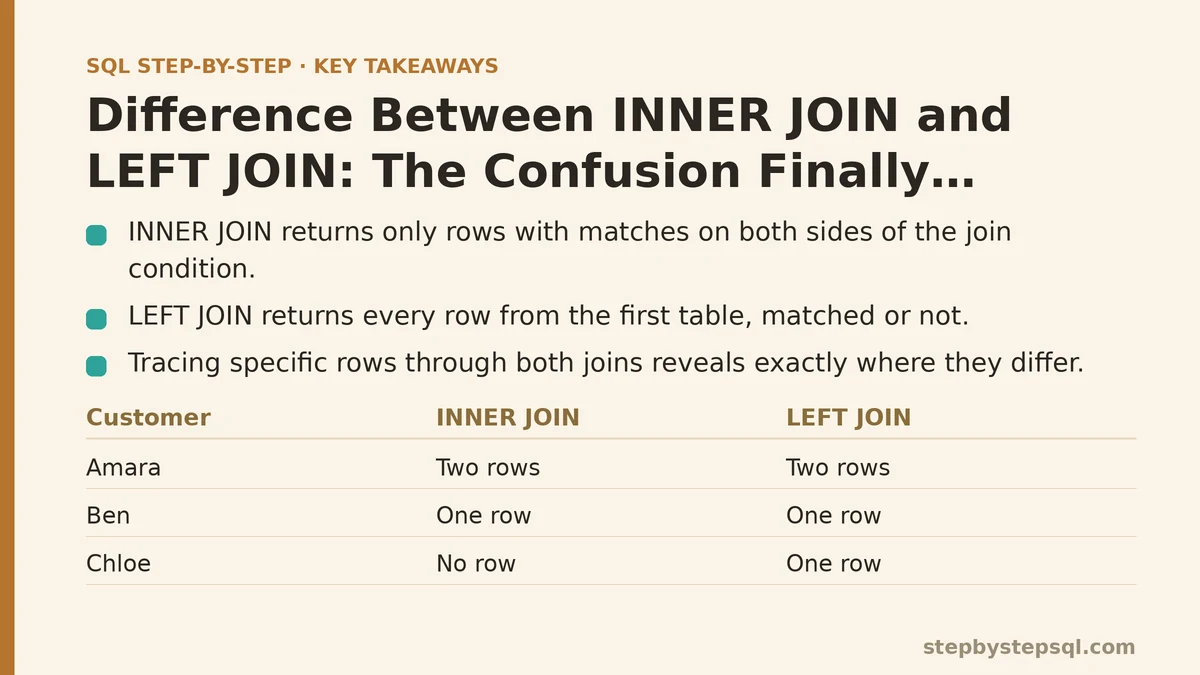
INNER JOIN returns only the rows that match on both sides of your query. LEFT JOIN returns every row from the first table, matched or not. That’s the entire difference, in one sentence — and it’s also the reason so many SQL queries quietly return the wrong number of rows without anyone noticing until a report doesn’t add up.
The rest of this comes down to one habit: tracing a specific dataset through both JOIN types, row by row, until you can see exactly where they part ways. So let’s build one.
Setting Up the Scenario
Imagine you’re pulling a report for a mid-sized subscription business. There are two tables involved. The first, customers, holds one row per signup — a customer ID, a name, a signup date. The second, subscriptions, holds one row per active subscription — a subscription ID, a customer ID linking back to the first table, and a monthly plan amount.
The task sounds simple: “show me each customer alongside their subscription amount.” Someone on the team writes a query with INNER JOIN. Someone else, reviewing it a week later, rewrites it with LEFT JOIN. Both queries run without errors. Both look reasonable. And yet the row counts don’t match, which is exactly the kind of discrepancy that sends people down a rabbit hole trying to find a bug that isn’t really a bug — it’s a misunderstanding of what each JOIN promises.
Here’s the actual data, kept deliberately small so every row can be tracked by hand:
customers table:
- Customer 101, Amara
- Customer 102, Ben
- Customer 103, Chloe
- Customer 104, Deshawn
subscriptions table:
- Subscription 1, customer 101, $29
- Subscription 2, customer 101, $49 (a second, upgraded plan)
- Subscription 3, customer 102, $29
- Subscription 4, customer 999, $19 (a data problem — customer 999 doesn’t exist in
customers)
Notice that Chloe and Deshawn have no subscription at all. Notice too that Amara has two, and one subscription points to a customer ID that simply isn’t in the customers table. This messiness is intentional — clean data hides the very distinction we’re trying to resolve.
Running INNER JOIN First
The query looks like this:
SELECT customers.name, subscriptions.plan_amount
FROM customers
INNER JOIN subscriptions
  ON customers.customer_id = subscriptions.customer_id;
Walk through it row by row. INNER JOIN keeps a row only when the join condition finds a match on both sides. So the database checks every customer against every subscription, looking for equal customer IDs.
Amara matches subscription 1 and subscription 2 — she appears twice in the output, once per subscription, each time paired with a different plan amount. Ben matches subscription 3 and appears once. Chloe has no subscription row anywhere, so no match exists, and she doesn’t appear in the output at all. Deshawn, same story — he vanishes. Subscription 4’s customer ID (999) has no counterpart in the customers table, so that subscription disappears too, silently, with no error and no warning.
The result: three rows total. Amara twice, Ben once. Two customers and one subscription have simply been erased from view, and if you were only looking at this output, you’d have no way of knowing they ever existed in the source tables.
This is the part that catches people off guard. INNER JOIN isn’t broken — it’s doing exactly what it’s supposed to do. But “show me each customer” was never really the question this query answered. It answered “show me each customer who has at least one subscription,” which is a narrower question that happened to look identical to the original one until you counted rows carefully.
Running LEFT JOIN on the Same Data
Change one keyword and rerun:
SELECT customers.name, subscriptions.plan_amount
FROM customers
LEFT JOIN subscriptions
  ON customers.customer_id = subscriptions.customer_id;
LEFT JOIN starts from a different guarantee: every row in customers — the table named first, on the left side of the JOIN — makes it into the output no matter what. Where a match exists, the subscription data comes along for the ride. Where no match exists, the subscription columns come back as NULL instead of the customer disappearing.
Trace it again. Amara still appears twice, matched to both her subscriptions, same as before — LEFT JOIN doesn’t change anything about rows that do match. Ben appears once, also unchanged. Chloe now appears too, but with an empty plan amount, because LEFT JOIN refuses to drop her just because subscriptions has nothing for her customer ID. Deshawn shows up the same way — present, with a NULL plan amount.
What about subscription 4, the orphaned one pointing to customer 999? It still disappears, and this is the detail that trips people up most. LEFT JOIN protects rows from the left table, not the right one. Since 999 doesn’t exist in customers, there’s no left-table row for that subscription to attach to, so it drops out of both queries identically. LEFT JOIN is not “show me everything from both tables” — that’s a different JOIN entirely, and a much rarer need.
Final count here: five rows. Amara twice, Ben once, Chloe once with a NULL, Deshawn once with a NULL. Two more rows than the INNER JOIN version, and the two extra rows are precisely the customers with zero subscriptions.
Lining the Two Results Up Side by Side
Put the two outputs next to each other and the divergence becomes obvious in a way that no abstract syntax explanation quite manages:
INNER JOIN gave three rows: Amara ($29), Amara ($49), Ben ($29).
LEFT JOIN gave five rows: Amara ($29), Amara ($49), Ben ($29), Chloe (NULL), Deshawn (NULL).
The overlap between the two results is identical — matched customers show up the same way regardless of which JOIN you picked. The difference lives entirely in the unmatched rows. INNER JOIN treats “no match” as a reason to exclude a row. LEFT JOIN treats “no match” as a reason to include the row anyway, just with gaps filled in by NULL.
This is worth sitting with for a moment, because it reframes the whole question. Choosing between INNER JOIN and LEFT JOIN isn’t really a syntax decision — it’s a decision about how you want your query to treat rows with no counterpart on the other side. Do you want them gone, or do you want them present with blanks? Once you can answer that in plain language, the keyword picks itself.
Why This Particular Bug Is So Easy to Miss
If this subscriptions example had been built without the deliberately messy rows — no customers lacking a subscription, no orphaned subscription pointing to a missing customer ID — both queries would have returned identical results. That’s exactly what makes this mistake so persistent in real codebases. A query gets written and tested against data that happens to be complete, INNER JOIN and LEFT JOIN produce the same row count, and the wrong choice slips through code review unnoticed. It’s only weeks or months later, once a customer signs up without immediately subscribing to anything, that the report quietly starts undercounting, and by then nobody remembers which JOIN was chosen or why.
That’s a strong argument for testing JOIN logic against messy, incomplete data on purpose, rather than trusting a clean test dataset to reveal a problem it isn’t shaped to reveal. Add one customer with no matching row, add one orphaned row on the other side, and rerun both versions. If the row counts match, you likely don’t have unmatched rows in play yet. If they diverge, you’ve just found the exact reason the choice matters.
A Second Trap: Filtering After a LEFT JOIN
There’s a follow-up mistake that shows up constantly once someone has learned to reach for LEFT JOIN correctly. Suppose the report also needs to filter for subscriptions above $25:
SELECT customers.name, subscriptions.plan_amount
FROM customers
LEFT JOIN subscriptions
  ON customers.customer_id = subscriptions.customer_id
WHERE subscriptions.plan_amount > 25;
This looks harmless, but the WHERE clause runs after the join has already happened, and it evaluates plan_amount > 25 against every row — including Chloe’s and Deshawn’s, where plan_amount is NULL. A NULL never satisfies a greater-than comparison, so both of them get filtered out, and the query is back to behaving like INNER JOIN despite the LEFT JOIN keyword sitting right there in the code. The whole point of switching to LEFT JOIN — keeping customers with no subscription — has been undone by a WHERE clause that doesn’t know or care which JOIN produced its input.
The fix is to move that condition into the ON clause instead, so it’s evaluated as part of the matching logic rather than as a post-join filter:
SELECT customers.name, subscriptions.plan_amount
FROM customers
LEFT JOIN subscriptions
  ON customers.customer_id = subscriptions.customer_id
  AND subscriptions.plan_amount > 25;
Now Chloe and Deshawn still appear, with NULL plan amounts, because the filter only affects which subscription rows get matched — it never touches whether a customer row survives at all.
Turning This Into a Repeatable Check
The subscriptions example is specific, but the checking method generalizes to any pair of tables you’re joining. Pick a small, real slice of your data. Confirm there’s at least one row on the left side with no match on the right, and ideally one row on the right side with no match on the left. Run both JOIN types against that slice and compare row counts by hand before trusting either version against a full production table.
If the counts match, unmatched rows aren’t currently affecting your result, though that can change as data grows — worth rechecking periodically rather than assuming it forever. If the counts differ, you now know precisely which rows are at stake, and you can decide with actual evidence whether losing them (INNER JOIN) or keeping them with NULLs (LEFT JOIN) matches what the business question was really asking for.
| Scenario | INNER JOIN behavior | LEFT JOIN behavior |
|---|---|---|
| Row matches on both sides | Included | Included, identical to INNER JOIN |
| Left-table row with no match | Excluded entirely | Included, right-side columns NULL |
| Right-table row with no match | Excluded entirely | Excluded entirely |
| Clean data, no unmatched rows | Same result as LEFT JOIN | Same result as INNER JOIN |
That bottom row of the table is the one to remember most. It’s the reason this mix-up survives in production code for so long before anyone notices.
Do you have two tables where you suspect rows might be going missing? Describe the relationship between them and what you’re trying to preserve, and we can trace a small sample through both JOIN types the same way this walkthrough did. Related guides: SQL JOIN Explained with Visual Diagrams: Finally Understand How Tables Connect, Step-by-Step Guide to Writing Multi-Table SQL Joins for Beginners, and Common SQL JOIN Mistakes That Duplicate or Drop Rows.