Say you are trying to build a simple report: one row per customer, showing their name and total order amount. You write what looks like a reasonable query, run it, and the row count is wrong. Either you get more rows than customers — the same customer appearing two or three times — or you get fewer rows than customers, with some people silently missing. Both problems usually trace back to the same handful of JOIN mistakes, and both are fixable once you know what to look for.
This post is organized as a series of myths and their corresponding realities. Each myth is something that sounds reasonable but produces wrong output. Each reality explains what the database is really doing, and what to change.
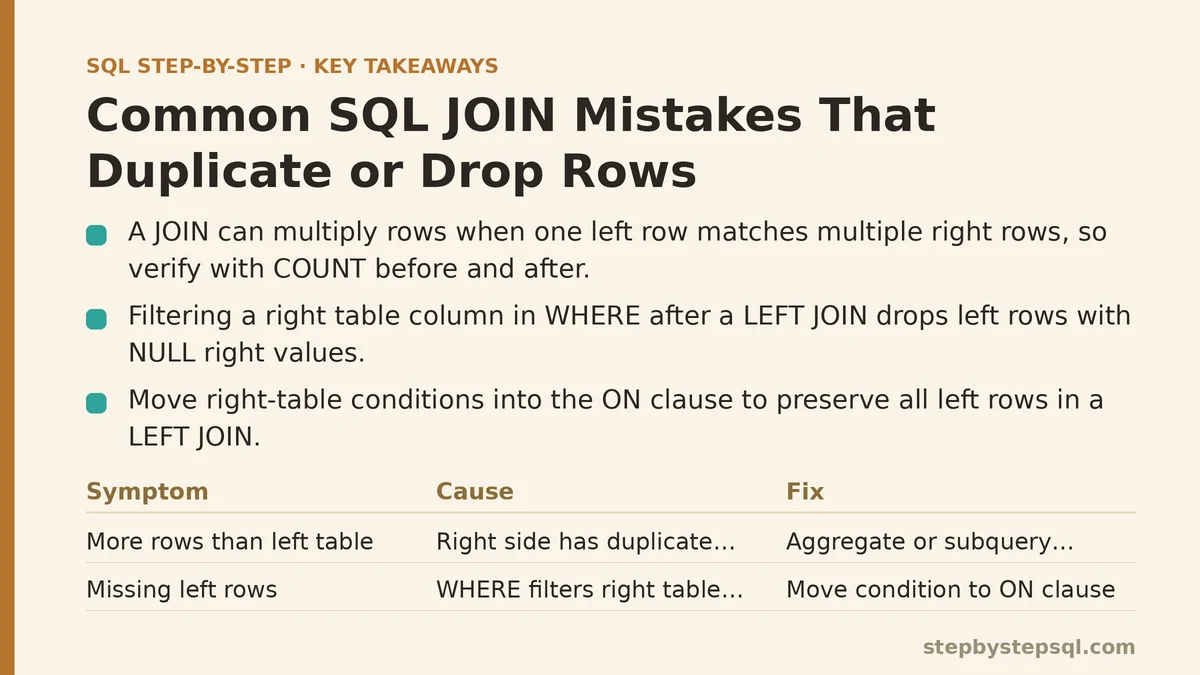
Myth 1: “A JOIN Just Adds Columns”
This is the most widespread misconception about JOINs, and it causes more duplicate-row bugs than anything else. The belief is that joining two tables takes each row of the left table, attaches some columns from the right table, and produces the same number of rows.
Reality: a JOIN can multiply rows. When one row on the left matches multiple rows on the right, the database produces one output row per match — not one output row total.
Consider two tables:
-- customers
-- customer_id | name
-- 1           | Ada
-- 2           | Bo
-- 3           | Cy

-- orders
-- order_id | customer_id | amount
-- 101      | 1           | 50
-- 102      | 1           | 30
-- 103      | 2           | 20
Now run:
SELECT c.customer_id, c.name, o.order_id, o.amount
FROM customers c
JOIN orders o ON o.customer_id = c.customer_id;
You get three rows, not three customers. Ada appears twice because she has two orders. The joining key customer_id has duplicates on the right side, so the left row fans out.
This is correct behavior, not a bug. The problem only appears when you treat the output as if it were one row per customer. If you then compute something like AVG(amount) across the whole result, Ada’s orders get double weight in the calculation while Cy contributes nothing.
How to verify: compare COUNT(*) on the base table against COUNT(*) on the joined result. If the joined count is higher, you have fan-out:
SELECT COUNT(*) AS base_customers FROM customers;
SELECT COUNT(*) AS joined_rows FROM customers c JOIN orders o ON o.customer_id = c.customer_id;
How to fix it, depending on intent:
- If you want one row per order, the fan-out is fine — just make sure downstream aggregations are grouped correctly.
- If you want one row per customer with a total, aggregate before joining, or use a subquery:
SELECT c.customer_id, c.name, COALESCE(t.total, 0) AS total_amount
FROM customers c
LEFT JOIN (
    SELECT customer_id, SUM(amount) AS total
    FROM orders
    GROUP BY customer_id
) t ON t.customer_id = c.customer_id;
Aggregating the many-side first collapses the duplicates before they reach the join, so each customer row matches at most one aggregated row.
Myth 2: “LEFT JOIN Keeps All My Rows, So I Can Filter Freely”
You have probably been told that LEFT JOIN promises to preserve every row from the left table. This is true — until you add a WHERE clause that filters on a column from the right table.
Reality: a WHERE clause that references the right table runs after the join, and it discards every left row where the right side is NULL.
Here is the trap. You want all customers plus their recent orders, so you write:
SELECT c.customer_id, c.name, o.order_id, o.order_date
FROM customers c
LEFT JOIN orders o ON o.customer_id = c.customer_id
WHERE o.order_date >= '2026-01-01';
Customers with no orders at all have o.order_date = NULL. NULL >= '2026-01-01' evaluates to unknown, not true, so those rows are dropped. The LEFT JOIN just became an INNER JOIN in effect. Cy, who never ordered anything, disappears from your “all customers” report.
How to verify: run the same query, then run it again without the WHERE clause, and compare row counts. If the filtered version has fewer rows, the filter is doing more than you intended.
How to fix it: move the condition into the ON clause when it belongs to the optional side of the join:
SELECT c.customer_id, c.name, o.order_id, o.order_date
FROM customers c
LEFT JOIN orders o
    ON o.customer_id = c.customer_id
   AND o.order_date >= '2026-01-01';
Now the date filter only limits which orders match, not which customers survive. Customers with no qualifying orders still appear, with NULL in the order columns.
The trade-off: conditions in ON change what “matching” means; conditions in WHERE change which final rows are kept. For an inner join the two are usually equivalent. For an outer join they are not, and choosing the wrong one is a very common source of silently dropped rows.
Myth 3: “Duplicate Rows Are Always a Join Problem”
When you see the same row twice in a result, it is tempting to blame the join. Sometimes the duplication is really in one of the source tables.
Reality: a table with duplicate keys will duplicate every row it is joined against, even with a perfectly correct join. If customers has two rows for customer_id = 1 because of a data-entry error or a staging-table issue, every order for customer 1 will appear twice.
How to check for duplicate keys:
SELECT customer_id, COUNT(*) AS n
FROM customers
GROUP BY customer_id
HAVING COUNT(*) > 1;
Any rows returned are duplicate keys in the base table. If that query returns nothing, your duplication is coming from the join itself (Myth 1). If it returns rows, fix or deduplicate the source data first, because no join strategy will clean that up for you.
Also watch for unintentional CROSS JOIN behavior. A join condition that does not restrict anything — for example, ON 1 = 1, or an ON clause that references columns shared across every row — will produce the cartesian product. That multiplies row counts by the number of rows on each side and is easy to spot precisely because the counts blow up so dramatically.
Myth 4: “Adding DISTINCT Cleans Up the Duplicates”
When duplicates appear, a common reflex is to slap SELECT DISTINCT on the query. This often appears to work.
Reality: DISTINCT removes rows that are identical across every selected column. If two rows differ in one column — say, an order_id — DISTINCT keeps both, because they are not identical rows. It only masks duplication when the duplicated rows happen to have exactly the same values in every selected column, which is rarely what you want in a report that includes IDs or timestamps.
Worse, DISTINCT hides the underlying cause instead of fixing it. The duplicates may still be skewing an aggregate that runs before the DISTINCT, and next time the query changes, the duplicates re-emerge.
Preferred approach: identify why rows are duplicated (Myth 1 or Myth 3), then resolve it at the source — aggregate the many-side, or deduplicate the base table. Reach for DISTINCT only as a targeted tool when you truly want distinct combinations of values and you have verified the output.
Myth 5: “Any Join That Runs Without an Error Is Correct”
A query can execute successfully and return a result set that is silently wrong. The database does not warn you that a LEFT JOIN was downgraded to an inner join by a misplaced WHERE, or that a join fanned out your rows.
Reality: correctness in joins has to be verified, not assumed. A few lightweight habits catch nearly all of these problems.
Verify row counts at each stage
Build the query up in pieces. Count the base table. Count the join without filters. Count the join with filters. Each step should go up by a predictable amount, or stay flat. When a step surprises you, investigate before continuing.
Verify join cardinality explicitly
Before trusting an output, ask: is this relationship one-to-one, one-to-many, or many-to-many? For a “one row per customer” goal, the join should be one-to-many or one-to-one on the customer side. A many-to-many relationship will always fan out and requires aggregation.
-- Confirm the join is one-to-one on the target grain
SELECT customer_id, COUNT(*) AS matches
FROM orders
GROUP BY customer_id
ORDER BY matches DESC
LIMIT 5;
If the top counts are greater than 1, every one of those customers will produce multiple rows.
Verify the outer join is still outer
After writing a LEFT JOIN with filters, confirm no left-side rows were lost by comparing against a query that counts the left table alone. If the numbers differ and you did not intend them to, one of your filter placements is wrong.
Myth 6: “You Should Just Rewrite It as a Subquery”
When a join misbehaves, an appealing escape is to avoid joins entirely and use subqueries everywhere. Sometimes that works; sometimes it trades one problem for another.
Reality: subqueries and joins are different tools, and each has failure modes. A correlated subquery in a SELECT list runs conceptually once per outer row, which can be far slower than a single join on large tables. A subquery in the WHERE clause using IN can also behave unexpectedly with NULL values, since x IN (subquery) is unknown when the subquery returns NULL.
When to prefer a join: you need columns from both tables in the output, or you are combining two large tables and want the optimizer’s join strategies (hash join, merge join) to do the work.
When to prefer a subquery or CTE: you want to aggregate the many-side before combining (Myth 1), or the logic is clearer expressed as a staged transformation. A CTE makes the intent readable:
WITH order_totals AS (
    SELECT customer_id, SUM(amount) AS total
    FROM orders
    GROUP BY customer_id
)
SELECT c.customer_id, c.name, COALESCE(ot.total, 0) AS total
FROM customers c
LEFT JOIN order_totals ot ON ot.customer_id = c.customer_id;
This yields exactly one row per customer, includes customers with no orders via the LEFT JOIN plus COALESCE, and keeps the aggregation step isolated and easy to reason about.
Myth 7: “NULL Never Equals Anything, So It Doesn’t Matter Here”
NULL is not equal to NULL. That single fact drives several join behaviors.
Reality: an equality join condition like ON a.id = b.id will not match rows where either side is NULL, because NULL = NULL is unknown, not true. If your data has NULL keys that you expected to align, those rows silently fail to match. On the outer side of a LEFT JOIN they still appear with NULL right-hand columns; on an inner join they vanish entirely.
Where this typically bites:
- A
LEFT JOINwhoseWHEREfilter compares against aNULL— see Myth 2. - An
INNER JOINon an optional foreign key column where some rows haveNULL. Those rows drop out. - A
NOT INsubquery where the subquery returns anyNULL, which makes the whole predicate unknown and returns no rows at all.
How to handle it: decide explicitly whether NULL keys should be matched. If they should map to something, use COALESCE to give them a sentinel value before joining. If they should not match anything, that is fine, but confirm you want those rows preserved (outer join) or excluded (inner join) rather than assuming.
-- Give NULL keys a sentinel so they can be matched intentionally
SELECT *
FROM events e
LEFT JOIN categories c
    ON COALESCE(e.category_id, -1) = c.category_id;
A Quick Diagnostic Checklist
When your join output has the wrong number of rows, work through these checks in order:
- Count the base tables. Know your starting row counts.
- Count the join without filters. Compare against what you expected. Higher means fan-out; lower means unmatched rows were dropped.
- Check for duplicate keys in the table you expected to be unique on the join column.
- Inspect every
WHEREclause for references to the optional side of an outer join, and move qualifying conditions intoON. - Confirm the relationship is one-to-one, one-to-many, or many-to-many, and aggregate accordingly.
- Check for
NULLkeys if you expected matches that did not appear.
Each check is a small query. Running them in order narrows the cause quickly, and it is far faster than guessing which clause is at fault.
The Principle Behind All of These
Almost every duplicate-row or dropped-row bug in a join comes down to one question: how many rows on the right side match each row on the left, and what happens to the ones that match zero or many?
Answer that question honestly for your data before writing the final query, and the rest follows. If each left row matches at most one right row, a simple join is safe. If a left row can match many, aggregate the many-side first. If a left row can match none and you want to keep it, use an outer join — and be careful that no downstream clause quietly turns it back into an inner join.
What join are you building, and where are you seeing the row count go wrong — more rows than expected, or fewer? Describe your two tables and the relationship between them, and the fix usually becomes obvious once the cardinality is clear.
Related guides: Step-by-Step Guide to Writing Multi-Table SQL Joins for Beginners, ACID Properties in Databases Explained Simply: The Four Rules That Keep Your Data Safe, and Difference Between INNER JOIN and LEFT JOIN: The Confusion Finally Resolved.