The first table most people create is the one they will have to rebuild. Not because the columns are wrong, but because the primary key was chosen casually — often a single auto-incrementing number added “just to have something” — and six months later that choice makes certain updates impossible or certain duplicates invisible. A table without a proper primary key is not really a table in the relational sense; it is a spreadsheet that happens to live in a database.
This guide walks through building a first table the slow way: choosing a key, writing the DDL, testing it, and confirming the constraint holds. Along the way it contrasts what a beginner typically does with what an experienced practitioner does, because the difference is almost entirely about decisions made before typing any SQL.
What a Primary Key Is, Precisely
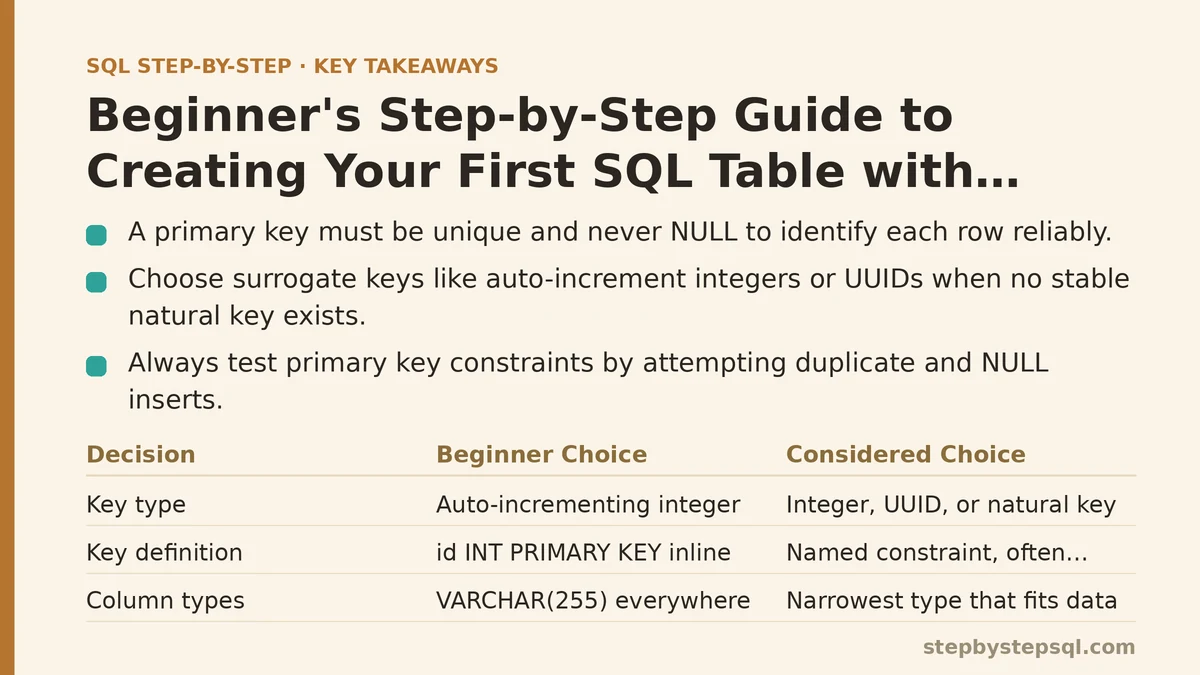
A primary key is a column (or set of columns) that satisfies two rules simultaneously: every value in it is unique across the table, and no value in it is ever NULL. Those two rules together guarantee that every row can be identified by its key alone.
That sounds like minor bookkeeping. It is not. Uniqueness is what allows an index to find a row in logarithmic time instead of scanning the whole table. Non-nullability is what allows a foreign key from another table to point at a specific row without ambiguity. Both properties have to hold for the key to do its job.
-- The two rules, expressed as the constraint itself
CREATE TABLE customers (
    customer_id   INTEGER      PRIMARY KEY,
    email         TEXT         NOT NULL
);
If you try to insert two rows with customer_id = 1, the second insert fails. If you try to insert a row with customer_id = NULL, it fails too. That is the constraint doing its job.
Beginner Approach vs. Advanced Approach: A Side-by-Side
Most tutorials present one correct way to build a table. That hides the interesting part — the decisions an experienced practitioner makes differently and why. The comparison below is the spine of this guide.
| Decision | Common beginner choice | Considered choice | Why the difference matters |
|---|---|---|---|
| Key type | Auto-incrementing integer | Integer, UUID, or natural key depending on use | Affects portability, collision risk, and whether the key leaks information |
| Key definition | id INT PRIMARY KEY inline | Named constraint, often composite | Named constraints are easier to alter and easier to read in error messages |
| Column types | VARCHAR(255) everywhere | Narrowest type that fits the data | Type width affects storage and index size on every query |
| NULL handling | Left to defaults | Explicit NOT NULL where applicable | Silent NULLs cause filter bugs later |
| Defaults | None | DEFAULT NOW() or DEFAULT CURRENT_TIMESTAMP on audit columns | Removes a class of missing-value bugs |
| Testing | Insert one row, move on | Attempt duplicate insert, expect failure | Verifies the constraint is really enforced |
Nothing in the right column is exotic. It is all standard SQL that a beginner can write. The difference is discipline, not expertise.
Step 1: Decide What Identifies a Row
Before writing any CREATE TABLE, answer one question: what, in the real world, makes two rows different?
A customer is identified by something stable and unique — not their email (people change emails), not their name (people share names). Often the only reliable answer is a surrogate key: a value the database generates purely to identify the row, carrying no business meaning.
Two common surrogate options exist, and they behave differently:
- Auto-increment integer — the database assigns 1, 2, 3, and onward. Small, fast to index, easy to read in logs. The downside: values are guessable and sequence-based, which matters if you ever expose the key in a URL or an API response.
- UUID — a 128-bit random or time-based identifier. Larger to store, slightly slower to index, but non-guessable and safe to generate on the client before the row exists in any database.
For a first table used in learning or internal analytics, an auto-increment integer is the pragmatic choice. For anything user-facing where the key might be visible, a UUID is often safer.
Step 2: Write the CREATE TABLE Statement
Here is a complete, copy-pasteable example. It targets PostgreSQL, and the same statement runs with small modifications on SQLite and MySQL.
CREATE TABLE customers (
    customer_id    BIGINT       GENERATED ALWAYS AS IDENTITY,
    email          VARCHAR(255) NOT NULL,
    full_name      VARCHAR(120) NOT NULL,
    created_at     TIMESTAMPTZ  NOT NULL DEFAULT NOW(),

    CONSTRAINT customers_pkey PRIMARY KEY (customer_id),
    CONSTRAINT customers_email_unique UNIQUE (email)
);
A few things worth pointing out, because they are the parts beginners routinely skip:
GENERATED ALWAYS AS IDENTITYis the modern SQL standard for auto-incrementing columns. Older code usesSERIALin PostgreSQL, but the standard syntax is preferred for new work.NOT NULLappears on every column that should never be empty. Leaving it off is the default, and the default is permissive.- The primary key is declared as a named constraint at the bottom rather than inline. This is not strictly required for a single-column key, but it makes the statement read consistently and makes future
ALTER TABLEstatements easier to write. - A separate
UNIQUEconstraint onemailis added even though it is not the primary key — most systems want to prevent two customers from sharing an email, and the primary key alone does not enforce that.
Step 3: Run It and Verify the Table Exists
After the statement executes, confirm the structure before inserting anything.
-- PostgreSQL: show the columns and constraints
\d customers

-- Portable alternative: query the information schema
SELECT column_name, data_type, is_nullable
FROM information_schema.columns
WHERE table_name = 'customers';
The output should list every column with its type, and the is_nullable field should read NO for customer_id, email, full_name, and created_at. If any of those reads YES, the constraint is missing.
Step 4: Confirm the Primary Key Is Enforced
This step is the one most tutorials skip, and it is the one that separates a table that looks correct from a table that is correct. Run a successful insert, then deliberately try to violate the key.
-- Success: first row inserts normally
INSERT INTO customers (email, full_name)
VALUES ('[email protected]', 'Alice Chen');

-- Expected failure: duplicate primary key
INSERT INTO customers (customer_id, email, full_name)
VALUES (1, '[email protected]', 'Bob Martinez');
The second statement should fail with an error mentioning the primary key constraint — something like duplicate key value violates unique constraint "customers_pkey". If it succeeds, the key is not enforced and the table needs to be rebuilt.
Also test the uniqueness constraint on email:
-- Expected failure: duplicate email, different primary key
INSERT INTO customers (email, full_name)
VALUES ('[email protected]', 'Alice Duplicate');
Both failures are the point. A constraint that has never been tested is a constraint you are trusting on faith.
Step 5: Understand the Sequence (If You Used One)
If you used GENERATED ALWAYS AS IDENTITY, the database maintains a hidden counter behind the scenes. Every successful insert consumes the next value, whether or not the transaction commits.
This produces a behavior that surprises beginners: after a failed insert (say, a duplicate email), the next successful insert will skip a number. The primary key values will look like 1, 3, 4, 5 with 2 missing. That is not a bug. Gaps in an auto-incrementing key are normal and expected — the key’s job is uniqueness, not density.
Do not try to reuse the skipped numbers. Do not write application logic that assumes keys are contiguous. If you ever need a dense ordering for presentation, compute it in a query with ROW_NUMBER() rather than relying on the primary key.
When NOT to Use an Auto-Incrementing Primary Key
Auto-increment integers are the safest default, but three situations call for a different choice:
Distributed inserts. If multiple independent systems insert into the same table — separate services, offline clients, sharded databases — a single shared sequence becomes a coordination point and a failure mode. UUIDs remove that coordination entirely.
Public-facing identifiers. If the primary key will appear in URLs, API responses, or exported files, sequential integers leak information. Anyone can infer how many customers exist, guess the next ID, and probe for records they should not see. A UUID or a separately generated “public ID” column avoids this.
Natural keys with strong stability guarantees. Occasionally a real-world identifier — an ISO country code, a standardized product SKU — is stable enough to serve directly as the primary key. This is rare. Most “stable” real-world identifiers change eventually, and when they do, updating a primary key cascades through every foreign key reference. Prefer a surrogate key unless you are certain the natural key will never change.
Step 6: Adding the Key to an Existing Table
If you inherit a table that already has data but no primary key, you can add one — provided the existing data satisfies the constraints.
-- Only works if customer_id has no duplicates and no NULLs
ALTER TABLE customers
ADD CONSTRAINT customers_pkey PRIMARY KEY (customer_id);
If duplicates exist, the statement fails with an error listing the conflicting rows. Resolve them first — typically by deduplicating and keeping the row with the most recent created_at — then retry.
Adding a primary key to a large table can be slow, because the database must build an index across every row. On tables with millions of rows, this can take minutes and lock writes for the duration. Plan the migration accordingly.
Common Failure Modes
Three mistakes account for most of the pain beginners encounter with primary keys:
Using a nullable column as the key. In some databases, PRIMARY KEY implies NOT NULL and you never notice the problem. In others, the behavior is inconsistent. Always write NOT NULL explicitly on the key column, even when the database would enforce it anyway.
Assuming UNIQUE means PRIMARY KEY. A table can have many UNIQUE constraints but only one primary key. UNIQUE allows NULL in many databases (and treats multiple NULLs as distinct, in a way that surprises people); PRIMARY KEY never does. If you need uniqueness plus non-nullability, that is a primary key, not a unique constraint.
Forgetting that foreign keys depend on the primary key. Once another table references customers.customer_id as a foreign key, you cannot drop or change the primary key without either cascading the change or breaking the reference. Choose the key before any other table depends on it, because changing it later is expensive.
A Minimal Working Example, End to End
Putting the entire workflow together, this is the shortest version that covers setup, verification, and constraint testing.
-- Setup
CREATE TABLE customers (
    customer_id  BIGINT       GENERATED ALWAYS AS IDENTITY,
    email        VARCHAR(255) NOT NULL,
    created_at   TIMESTAMPTZ  NOT NULL DEFAULT NOW(),
    CONSTRAINT customers_pkey PRIMARY KEY (customer_id),
    CONSTRAINT customers_email_unique UNIQUE (email)
);

-- Verify structure
\d customers;

-- Insert a valid row
INSERT INTO customers (email) VALUES ('[email protected]');

-- Confirm the row exists
SELECT * FROM customers;

-- Confirm the key is enforced (this should fail)
INSERT INTO customers (email) VALUES ('[email protected]');
The final statement failing is the success condition. Every constraint in the table has now been tested at least once.
What to Check Before You Move On
Primary keys get harder to change the longer a table lives, because more things depend on them. The cost of getting the key right the first time is roughly five minutes of thinking. The cost of changing it later is a migration plan, a coordination window, and careful handling of every foreign key that points at it.
If you take one rule away from this guide, make it this: never create a table without a primary key, and never choose that key without first asking what makes a row unique in the real world. The database will enforce whatever rule you give it — including a rule that turns out to be wrong.
Related guides: How to Write Your First SQL SELECT Statement: A Genuine Beginner’s Walkthrough, Step-by-Step Guide to Writing Multi-Table SQL Joins for Beginners, and How to Use SQL Subqueries in WHERE and FROM Clauses: A Beginner Guide.