Say you are trying to build a report for your regional sales managers. The request is simple on its face: “For every salesperson, show me their name, their region, their total sales this quarter, and a column that ranks them within their own region from highest to lowest.”
You start with a straightforward aggregate query. You write SELECT region, salesperson, SUM(sale_amount) FROM sales GROUP BY region, salesperson. That gives you one row per salesperson with their total. Now you need the rank within region. Your first instinct might be to copy that result into a spreadsheet and add a RANK() formula there. That works for one report, but next week the request changes to “top 3 per region,” and the week after that someone wants the row number of each transaction so they can paginate a results table. The spreadsheet approach breaks down fast.
The tool that solves this cleanly is a window function, specifically ROW_NUMBER and RANK. This post walks through a single case study from start to finish. By the end, you will have working SQL you can adapt, and you will know exactly when these functions are the right tool and when they are not.
Setup: The Sales Table and Sample Data
For this case study, assume a PostgreSQL database. The same concepts apply to MySQL 8.0+, SQL Server, and SQLite 3.25+ (though SQLite’s window function support has some limitations with RANGE frames, which we won’t need here).
Create the table and seed it with data:
CREATE TABLE sales (
    id SERIAL PRIMARY KEY,
    salesperson TEXT NOT NULL,
    region TEXT NOT NULL,
    sale_amount NUMERIC(10, 2) NOT NULL,
    sale_date DATE NOT NULL
);

INSERT INTO sales (salesperson, region, sale_amount, sale_date) VALUES
('Ava', 'North', 1200.00, '2026-07-01'),
('Ben', 'North', 950.00,  '2026-07-03'),
('Ava', 'North', 800.00,  '2026-07-05'),
('Ben', 'North', 1500.00, '2026-07-08'),
('Ava', 'North', 600.00,  '2026-07-10'),
('Cleo', 'South', 2000.00, '2026-07-02'),
('Cleo', 'South', 1100.00, '2026-07-06'),
('Dan',  'South', 850.00,  '2026-07-04'),
('Dan',  'South', 1300.00, '2026-07-09'),
('Cleo', 'South', 950.00,  '2026-07-12'),
('Eve',  'East',  1750.00, '2026-07-01'),
('Eve',  'East',  900.00,  '2026-07-07'),
('Eve',  'East',  1100.00, '2026-07-11');
This gives you three regions, four salespeople, and thirteen transactions. The totals per salesperson work out to: Ava 2600 (North), Ben 2450 (North), Cleo 4050 (South), Dan 2150 (South), Eve 3750 (East).
Step 1: The Aggregate Query Without Ranks
Before adding any window function, write the query that gives you the per-salesperson totals. This is the baseline you would normally export to a spreadsheet.
SELECT region, salesperson, SUM(sale_amount) AS total_sales
FROM sales
GROUP BY region, salesperson
ORDER BY region, total_sales DESC;
The output has five rows, one per salesperson. What it lacks is the rank column. You could add that in a spreadsheet, but the moment you need to filter for “top 2 per region” or join this result to another table, you are stuck writing a subquery or a self-join that is harder to read and maintain than the alternative.
Step 2: Add ROW_NUMBER to Get a Unique Position
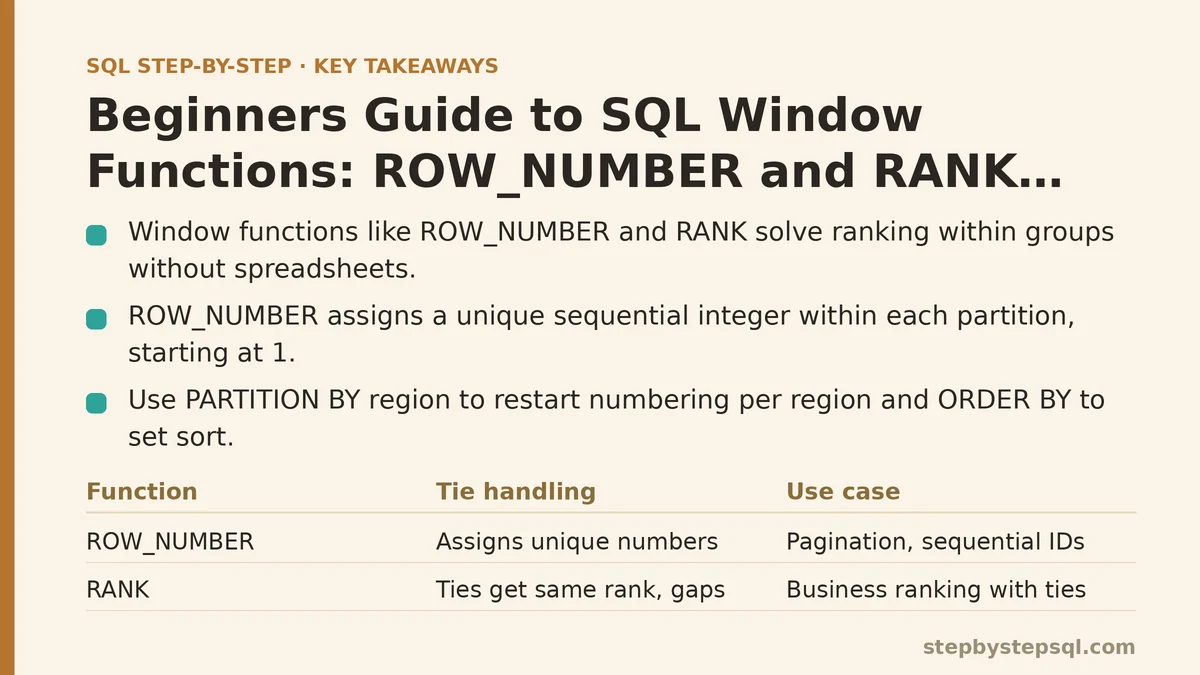
ROW_NUMBER() assigns a sequential integer to each row within a partition, starting at 1. It never ties: even if two rows have identical sort values, they each get a different number. The order of those tied numbers is not guaranteed unless you add a tiebreaker column to ORDER BY.
Here is how you add it to the aggregate query:
SELECT
    region,
    salesperson,
    SUM(sale_amount) AS total_sales,
    ROW_NUMBER() OVER (
        PARTITION BY region
        ORDER BY SUM(sale_amount) DESC
    ) AS row_num
FROM sales
GROUP BY region, salesperson
ORDER BY region, row_num;
The OVER clause is where the window is defined. PARTITION BY region groups rows into one window per region. ORDER BY SUM(sale_amount) DESC sets the sequence used for numbering. The result looks like this:
| region | salesperson | total_sales | row_num |
|---|---|---|---|
| North | Ava | 2600.00 | 1 |
| North | Ben | 2450.00 | 2 |
| South | Cleo | 4050.00 | 1 |
| South | Dan | 2150.00 | 2 |
| East | Eve | 3750.00 | 1 |
Notice that the numbering restarts at 1 for each region. That is the effect of PARTITION BY. If you removed it, the entire result set would be treated as a single window, and you would get a global ranking from 1 to 5.
Step 3: Add RANK to Handle Ties the Way Business Users Expect
ROW_NUMBER assigns a unique number even when two people have the same total. Consider what happens if Ben makes one more sale and catches up to Ava at 2600. With ROW_NUMBER, Ava would get 1 and Ben would get 2, even though their totals are identical. For some reports, that is misleading.
RANK handles ties differently. Rows with the same sort value receive the same rank, and the next rank skips the numbers that would have been used. In a tie for first place, the next row gets rank 3, not 2.
To compare, run the same query with RANK and inspect the South region, where Cleo and Dan are far apart enough that it won’t matter — instead, add a tie artificially for North by inserting one more Ben sale:
INSERT INTO sales (salesperson, region, sale_amount, sale_date) VALUES
('Ben', 'North', 150.00, '2026-07-15');
Now Ben’s total is 2600, tied with Ava. Run this query:
SELECT
    region,
    salesperson,
    SUM(sale_amount) AS total_sales,
    ROW_NUMBER() OVER (
        PARTITION BY region
        ORDER BY SUM(sale_amount) DESC
    ) AS row_num,
    RANK() OVER (
        PARTITION BY region
        ORDER BY SUM(sale_amount) DESC
    ) AS rank_num
FROM sales
GROUP BY region, salesperson
ORDER BY region, rank_num;
The output shows the difference clearly:
| region | salesperson | total_sales | row_num | rank_num |
|---|---|---|---|---|
| North | Ava | 2600.00 | 1 | 1 |
| North | Ben | 2600.00 | 2 | 1 |
| South | Cleo | 4050.00 | 1 | 1 |
| South | Dan | 2150.00 | 2 | 2 |
| East | Eve | 3750.00 | 1 | 1 |
Ava and Ben both get rank 1. The next distinct rank after the tie would have been 3, but since there is no third person in North, no gap appears here. If there were a third salesperson with 2000, they would get rank 3 with RANK but rank 1 with DENSE_RANK (a third function worth knowing, which does not skip numbers). For this post, RANK is the one that matches the business expectation of “both of them are #1.”
Step 4: Filter to Top N Per Group — The Pattern That Earns Its Keep
The single most common use case for these functions is selecting the top N rows within each group. You cannot put ROW_NUMBER() inside a WHERE clause directly, because window functions are evaluated after WHERE and GROUP BY. Instead, you wrap the query in a subquery (or a CTE) and filter on the result.
The concrete request here: “Give me the top 2 salespeople in each region by total sales.” The following query does it:
WITH ranked_sales AS (
    SELECT
        region,
        salesperson,
        SUM(sale_amount) AS total_sales,
        RANK() OVER (
            PARTITION BY region
            ORDER BY SUM(sale_amount) DESC
        ) AS rank_num
    FROM sales
    GROUP BY region, salesperson
)
SELECT region, salesperson, total_sales
FROM ranked_sales
WHERE rank_num <= 2
ORDER BY region, rank_num;
Output:
| region | salesperson | total_sales |
|---|---|---|
| North | Ava | 2600.00 |
| North | Ben | 2600.00 |
| South | Cleo | 4050.00 |
| South | Dan | 2150.00 |
| East | Eve | 3750.00 |
East only has one salesperson, so only one row appears. No extra filtering logic is needed to handle regions with fewer than two people — the WHERE clause simply returns fewer rows.
If the business rule is “exactly two per region, even if that means arbitrarily picking between ties,” swap RANK for ROW_NUMBER. That forces a unique ordering, but be aware that which of the two tied salespeople gets the spot is nondeterministic unless you add a tiebreaker in the ORDER BY inside OVER. For a stable report, add one:
ROW_NUMBER() OVER (
    PARTITION BY region
    ORDER BY SUM(sale_amount) DESC, salesperson ASC
) AS row_num
This ensures Ava always gets 1 and Ben always gets 2 when their totals are tied.
Step 5: Number Every Row in a Report for Pagination
A different use case is paginating a large results set. Suppose you have a screen that shows fifty transactions at a time. A ROW_NUMBER over the entire result set (no PARTITION BY) gives each row a stable position, and you can page by filtering on that number. The key difference from the ranking example is that you do not partition at all.
WITH numbered_sales AS (
    SELECT
        id,
        salesperson,
        sale_amount,
        sale_date,
        ROW_NUMBER() OVER (
            ORDER BY sale_date DESC, id DESC
        ) AS page_row
    FROM sales
)
SELECT * FROM numbered_sales
WHERE page_row BETWEEN 1 AND 5
ORDER BY page_row;
This returns the five most recent transactions. ORDER BY sale_date DESC, id DESC makes the order deterministic even when two rows share the same date. Without a secondary sort key, the same page of results could change between runs.
Verification: Check That Your Numbers Match a Manual Count
Before you trust the query, verify it against a known value. Take the North region. Manually sum Ava’s sales: 1200 + 800 + 600 = 2600. Sum Ben’s: 950 + 1500 + 150 = 2600. The query’s output matches. For the top-N logic, confirm that WHERE rank_num <= 2 does not exclude a person who should be included. If a tie for second place exists, RANK includes both tied parties, which may return more than two rows. That is a feature or a bug depending on the report requirement. Write a test query that counts rows per region:
SELECT region, COUNT(*) AS salesperson_count, SUM(total_sales) AS region_total
FROM ranked_sales
GROUP BY region
ORDER BY region;
This gives you a sanity check: North should show 2, South 2, East 1. If the numbers look wrong, the most likely culprit is the GROUP BY in the inner query — forgetting it produces one row per transaction, which makes SUM(sale_amount) meaningless after the window function calculates on per-row values.
When Not to Use ROW_NUMBER or RANK
These functions are overkill in a few situations.
First, if you only need a global ranking that ignores groups, and the table is small (under a few thousand rows), a simple ORDER BY in the outer query might suffice. But the moment the report needs a numbered position as a column, you still need the window function.
Second, if your goal is to collapse rows into one summary per group and you never need to see individual rows next to the aggregate, GROUP BY alone is the simpler tool. ROW_NUMBER adds nothing to a pure aggregation.
Third, avoid using RANK for pagination. Ties produce duplicate rank values, and duplicates in a pagination key cause rows to be skipped or repeated across pages. For pagination, ROW_NUMBER with a deterministic ORDER BY is the correct choice.
Fourth, be careful with very large partitions. A window function sorts the entire partition in memory or on disk, so a table with millions of rows and a poorly chosen partition key can cause slow queries. Add an index on the columns used in PARTITION BY and ORDER BY. For example, an index on (region, sale_date) will help the queries in this post run faster on a production-sized table.
Putting It Together for the Original Report
The original request was a rank within region plus the individual totals. The complete, production-ready query — assuming you want ties to share a rank — is:
SELECT
    region,
    salesperson,
    SUM(sale_amount) AS total_sales,
    RANK() OVER (
        PARTITION BY region
        ORDER BY SUM(sale_amount) DESC, salesperson ASC
    ) AS region_rank
FROM sales
GROUP BY region, salesperson
ORDER BY region, region_rank;
The extra salesperson ASC in the ORDER BY does not change the rank when totals differ. It only decides which name appears first when two totals are identical, which makes the output reproducible.
The next time your manager asks for “top 3 per region,” the change is a single line: WHERE rank_num <= 3. The next time they ask for a running count of transactions per day, that is a different window function (COUNT with OVER), but the same mental model applies: define the partition, define the order, and the database does the rest.
If you take a few minutes to run the setup script and then modify the PARTITION BY or the ORDER BY inside the OVER clause, you will learn more than any variation of this post can teach from reading alone. Change the partition to salesperson, and watch how the numbering shifts. That experiment is worth more than the fifteen minutes it takes.
Related guides: Step-by-Step Guide to SQL Window Functions for Beginners, Step-by-Step Guide to Writing Multi-Table SQL Joins for Beginners, and Why Your SQL NULL Comparisons Fail: Common Errors and Fixes.